
voice typing for sales emails and Cold Follow-Ups: A Practical Guide
Speak stalled follow-ups into sent drafts instead of typing them away.
 Voiskey Team
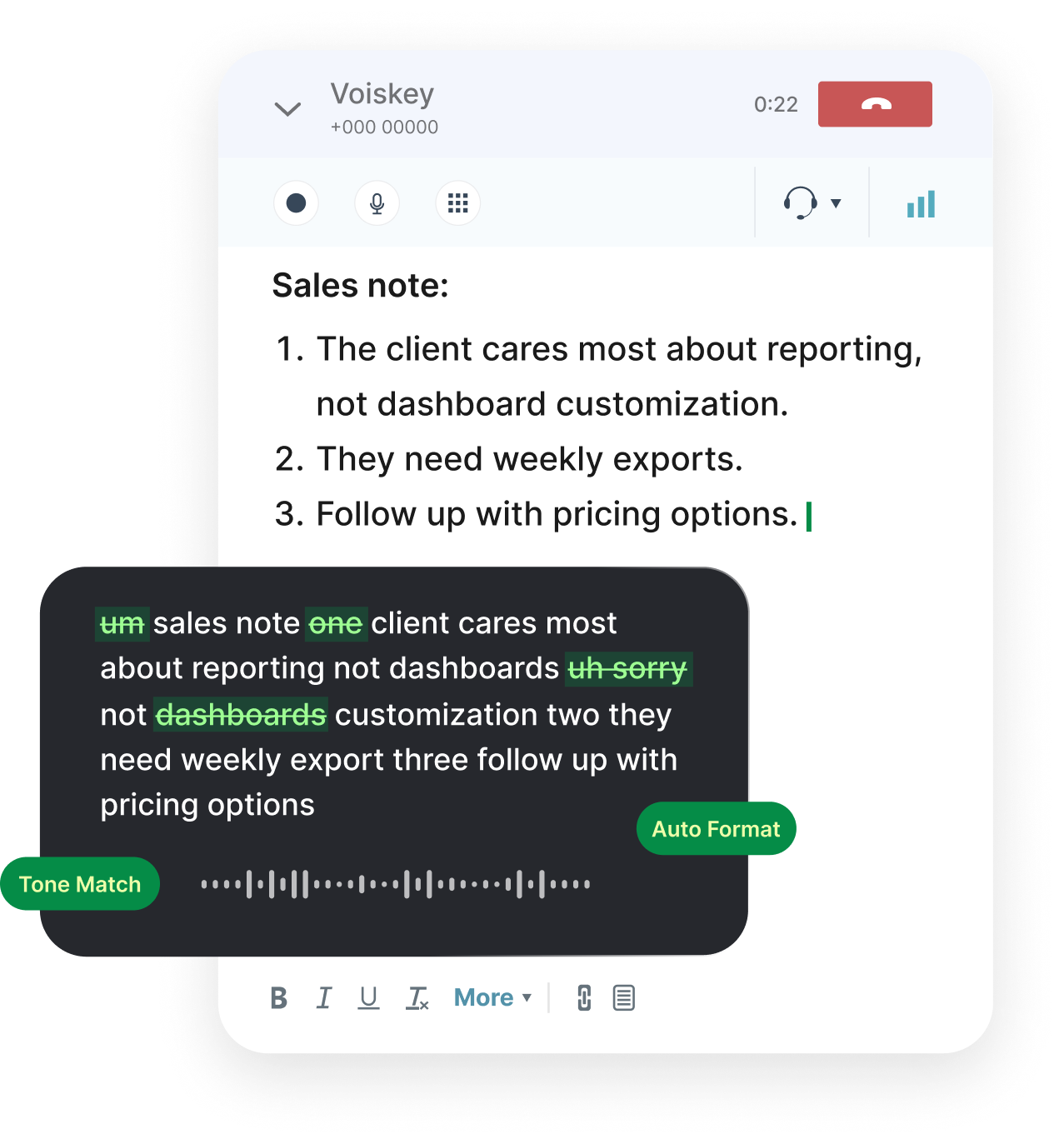
Why Follow-Ups Stall
Most cold follow-ups die at the keyboard, not at the prospect. Sitting down to write a message to someone who ignored your first email feels awkward, so it moves to tomorrow, and tomorrow becomes never. Voice typing for sales emails removes the friction at the source: you already know what you want to say, so you only need to say it. Open the compose window, press the dictation shortcut, and speak the message the way you would explain it to a teammate on a call. Voiskey turns that spoken draft into readable email text, with the pauses and filler words gone, and you have a usable follow-up in under a minute instead of a blank page staring back at you.
The stalling is mostly psychological. A follow-up without new information feels like a repeat, and repeating yourself by typing word for word feels like a confession of failure. Speaking changes the calculus. When you talk, you add the small new detail you actually noticed last time: the pricing question they asked, the deadline they mentioned, the competitor they named. That detail is what earns a reply. Build a two-line running note after every call, then dictate the follow-up from the note the same day. If you wait until Friday, the detail is gone, and so is the reason to write.
There is also a math problem. Typing a 120-word follow-up takes most people three to four minutes, and a sales rep sends dozens of touches a week, so the compounding cost eats the time you should spend on the next prospect. Speaking runs at about 220 words per minute, so the same email becomes a thirty-second task. Voiskey's dictation lands the text directly in Gmail, Outlook, or whatever compose field you already use, so there is no transcribing into a notes app and no copy-paste step. You speak, you glance at the draft, you send. That is the whole workflow a follow-up needs.
Finally, most follow-up systems fail because they are built at the wrong moment. People schedule a sequence in a CRM, then treat it as a delivery system for a message nobody rewrote. Dictation fixes the pipeline, not by scheduling more emails, but by making the email cheap enough to customize. When every touch takes a minute to draft, you can afford to reference the actual conversation instead of the template. Delete the two-touch generic sequence and replace it with a rule: never send a follow-up you could not speak to the person face to face. If you cannot imagine saying it out loud, re-dictate it until it sounds like you.
The Thirty-Second Cold Draft
Here is the drill: the moment you notice a prospect has gone quiet, open the reply window and set a thirty-second timer. Then speak the whole message as a single thought, in whatever ordering comes naturally, and set your cursor in the field before you start talking. Most people hit send on the first draft. The reason the timer works is that it forces you to grab the live version of the ask while the thread context is still sharp. If you start editing before you finish speaking, you recapture the old hesitation, so simply talk, let the draft land, and only then skim it for names, dates, and numbers. Voiskey shapes the spoken version into a clean paragraph, so your thirty-second draft reads better than the twenty-minute one you would have written anyway.
The cold draft has three parts and no more. Open with the specific reason you are writing: the question they asked, the document you promised, the deadline you both discussed. Then give one piece of new value, a number, an example, a relevant case, something they did not already have. Then close with a single obvious question that takes ten seconds to answer, like whether they want the proposal sent over. Dictate these three beats in order and stop. If your draft has a fourth paragraph, cut it. The thirty-second draft is not short because you are rushed; it is short because a cold prospect only reads the first screen.
Connect the draft to your notes. Keep a template with five blanks you can fill by speaking: prospect name, last conversation date, their stated problem, the specific ask, and one new fact. Open that blank shell, read the fields out loud as sentence starters, and the follow-up assembles itself. You say 'Hi Sarah, following up on Tuesday, you asked about the rollout timeline, here is the short answer, should I walk you through it tomorrow?' and that is a complete, natural, reply-baiting email produced in one sentence of speech. Do five of these back to back and you have cleared your quiet list before lunch.
A Follow-Up Sequence You Can Dictate
Turn your sequence into a speaking script before it becomes a template. Write the four touches as prompts you can read out loud: the first touch names your value, the second adds a case or proof, the third brings a new angle, and the fourth closes the loop with a clear stop date. Then dictate each one fresh for each prospect, filling the blanks with the details of that thread. What you get is the consistency of a sequence with the specificity of a real letter. Record the script lines in a note you can read while you speak, so you never drift into rambling, and never sound like you are reading a mail merge.
The first touch is the one people sacrifice. They want the email to be short, so they type three lines of generic politeness and forget the ask. Speak the subject line out loud first, because prospects and clients read it before anything else. Keep your ask in the first four lines: can we talk next Tuesday, or the quote is attached and I can make changes. Say the ask once, clearly, and then stop talking. Voiskey's dictation is especially useful here because the spoken ask comes out with the certainty of a voice and not the apology of a typed question. If you catch yourself saying 'just checking in,' delete it and say what you actually want.
After a reply, the sequence becomes a conversation, and the tone of your dictation should change with it. When the prospect responds positively, dictate the confirmation immediately to lock in the next meeting while their yes is fresh. When they go quiet again, dictate a single line referencing the last exchange, something like asking whether the pricing table came through, and send it. The distinguishing habit is not a clever sequence; it is the speed of the follow-up. A reply within two hours feels attentive, and a reply after four days feels like an afterthought. Speaking makes the two-hour window easy to hit.
Tone That Reads Like a Person
Follow-ups stall when they sound like the sender is performing a role. Dictation helps precisely because you cannot perform while you speak, or at least not for long. The fillers, the hedges, and the politeness armor that you type automatically are harder to keep up out loud, so the message that lands is the one you actually meant. Voiskey's dictation cleans the ramble into readable text while keeping your real phrasing. After you speak, read the draft once and ask: does this sound like a person who is busy and respectful, or like a machine guessing at politeness? If it sounds like the second, delete the throat-clearing and re-dictate just the ask.
Concretely, keep the first sentence human. 'Hope you're well' costs you a line and a half of goodwill with an operator who sees forty of them a day. Instead, open with something they said: you mentioned the rollout risk last week, or your note on the contract was useful. Dictate that opening as a plain statement and resist the urge to dress it up. Then keep the ask honest. If you want a reply by Friday, say by Friday. Vague closings like 'let me know what you think' ask for a favor without stating it. The specific ask is what makes a cold email answerable.
The one thing to guard in dictation is length. Speaking encourages you to explain, and explanation kills a follow-up. Set a rule for yourself: any draft you dictate must fit the preview window without scrolling. If it does not, cut the second example, drop the context paragraph, and keep the ask. You can also use Voiskey's cleanup to your advantage: speak the full version, then make one editing pass that deletes every sentence which does not either add information or state the request. You end up with the warmth of your voice and the discipline of a thirty-second email. It is a hard rule, not a guideline, and it is what keeps your voice from burying your ask.
Cadence and Tracking the Thread
Choose a cadence you can actually keep, then dictate against it. The simplest pattern that works in outbound is touch one on day one, touch two on day three, touch three on day seven, and a touch four with a stop date on day fourteen. Write these dates in your tracker, not in your head. Then the nightly block becomes mechanical: open the tracker, sort by next touch date, and dictate every follow-up due tomorrow in one sitting. Because speaking is fast, a rep clears twenty touches in twenty minutes, whereas typing the same list would take over an hour and probably not happen at all.
Track what matters, not what the CRM defaults to. For each thread, note the last touch date, the exact ask, and the prospect's reply state. Keep a short voice note per account if the email thread does not carry the detail: after each call, spend twenty seconds saying the key facts out loud and let the record live next to the deal. When you dictate the next follow-up, spend four seconds glancing at that note, then speak. This small loop is the difference between a sequence that feels personal and one that visibly reuses the same three sentences on people who already said no.
Finally, decide when the sequence ends. A stop date is not a loss; it is a filter. When you close a thread after four touches, you reclaim the energy you were spending on hope. If the prospect replies months later, the thread is still there, and dictating from the old history takes one minute. Keep a simple rule: every thread in your tracker gets an owner state of active or closed, and you review the closed ones once a month. If a closed thread reopens, dictate from the record, not from memory. That keeps your follow-up pipeline fast, honest, and easy to maintain.
FAQ s
Speak the specific detail from the last exchange instead of the greeting. Open with the question they asked or the deadline they named, state the ask once, and stop. Dictating beats typing for this because you naturally include the detail you would edit out of a typed draft. Voiskey cleans the speech into readable text, then you read it once and delete any sentence that adds no new information or no request.
No. Voiskey turns your spoken words into clean email text, but it never sends anything. You review the draft in Gmail, Outlook, or Apple Mail and press send yourself. That keeps you in control of the final message, which matters for cold outreach where one wrong line can burn a relationship.
Four touches works well for most outbound: day one, day three, day seven, and a closing touch around day fourteen with a clear stop date. After that, close the thread and move to the next prospect. The follow-ups work because each one adds one new fact or angle, not because the sequence is long.
Voiskey works wherever the cursor is, so if your CRM email is a normal browser or desktop text field, you can dictate straight into the compose box. For replies in Gmail or Outlook, the same shortcut applies: click into the field, speak, review, and send.


 Voiskey
Your voice, amplified.
Choose a real task, follow the steps, and review the results with your team before expanding the rollout.
Use it across macOS, Windows, iOS, and Android