
voice typing for manager reports: A Practical Guide to Voice Typing for Manager Status Updates and Reports
Dictate the weekly update in five minutes and keep the record searchable.
 Voiskey Team
The Weekly Update Habit
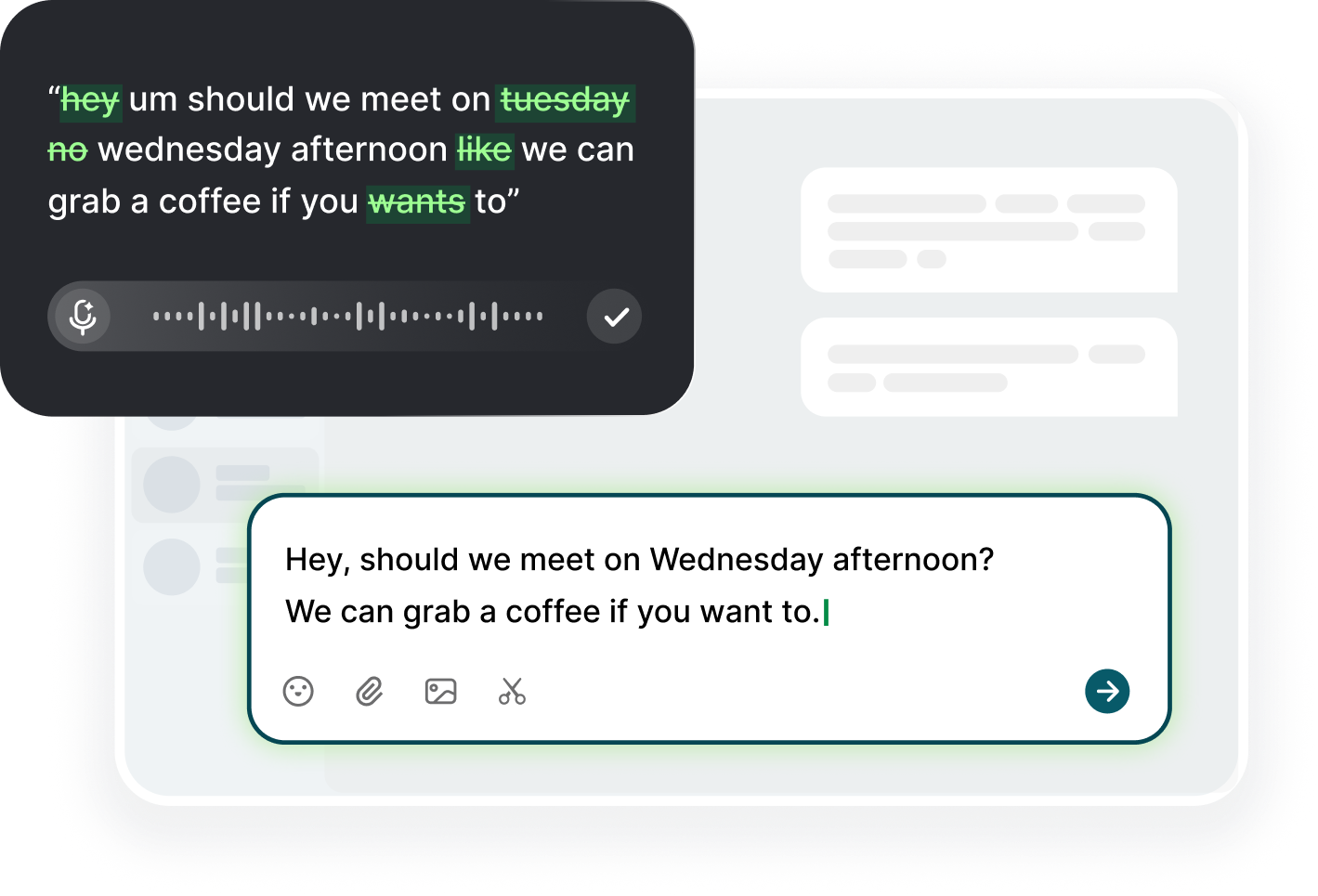
The update is routine, but it is only easy if you do it every week. Voice typing for manager reports makes the habit cheap enough to keep: once a week, open the update template, place the cursor in the first field, and speak the truth about the week while it is still in your head. What shipped, what is stuck, what needs a decision. Dictate it in five minutes on Friday afternoon, then spend one more minute cleaning the names and numbers. Voiskey writes your spoken words straight into the template, so the update costs less effort than the email you send yourself about writing it.
Pick a fixed time and a fixed template. The template has three fields and no more: done, blocked, next, plus a line for help you need. When the shape is fixed, the writing is a recall task, not a creation task, and recall is exactly what dictation accelerates. Say it as if you were telling a teammate at the coffee machine: this week I finished the migration script, it is live in staging, and I need someone to review the trigger before Friday. That sentence is three-quarters of the update, and you fill the rest in the same breath. The update is a report of work done, and the work does not wait for the report.
The habit also protects you in the other direction. The update written Friday from memory is the update that fabricates polish; the update dictated midday from events is the update that holds. So talk into the note the moment something lands: a task closes, a decision changes, a blocker appears. These thirty-second voice notes feed Friday's update. You never sit down to reconstruct the week, because the week reconstructed itself as you lived it. That is the real reason the habit sticks, and it sticks because the entry cost is one sentence at a time. Small proves easier than large, and the note is the small.
Done, Blocked, and Next
The three words are a discipline. Done means shipped, tested, or decided; it does not mean basically done or mostly done at ninety percent. Blocked means a named dependency, a person, a system, or an access problem, with a date you expect resolution. Next means the two or three things you will actually work, in order. Dictate in that order and do not add a fourth category. A manager reads a status update to answer three questions: are we on plan, do you need help, and what will move next week. Answer those, and nothing else. The fourth category is commentary, and commentary is where updates become essays.
Use the template as the script, not as a form. Read the previous week's update before you speak, so the narrative is continuous: last Friday I said the API review would be complete, it is, and here is the result. Then dictate the delta, not the whole story. Most updates are three sentences long when written this way, but each sentence carries weight because it compares to the plan. The comparison is what the manager is actually reading for. If the week had no delta, say so in one line, and the update still counts. The delta is the value, and the no-delta is information too.
Keep a running note during the week, not a memory on Sunday. Each time something notable happens, dictate a line: blocked on legal review of the vendor contract, expected Wednesday. Then on Friday, open the note and dictate the update from the lines themselves. You are assembling, not remembering. This also catches the invisible work that takes up your days: the meetings, the reviews, the debugging. Managers worth their salary want to see that work, and the voice note captures what a typed update usually smooths over into a single blurry sentence. Invisible work named is work counted, and counted work is the work people reward.
Metrics You Say Out Loud
Say the numbers out loud before you put them in the update. Metrics spoken reveal their meaning: we processed 142 tickets this week and 19 are still open says something different when you hear it with the two parts together. Speaking forces you to pair each number with its context: the time frame, the previous value, the target. A bare number in an update is a fact without a story, and the story is what your manager needs to evaluate the week. Dictate the number with one framing line and the metric suddenly becomes readable, and readable is the standard. The framing line is the one you say out loud, which is the one you would defend.
Choose three metrics, not twelve. Each update carries the metrics that matter right now: one for output, one for progress against plan, and one for signals like open blockers or risks. Dictate them from your own dashboards, never from memory. Check the numbers while the mic is live: open tickets, 19, down from 26 last week. The script-like cadence prevents the vague phrasing that hides a bad week. If the metric got worse, say it worse. A manager would rather see the dip early than discover it at the quarterly review. The early dip is also a small ask, and the small ask is easy to answer.
When a number is not ready, say it is not ready. The retention report runs Friday night, so I will have the number in Monday's update is confidence; roughly around sixty percent if my math is right is a problem. Dictated drafts tempt you to approximate because speaking is fast, so add the habit of reading any announced number twice against the source. Numbers that are always right build the trust that makes occasional bad news survivable. The voice note is where the precision lands, and the precision is the entire value. The unready number, named, is a promise; the made-up number is a debt.
Escalation Notes Without Drama
Escalation is the part of the update most people type around. The typed version says there have been some challenges with the deployment and lets the manager parse the fog. The dictated version says what you would say in the room: the deployment failed twice on staging, I suspect the new limit is wrong, and I need a decision on rolling back by Friday. Same facts, different action. Speak the escalation as a plain sentence, name the decision you need, and the update becomes a request instead of a fog report. The request is what gets escalated. The fog report gets filed; the request gets answered.
Separate the fact from the feeling out loud. Say once what happened, then once what you tried, then the decision you need. No adjectives for the last 48 hours and no weather metaphor. Voiskey's dictation keeps your phrasing, so keep the phrasing neutral: the vendor response is late, not the vendor is useless. Written, neutral language survives forwarding, while dramatized language creates defensive replies. The manager can act on the first and has to process the second. Escalation notes are a request for help with the facts attached. The facts are the timeline, the owner, and the date, and the date is the deliverable.
Escalate early and write it early. The note sent when the risk appears is a planning note; the note sent when the deadline is missed is a rescue story. Dictate the risk line the moment you identify it: I think the integration is at risk of slipping, here is the dependency, and I need a second engineer for two days. Then the Friday update merely confirms it, and no one is surprised. Surprise is the real thing managers fear, and the habit that removes surprise is the one they remember. Write the risk on the day it appears. The early note also protects you, because the rescue story is never the one you tell.
Keeping the Thread Searchable
An update is also a record. When you look back in two months to find when the vendor was chosen or why the deadline moved, the answer should sit in the weekly thread. Write every update with a fixed subject line: Weekly Update, Week of November 3, Your Name. Then the search is mechanical. Dictate the subject first, every time, and the thread assembles itself. Replace the words that change with the words that stay: the header, the three fields, the metric lines. The template is the search index, and the index is only as good as the repeating header.
Name things the way you would search for them. Say the full product name and the ticket number in the update, not the nickname from the hallway. The S-221 migration is searchable; that thing from last month is not. When you refer to an old decision, say where it lives: per the November 3 update, we agreed the cutoff date. Dictate that reference naturally, and the thread becomes the project history. The managers who hand off their thread to a new owner have already written the onboarding doc, in weekly installments of five minutes each. The installments are the asset, and the asset is the handoff.
Close the loop on every open line. Each week, check the previous update for items you promised and resolve them in writing: the legal review landed Thursday, and the contract is now signed. A thread with every promise closed reads as reliability. Once a quarter, skim the whole thread and archive or split the stale parts. The update habit is not a newsletter; it is the audit trail of your work. Dictated, it costs five minutes a week. Skimmed, it saves a day of reconstruction when someone asks what happened and where. The where is the thread, and the thread is the honest history.
FAQ s
Weekly is the standard that keeps the narrative continuous. Pick one day and time, Friday afternoon works well, and dictate the update in one pass from your running notes. If your manager works in a cadence like bi-weekly syncs, match that, but the weekly note costs five minutes with dictation and keeps the record complete.
Three sections: what you completed, what is blocked, and what is next. Add metrics when they change meaningfully and name decisions you need. Do not write a diary. Keep it to one screen, use a fixed subject line with the date, and reference the previous update so the thread reads as one continuous story.
Keep a running voice note during the week: whenever a task ships, a blocker appears, or a metric changes, dictate one line. Then on Friday, open the note and dictate the update from those lines. Voiskey turns each note into clean text, so the Friday update is an assembly task, not a reconstruction.
Yes, if you can type into it, Voiskey can write into it. That covers email clients like Gmail and Outlook, team document tools, and browser-based project systems. The text lands where your cursor is, you review it, and you send or save it yourself.


 Voiskey
Your voice, amplified.
Choose a real task, follow the steps, and review the results with your team before expanding the rollout.
Use it across macOS, Windows, iOS, and Android