
voice typing campus emails: A Practical Guide to Voice Typing for Campus Administrative Emails and Forms
Keep the details right and the tone polite; clear the admin queue in minutes.
 Voiskey Team
The Email Wall Between Students and Officers
Every student meets the same invisible wall: the email to the registrar, the financial aid office, the housing office, the professor's assistant, each one needing specific details, a formal tone, and a polite closing, and each one taking longer to compose than it deserves. Voice typing campus emails dismantles that wall by moving the drafting to speaking. Open the email, dictate the request the way you would explain it to an advisor on the phone, then read it back and adjust. The details you would forget while typing often come out naturally while talking: the course number, the section, the student ID, the date of the incident. And because Voiskey cleans up the fillers and restarts, the message arrives clear, not rambling.
Admin staff process hundreds of requests a term, and a request that shows the right details in the right order gets answered faster. Before dictating, list the five things every good request carries: who you are, what you need, why, the deadline, and what you have already tried. Dictate the email from that list in order. If you are writing to someone who does not know you, add the context in one sentence; if they do, skip it. Then state the ask plainly once, since an email with three asks usually gets the last one answered and the first one lost. The politeness standard is simple: at least one greeting, one line about why you are writing, and one thank you, which is easier to keep when the speaking is doing the composing.
Do not let the admin pile turn into a Sunday crisis. Adopt a cadence: fifteen minutes on a fixed day, or immediately when the request arrives, and draft the email the same day, then send after one read. If you dread the message because it is sensitive, dictate the emotional version first: complaint, frustration, injustice, all of it. Then rewrite the calm version from that text, keeping the facts and dropping the heat. The spoken draft gives you the words, and reading it back lets you see the tone before you press send. That two-pass trick is how students send firm emails to the housing office without burning a bridge, and it is made possible by the fact that the first pass costs almost nothing to produce.
Forms Dictated, Never Hand-Filled
Forms are where details die, and they are also where voice input earns its keep. Read the form out loud, section by section, and dictate your answers into a scratch note as you go: name and ID, course, dates, amounts, reasons, attachments. Then fill the form by copying from the note, rather than typing each box from memory, so the spelling and numbers match exactly what you said. For the free-text boxes, dictating a paragraph is far faster than composing it, and longer explanations usually improve the request. If you cannot speak to the form itself, keep the note open beside it and fly between them. The important rule is never to re-enter a number from memory, because that is where the errors live.
The free-text boxes are where the request is actually won or lost. Dictate them in two passes: first the facts, then the need, ending with what you are asking for. A statement like I need to withdraw from the course because of a documented medical issue beats a paragraph of autobiography. Keep each answer under a minute to speak, because the officer reads the answer, not the evidence of your suffering. If the form asks for something you do not have, write what you do have and say when you will provide the rest, rather than leaving a blank. Forms that look complete get processed; forms with blanks get returned, and the return is usually a three-week delay you can avoid by spending one extra sentence on the request.
Forms are repetitions of the same information, which is exactly what dictation is good at. Create a personal master data note once, with the details you re-enter everywhere: name and ID, program, term dates, advisor, emergency contact, and the addresses and phone numbers. Dictate it once, verify it once, and then answer every form from that single source. If a form needs a number you do not know, add it to a list of small questions to clear, and go ask rather than guess, since a guessed ID is a denied request. When the form is digital, paste the dictated text where the form wants it and check the layout before submitting, since a misplaced paste is the silent failure of an otherwise perfect application.
Polite Tone at Speaking Speed
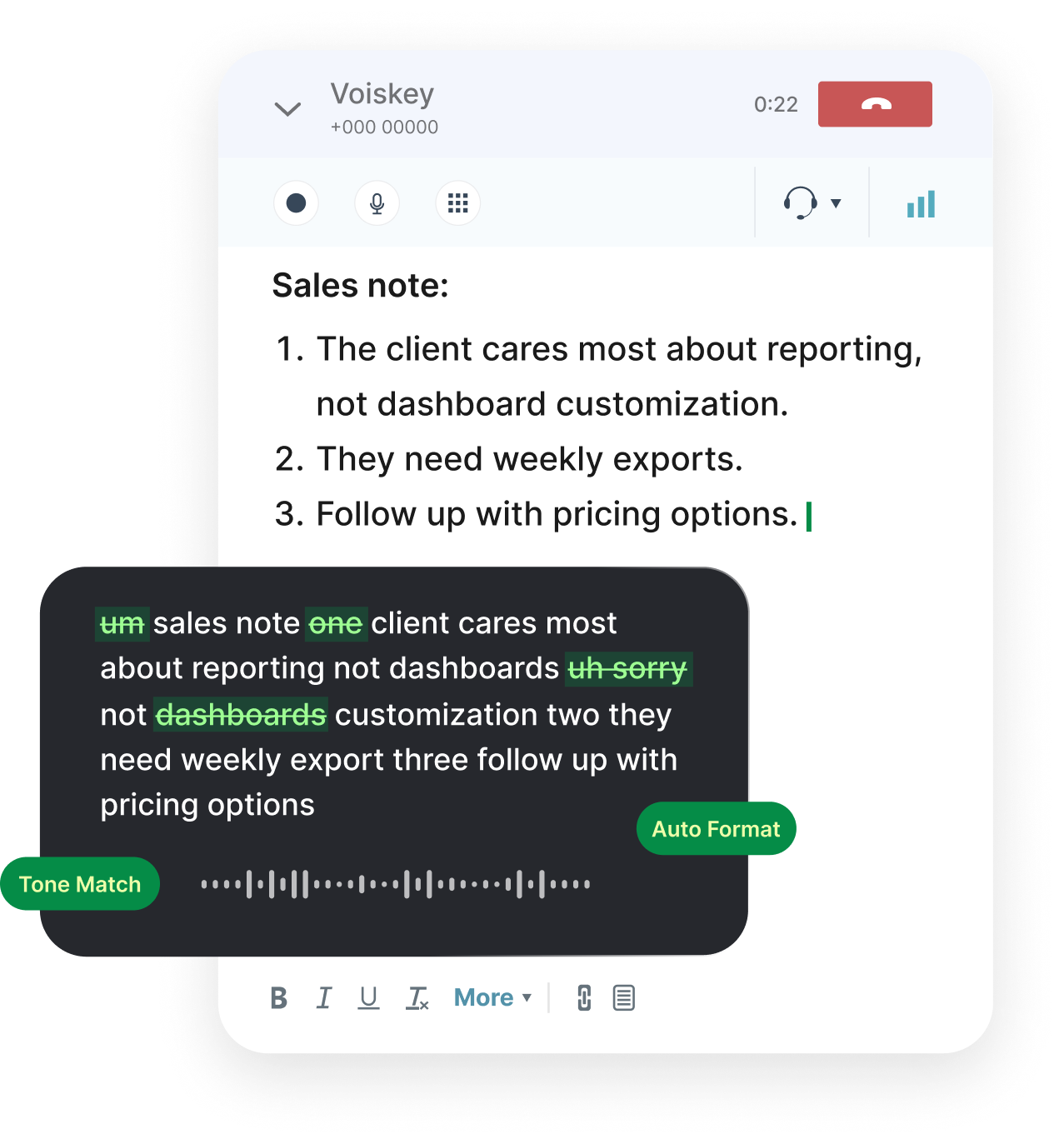
Tone in student admin writing is mostly structure plus one decision. Structure: a greeting, a sentence naming the request, the details, a question or ask, a thank you, a signature. Decision: whether you are requesting, asking, or insisting, and your sentence should match. Dictate the draft in that order and the politeness takes care of itself, because a structured email rarely sounds rude, while an unstructured one often does even with polite words. Include the context an officer needs: not your whole story, but the single fact that explains the request. And match formality to audience, formality for an office, warmth for a TA you know. Voiskey adapts formatting and tone as you speak, so the recorded email reads like one you polished, even though you spoke it in a minute.
For complaints and disputes, add one more rule: state the remedy before the grievance. Dictate what happened in two sentences, then say what you need, and do not lead with the outrage even when it is justified. Keep the names and dates exact, since vagueness in a complaint is read as weakness, and the officer's job is to match the request to a policy, not to litigate the emotion. Then dictate a checklist for tone: no sarcasm, no all caps, no threats of escalation written in the first email. If you need to escalate, escalate once, calmly, with the paper trail attached. An email that you would be fine having quoted back to you is the email that works, and dictating the calm version after the angry version does this in two minutes.
The follow-up is where politeness converts into results. After one week without an answer, resend with the original mail attached and a single insertion at the top: just checking on my request from last week. No guilt, no drama, no accusation, and this exact script, dictated and sent, clears more slow replies than any long second email. If the answer is no, reply with a thank you and one question: is there an appeal process? That sentence preserves you without groveling. Keep every thread in one folder and a one-line status note per thread, so that when the office responds three weeks late you can reply within the hour with the full context. The students who get answers are rarely the loudest; they are the ones whose emails an officer can read and action in one sitting.
Deadlines, Attachments, and Receipts
Every admin request has a deadline, and the deadline is usually in the office's rules, not in your inbox. Find it and write it down before you draft: the financial aid deadline, the add-drop date, the housing deadline, the appeal window. Dictate the list into your notes with the date and the link where you found it, then work backwards: two days before the deadline for the comfort buffer, rather than the exact day, when the portal and the office's patience both hit their limits. If the deadline is ambiguous, ask in the first email, because a clarifying email is a cheap form of insurance. And never assume the portal timezone is your timezone; the five-minute difference is the classic avoidable failure that one question prevents.
Attachments are where requests stall, so attach before you draft. Compile the required documents, name them clearly, and if the office asked for a specific file type, give exactly that type, since a PDF where a Word file is requested is a returned form. Dictate a line in the email naming every attachment, so the officer can confirm nothing is missing. For forms that need a signature or a department stamp, make that step the first item on your list, because it often holds the whole request hostage. Then compose the email and attach the files in the same sitting instead of moving the draft into a folder where it waits for the documents and dies. Completed is better than perfect, and a request with all its attachments is the one that gets processed.
The receipt is the proof. Save the confirmation page as a PDF or take a screenshot with the reference number visible; save the email you sent with the timestamp. Put every receipt for the semester in one folder named by type, since the evidence for an appeal is usually a confirmation you can produce within a minute rather than one you locate in three days. Dictate a short summary line for each request: what you asked, when you asked, what response came, and update it when something changes. When the office says they have no record, that line is what saves the request. It costs one minute per request and returns hours of potential re-work, making the small discipline one of the highest-value habits in the whole student admin workflow.
The Admin Queue You Can Clear in Minutes
Treat admin work as a queue, not as a series of emergencies. Keep a single list in your notes: each thread, its deadline, its status, its next action. Any request that has a next action belongs on the list, and anything that does not goes to the pile, clearly labeled, that you can process in the fifteen-minute block. When you work the queue, start with the items that depend on someone else, because their clock is the longest one. Dictate the reply for each, then send, then update the status. A queue of twenty items with a clear status is terrifying on Sunday and manageable on Wednesday, and the voice drafting is what keeps the processing fast enough that the queue itself never becomes a full-time job.
The block structure wins. Pick a fixed fifteen minutes on two days a week, or after class on the day something arrives, and process everything in one go. First list the threads, then draft replies by voice, then send and log. Do not let a reply become a research project in the same sitting; if the reply needs information you do not have, dictate the one clarifying question and move on. Keep the drafting in the block and the thinking wherever it happens free, since the reason admin piles up is that drafting feels like work and gets postponed. When you are tired, the block shrinks but does not disappear, and a three-item day is still a three-item win. Over a term, the accumulated wins are the difference between an admin crisis every month and a system that just works.
Close every thread with acknowledgment. When the office answers, even a no, reply within a day with a short thank you and close the thread on your list. A small habit, but it keeps the relationship open for the next request, and admin officers are more willing to help students who acknowledge their work. For the threads you lose, the receipt folder plus the status list is the reconstruction kit, and it makes a lost email a ten-minute fix rather than a three-week problem. Then the queue shrinks to zero and the output costs less than any other part of the semester: your whole admin life fits into thirty minutes a week, the details stay right, and the tone stays polite, not because you tried harder at formal writing, but because the speaking did the composing while you kept the facts straight.
FAQ s
Use the structure: greeting, one line naming the request, the details, the ask, a thank you, your name. Dictate the draft at speaking speed, then read it back once and cut anything emotional that does not help. A structured email is rarely rude, and a calm version of a complaint that you dictate after the angry draft is the version that works.
Five things, in order: who you are, what you need, why, the deadline, and what you have already tried. Include the exact identifiers, like your student ID, course number, and section. Attach any documents before you draft, and name them in the email. Follow that order and the reply is usually much faster.
Resend with the original email attached and one line at the top, such as just checking on my request from last week. No guilt, no drama. If the answer is no, reply with a thank you plus one question about appeal options. Keep a one-line status note per thread so you can respond with full context when they finally reply.
One list, one status per item, one fifteen-minute block twice a week. Find the official deadlines first and work backwards with a two-day buffer. Do the items that depend on someone else first. Save a receipt for every submission, since the reference number is the evidence that solves most disputes later.


 Voiskey
Your voice, amplified.
Choose a real task, follow the steps, and review the results with your team before expanding the rollout.
Use it across macOS, Windows, iOS, and Android