
voice sop library solo operators: A Practical Guide to Building an SOP Library for Solo Operators by Talking
Ten minutes of talking a day turns your one-person memory into an SOP library.
 Voiskey Team
Solo Knowledge Is Fragile
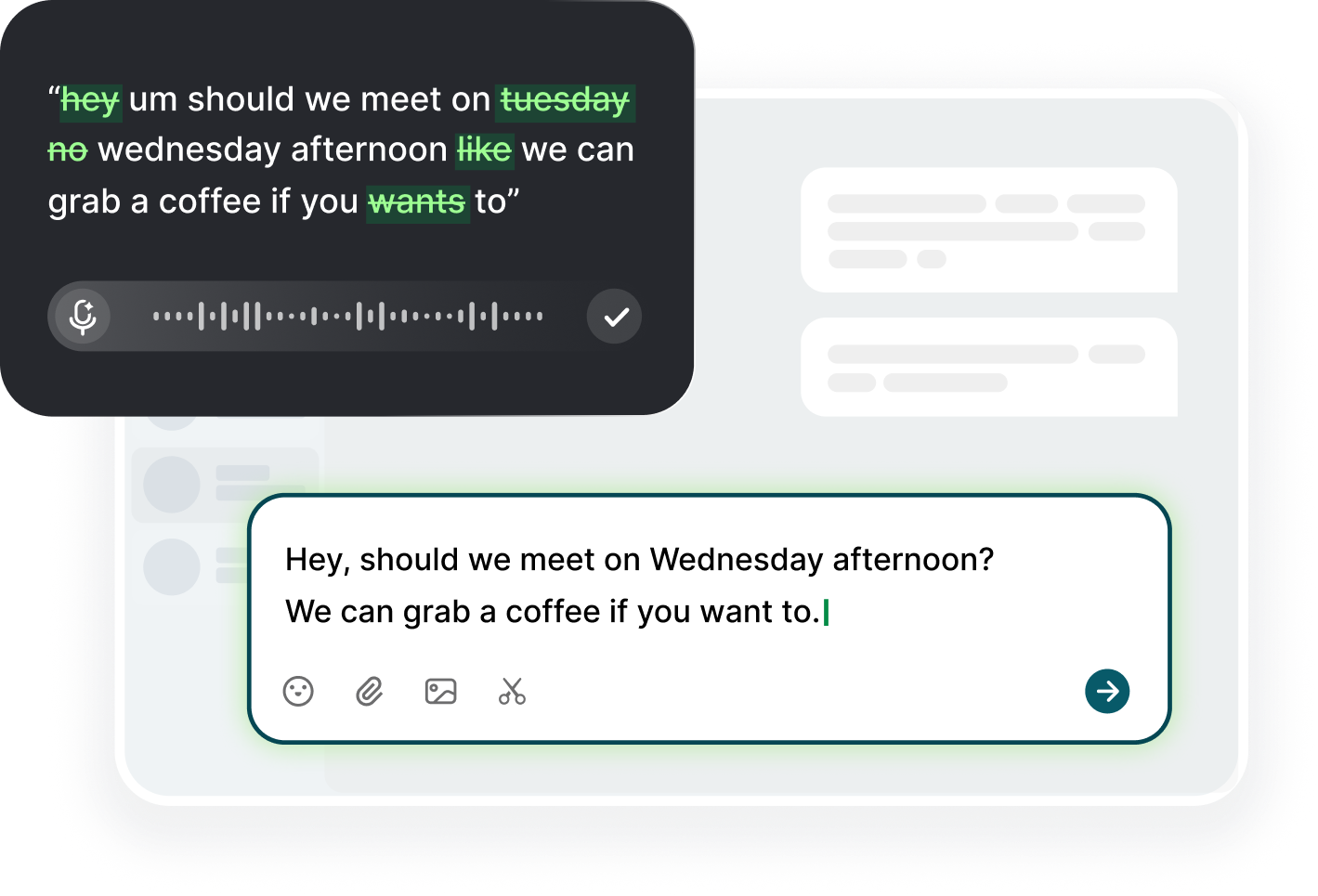
If the business is just you, your process knowledge has exactly one copy. A voice sop library solo operators rely on has to be built by the only person who holds it, and built while the knowledge is still in your head, not after a two-week vacation proves it was never documented. Everything you know about your clients, your tools, your money routines, and your weekly flow lives in one place that can forget. Dictation is the practical answer to a problem that has no team attached to it: you speak the routine as you run it, and Voiskey writes it into a folder you own. The library is the insurance policy that pays out on the day it matters.
Solo knowledge is fragile in ways that are easy to ignore. A sick day with a client deliverable due, a month of travel, an injury, or the day you finally sell the business: on each of those days, someone needs to know what you know, and no one does. Even without those extremes, there is quiet waste: you re-learn the same steps every time a tool updates, you answer the same client question from memory, and you re-derive the same invoice calculation each month. The memory does not fail loudly; it just costs you an hour a week you never count, and it costs the client a day when you are slow to reply.
Solo operators do not document because there is no team to ask for it, and no one to hold them to it. Documentation feels like a deliverable with no recipient, so it slips to the bottom of the list behind the actual work. But the recipient exists: it is you, three months from now, after a tool update or a break from the routine. The doc you write this week is the doc you read next quarter when the details have melted. Once you see the library as work for future you, the motivation becomes concrete rather than corporate, and the ten-minute sessions start to feel like insurance you buy cheaply instead of a chore you keep postponing.
Scope the library by value, not by ambition, and keep one hard rule about the format: no doc is worth writing if you would not look at it while doing the task. Rank the routines in three buckets: money-critical, such as invoicing, refunds, and tax prep; recurring and repetitive, such as the weekly report or the monthly backup; and occasionally complex, such as the client migration you run twice a year. Document the first bucket first, because that is where a mistake costs real money. Every doc starts with the exact words you would search for when stuck, end of month invoicing, not finance processes, and its name matches the way you think.
Ten-Minute Dictation Sessions for SOPs
The session format is simple: one task, ten minutes, one dictation. Set a timer for ten minutes, pick the task you just ran, and narrate it into a new doc: what the goal is, what you need before starting, the steps in the order you do them, and the one thing that goes wrong most often. Then stop. Ten minutes is short enough to do before the day's real work starts, and long enough to capture a real procedure, because you talk roughly four times faster than you type. A task that takes you ninety seconds to describe takes you fifteen minutes to type, so dictation is not just faster; it is the difference between doing it and not doing it, and the ten-minute cap is what keeps the habit alive.
Keep a queue on a sticky note or a single line in your notes: the list of routines you know you should document today. Add to it the moment a task annoys you: while you are fiddling with an export, add fix the export, or while you are re-learning a tool, add the tool I always forget. Then, when the timer goes off, your ten minutes start with the queue, not with deciding what to document. After each session, cross the item off and note the date, so the queue itself is a scoreboard. The visible progress is part of what keeps the habit going, because a list that shrinks is a list that gets used.
Do three sessions a week and you will have a library in two months: thirty procedures, which is more than most teams have. Do not try to document everything in a weekend; the weekend session is the reason documentation projects fail, because a five-hour marathon is a resentment generator and not a habit. The ten-minute cadence also fits the free tier comfortably, since a short procedure is around 250 to 400 dictated words. The consistency, not the volume, is what creates a library that outlives the rush, and thirty entries is the point where the library starts to pay for itself, because the next time you search, you find the answer you wrote before.
Narrate soon after running the task, or during the run itself, and never from cold memory. The best moment is while you are doing it, because you do not have to reconstruct anything: you just explain it to the imaginary colleague who is watching. The next best is within a couple of hours, while the click paths are still sharp. If you wait a week, the memory has already tidied itself, and the tidied version is exactly the version that will fail you when you read it later. Set the timer for just after the task, and produce a first draft in the same hour you did the work, so the doc is written while the sequence is still the sequence.
Naming and Organizing a Personal Library
Name everything by the task plus the object, not by the category: invoice-export-setup, backup-verify, client-data-migration. The reason is search: when you are stuck, you search for the task you are doing, not for the folder hierarchy. A predictable pattern also makes the library readable as an index; you can scan the file list and see exactly what the work contains. Dictate the name as the first line of the session, say name this doc monthly invoice export, and Voiskey drops it in. The name is part of the procedure, not a separate step, and the naming discipline is what makes the library usable the day you return to it cold.
Organize by what the work touches, not by what the enterprise would call it. Three or four top-level folders are enough: clients, money, operations, tools. Keep client work separated by client name if you have more than a few, and always prefix the file with the client name so the list sorts itself. If you ever put an item in operations that belongs in money, move it; the friction of the mismatch will make you notice and correct it. That loop of noticing is not a burden; it is how a personal library stays clean without an administrator. A library that sorts itself is a library you will open, and one that requires thinking about folders is a library you will avoid.
Write an index page for the library: a single doc listing every procedure, its folder, the date you last updated it, and a one-line summary. Dictate the index the first time you have five items, then update it in the same session you add a new procedure, because the index is the map that makes the library useful when you have forgotten what is in it. Every ten minutes of new procedure becomes one minute of index editing. The index also shows you the gaps: if clients has twenty entries and money has two, you know where your next sessions should go, and the fragility of your knowledge is visible before it bites you.
Keep the language consistent, because you are the only reader and your own words are the fastest path. Use the same verb for the same action in every doc: say click, not select or choose, so a search for one returns all the places. Dictate numbers as you type them, and the doc will contain the number you mean. When you find yourself paraphrasing a procedure in an email, paste that paragraph into the doc; it is already in your voice, and the definition of a procedure is the explanation you actually give. The library's goal is not perfection; it is a stable, reliable memory that you can trust with a half-open eye.
SOPs That Handle Your Absence
Write the absence docs first, because they are the ones that earn their keep the day your hand is forced. The most important is a single continuation checklist: what happens daily, weekly, and monthly if you are not here. Dictate it as a calendar of obligations: send the Monday invoice summary, pay the hosting bill by the fifth, check the client portal on delivery days, file the receipts weekly. It has no judgment in it, only sequence, and it is the doc that lets a family member, a freelancer, or a contractor keep the business alive for a week. It is also the doc that lets you sleep during a vacation, because the obligations are written where someone else can find them.
Add the access map without the secrets: a list of every account, service, and piece of infrastructure the business touches, with a pointer to where the credentials live. The map carries the names and the roles: the domain registrar, the hosting panel, the payment processor, the document system, the client portal. Dictate the map as a table in plain text, and note for each one what it does, what it costs monthly, and when it renews. The map is what makes the absence docs possible, and it is the first thing a buyer asks for when you sell the business or bring on a partner, so it doubles as a list of all the paper your monthly bill hides.
Dictate a client-facing continuity doc for the two or three clients who rely on you: what they pay for, what they expect by when, how the work is delivered, and who to contact if something breaks. The doc is a small piece of professional kindness: without it, a client's trust in you disappears the moment you cannot reply. Keep it short, a page per client, and update it after every scope change. You will find it also helps on busy weeks, because the doc says what is promised, and it ends the internal argument about deadlines that usually happens at ten at night.
For the solo operator, the absence pack is the whole point of the library; it is the insurance that the rest of the library is the premium. Dictate one absence doc per quarter, working through your subscription list, your calendar, and your client messages, and you will have the whole business captured in three sessions. Then answer the question honestly: if I were out for two weeks, could a trusted freelancer keep the lights on using only these three docs? If the answer is not a comfortable yes, the doc that would change it is the one to write next, and a ten-minute session is the cost of the answer.
The Weekly Maintenance Habit
The library only survives if you give it a stanza of your week. Book Friday, ten minutes, at the same time, and do the same three things: open one procedure and run it from the doc instead of from memory, fix whatever does not match, and update the index. That is the whole maintenance habit. The running-from-the-doc step is what makes it real, because a procedure that you have to correct while executing it is a procedure that would have failed you anyway, and the correction is the one line of improvement. The session ends when the routine is back in sync with the world, which is most of the maintenance that a solo library needs.
Keep a gotchas list that grows with the library: one line per trap, with the date and the fix. File these entries into the relevant procedure, not into a separate file, because a warning read at the moment of a task is different from the same warning read in the middle of a library. The weekly session is where you convert the last week's traps into a line in the right procedure, and it is the session that makes the library feel alive instead of decorative. A trap that is written into the procedure it belongs to is a trap that will not be sprung twice.
Every quarter, run the library audit: open each doc and ask if you still do the thing, and if you would actually read the doc before doing it. Delete the ones that do not pass; the space is worth more than the words. If you have a client you no longer work with, move their folder to archive, not deletion. The audit is also where the library is validated: the doc you glanced at but skipped is the one you must re-narrate from scratch, or delete. The result is a library of procedures that are not just written but current, and currency is the whole value of the shelf.
The metric that matters is simple: did you look at your own SOP library this week? If you did, the library is working and the habit is real. If a month passes and no doc was opened, the library is decoration, and the fix is not more writing but a reason to read: pick the task you are doing next Monday, and make the doc the tool you use for it. That is the point of the whole habit: a solo operator is the only one who knows the work, and the library is the second brain that holds it. The scoreboard is not the number of docs; it is the number of times the docs saved you from re-learning.
FAQ s
Ten minutes per session, three sessions a week. A single task is about 250 to 400 dictated words, which you can speak in five to eight minutes; the rest is a quick reread. Thirty procedures in two months is more than most teams have, and thirty sessions of ten minutes is one afternoon of avoided typing, spread across the weeks so it actually happens.
No. You are the only reviewer, and the feedback loop is the task itself: next time you run the routine, follow the doc. When the doc does not match reality, fix it in the next session. A solo library thrives on self-interest, not on accountability, and the reward of finding your own answer in a search in thirty seconds is the whole game.
Yes, and put the client name in the file name so it sorts itself. Client specifics are the most valuable and most fragile knowledge you have: the deliverable, the deadline, the filename convention, the person who signs off. Each client gets one page, and the page doubles as your handoff and your memory the next time you need to reproduce what you promised.
Re-dictate the changed step in the moment you notice, not later. Open the doc, say the new step over the old one, and fix the line. The maintenance rhythm is ten minutes on Friday: run one procedure from the doc, correct the mismatches, log the change on the index. A five-second edit on the day of the change beats a rewritten library in six months.
Wherever you already keep the notes you actually open: a simple folder of files, a notes app, or a doc list. The test is that you can reach it from the same screen you work on, with one click while the task is running. Voiskey writes into any text field, so the library can live in the same daily workspace, and the friction of saving the procedure is close to zero.


 Voiskey
Your voice, amplified.
Choose a real task, follow the steps, and review the results with your team before expanding the rollout.
Use it across macOS, Windows, iOS, and Android