
voice to email support replies: A Practical Guide to Voice to Email for Customer Support Replies
Answer support tickets with empathy at speaking speed, not typing speed.
 Voiskey Team
Why Support Replies Are Slow
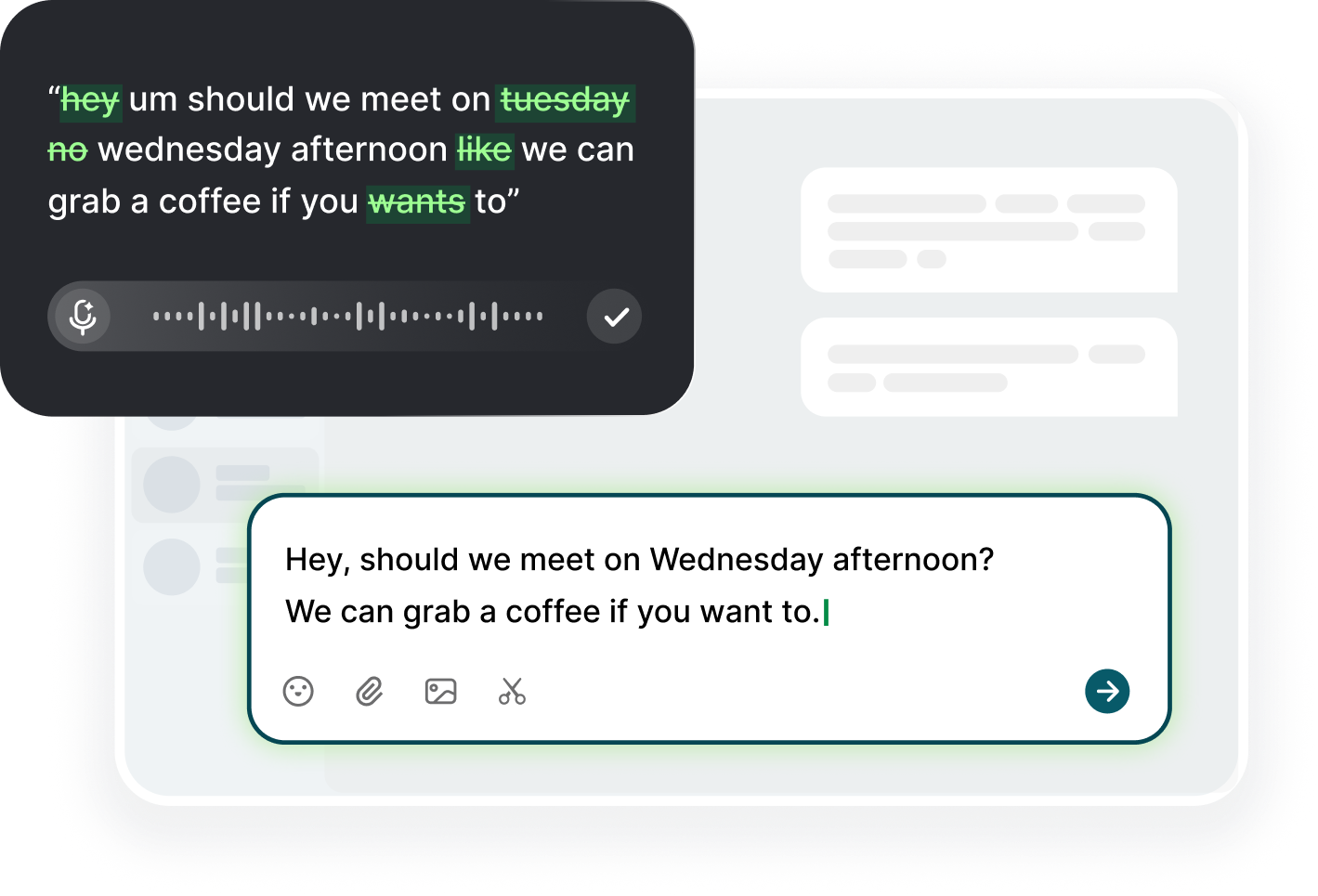
Most support queues are slow because the answers are repetitive and the humans are exhausted, and the typing itself is a large part of the exhaustion. Voice to email support replies attacks exactly that: the answer is already in your head, so speak it into the compose window instead of typing it for the fortieth time. Click into the ticket reply field, press the dictation shortcut, and say the solution the way you would say it to a customer on the phone. Voiskey turns that spoken draft into clean email text, you check the ticket-specific details, and you send. The empathy stays because the voice stays.
The second cost is the blank-page start. Every ticket is a small rewrite, and each rewrite eats ninety seconds of decision overhead: where to begin, how to phrase the same apology for the third time today. Speaking skips the overhead because you start where the thought starts. Say the customer's name, acknowledge the problem, state the fix, and close with a next step. You are not composing; you are narrating a resolution you already know. Agents report that the queue goes from a wall of writing tasks to a conversation, and a conversation moves at speaking speed. The reply stops being the task and becomes the answer, which is the whole point.
Speed also changes your queue behavior. When a reply takes forty seconds, you reply to the ticket the moment you read it instead of marking it for later. That slashes first-response time, which is the metric customers actually feel. Keep the infrastructure simple: one ticket view where you read, one reply field where you dictate, one minute of review. You do not need a macro library if your voice is the macro. Turn repeat answers into spoken patterns you can vary, instead of typed blocks you can only paste. When the same problem appears in five tickets a day, the spoken answer becomes automatic, and automatic is fast.
Empathy Without a Script
Empathy is the thing templates cannot carry. A macro can say that the team understands how frustrating it is, but the customer can tell it is a macro. When you dictate, empathy arrives as evidence instead: you say what happened, you name their specific problem, and you sound like you read the ticket, because you did. Start each reply by saying what you see, not what you feel: I see the invoice was charged twice on the third. That sentence, spoken, is the entire empathetic move. Dictate it first, before any apology, and the rest of the reply has somewhere to stand. The evidence of reading is the empathy, and the evidence takes one sentence.
Keep the apology proportional. Not every ticket deserves a groveling paragraph, and customers sense the inflation. If the issue was a one-day delay, say sorry for the delay and move to the fix. If the issue was data loss, the apology is the main event and you should take a breath, slow the delivery, and speak it plainly with the concrete remedy attached. Dictation lets you modulate that speed naturally: you are slower and steadier when you actually mean the apology. Trust the voice over the template, and the proportion takes care of itself. The fix arrives with the apology, and the customer learns what is next without asking.
Use the customer's own words for the problem. If they called it the bug that breaks checkout, call it that in your reply. People feel understood when the wording is theirs, and the quoted phrase is also the fastest proof that you read the ticket. Dictation makes this easy because you repeat what you just read. Then add one owned gesture: I have put a note on the account, or I am checking with the engineering team and will update you by Tuesday. A specific, personal next action is empathy in operation, and it is also the part that builds long-term trust.
Explaining the Fix Step by Step
Clear steps are the difference between a resolved ticket and a reopened one. Dictate the fix as an ordered walkthrough: what to click, where to find it, what to expect, and what confirms it worked. Say the exact wording of the button or menu item, because that is where instructions go wrong. Speak in short sentences, one action per breath, and a listener can follow them. Voiskey's dictation renders the steps as clean numbered text, and you re-check the names against the product while the draft is still open. Number the steps out loud as you go: step one, step two, step three.
Decide where the fix ends and the escalation begins. If the customer needs more than five steps, or needs to touch things you cannot see, stop dictating instructions and start dictating the handoff. Say it plainly: this needs a longer look, I have created a ticket and our engineer will reach out with a timeline. The honest boundary is a fix too, just a different one. Customers would rather hear the limit than follow a failed instruction chain. And when you do hand off, dictate the summary of what you tried so the next agent does not start over from zero.
After you send steps, close the loop on the customer's side. Add one line that tells them what to do if the fix fails: if the button is still grey after this, reply to this thread and I will take over directly. That sentence reduces reopens because it gives the customer a path, and it protects the agent because the fix was tested. If the issue is common, dictate the fix once, keep it in a saved note, and then read the note while you re-dictate each ticket's version. Consistency of steps, freshness of wording, and no customer ever sees the same paragraph twice.
Tone in Troubleshooting Threads
Tone in a troubleshooting thread is about next steps, not pleasantries. The customer with a broken workflow wants a competent person, not a friendly one. So dictate the version that sounds like a technician who has seen this before: direct opener, no re-explaining, and one question at a time. When you click the button, what shows on screen? Dictate that question and stop, and do not add a paragraph of context around it. One question is easy to answer; three questions are not, and the thread stalls on the first one anyway. One question at a time keeps the thread short and the customer able to answer.
Use the thread to shorten the conversation. Repeat the important detail back exactly once: so the error shows on the payment screen only, correct? Then keep the same terminology the customer used through the whole thread. If you switch from their checkout bug to your transaction failure, you create a translation overhead they have to carry. Dictating each reply from the last email you sent keeps the wording consistent, because you read the thread, then speak the reply, and the same words naturally carry through. The thread becomes shorter with every message. Consistent vocabulary also protects your notes, because the search for the thread stays predictable.
Keep the professional distance. You are the person with the answer, not the customer's friend. Dictate with the warmth of competence: helpful, unhurried, and honest about limits. If something is beyond you, say so. If the answer is no, say the answer and the alternative. Customers forgive a no that comes with a path; they do not forgive a maybe that fades into silence. Read the draft once with the question: does this give them their next move? If it does not, add that one line before sending, and the thread keeps moving. The draft is finished when the customer knows their next action, and not a word sooner.
Defusing Tense Customers
Angry tickets are the ones where dictation genuinely changes the outcome. A typed reply to a frustrated customer tends to become defensive, formal, or over-apologetic, because typing is slow enough for the ego to edit. Speaking short-circuits that. Dictate your honest read first: that is genuinely awful, I would be annoyed too. Then say what you can do, and be specific about it. The spoken draft keeps the warmth; Voiskey's dictation keeps it readable. You review before sending, so the anger is still acknowledged and the message is still professional. The sequence is simple: acknowledge, then act. Name the problem in their words, and the temperature drops before the fix arrives.
Do not match the temperature. A tense customer escalates when the reply is either colder or hotter than the issue deserves. The steadying move is a plain timeline: here is what I will do today, here is when you will hear from me, and here is the person to contact if I am wrong. Dictate those three commitments, and make the date real. The customer who gets a concrete timeline usually stops adding exclamation marks, not because you won the argument, but because they now have something to hold you to. The calm is the method, not the mood. And on the timeline, the person to contact is you, which is what they actually need to hear.
If the customer is abusive, the rule is simple: stay useful, keep the record, and do not match the tone. Dictate the factual reply, and if the exchange becomes harassment, stop solving and escalate internally. Keep the saved response for repeated offenders and send it without extra commentary. Your job is the product, not the punishment. After you hit send, the fastest recovery is the next ticket: dictate the next reply while the frustration has nowhere to land, and the queue keeps moving. The agent who answers the next ticket is already calm. The next ticket is the fastest way to let the last one go, and the queue is the proof.
FAQ s
No, the opposite. Spoken drafts keep the warmth that copy-paste macros lose, and Voiskey's dictation removes filler words and pauses, so the final text reads clean and human. You still review every reply before sending, which is where you check professionalism: correct names, exact steps, and a clear next action.
Yes. Because the answer is already in your head, you can speak it in under a minute instead of typing it for the fifth time today. Keep a saved note of your common fixes, read it to refresh, then dictate each ticket's version. The wording stays fresh while the steps stay consistent.
First acknowledge the problem in your own words, then state exactly what you can do and when. Dictate the plain timeline: what you do today, when they hear back, and who to contact. Do not match their tone. Review the draft once, keep it factual, and send. A concrete commitment defuses more than an apology ever does.
Voiskey writes anywhere you can type, so if your help desk reply box is a normal text field, the dictation shortcut works directly in it. The same applies to email replies in Gmail and Outlook when a ticket comes in by email. Nothing is sent automatically; you review and send each reply yourself.


 Voiskey
Your voice, amplified.
Choose a real task, follow the steps, and review the results with your team before expanding the rollout.
Use it across macOS, Windows, iOS, and Android