
voice dictation for recruiting emails: A Practical Guide to Voice Dictation for Recruiting and Hiring Emails
Speak candidate emails in your own words and keep the hiring structure intact.
 Voiskey Team
The Structure Recruiters Already Know
Recruiting outreach has a spine you already know: the hook, the role, the reason, and the ask. You introduce the company, name the position, give one or two reasons this candidate stands out, and ask for a conversation. Voice dictation for recruiting emails works because it lets you keep that spine while speaking each candidate's specifics in your own words. Open the compose window, place your cursor, and dictate from the spine: hook first, then the role, then the one detail from their resume or cover letter you actually noticed. Voiskey turns the spoken draft into clean email text, and you edit the few proper nouns before it goes out.
The structure matters more than the words. A candidate who receives a well-structured email can skim it, answer it, and decide in seconds. That is why recruiters should keep the four-block layout fixed and change only the personal paragraph. Rather than writing the personal paragraph from scratch, keep a short voice memo per candidate: after you read a resume, spend fifteen seconds saying aloud what stood out and why they fit. When you sit down to send, read that note and dictate the paragraph in one breath. The result sounds like a person who read the application, because you did, and the evidence is in the sentence.
Resist the template drift. The moment you type from a saved template, you stop adding the small original details, and candidates feel it. They compare notes. Speak the body fresh each time and keep the template only for the invariant pieces: the role title, the salary range, the interview process, the company boilerplate. Open the recruiting CRM, click reply, dictate the personal paragraph, then paste the boilerplate from your saved blocks. Voiskey's dictation works directly in Gmail and Outlook, so the flow is one window, one shortcut, one clean draft instead of a copy-paste relay between tools. The saved blocks belong to the message, never the other way around.
Personalizing at Speaking Speed
You cannot personalize forty outreach emails by typing each one. You can personalize forty by speaking, because the details are already in your head if you read the resumes first. Batch it: block thirty minutes, open the candidate list, and for each one, skim the headline points, then dictate one paragraph that names something specific. Their previous company, the exact project, the university, the gap year, the award. One concrete mention is enough to prove you read past the first line. Do not say 'I was impressed by your background' out loud, to anyone, ever. The shortcut is the detail, and the detail has to be real for each person in the list.
Personalization has a ceiling when it is typed and a floor when it is spoken. When you type, you self-edit into blandness; when you speak, you produce the sentence you actually formed while reading the resume. That sentence is the keeper. After dictating, do a five-second scan for the two things that go wrong: wrong name and wrong company. Fix those, then send. For high-volume sourcing, keep a small spoken shorthand: say 'acme, platform team, three years,' and let that become the anchor phrase in your dictated paragraph. This is how teams hit volume without turning into a mail merge.
Speed changes the timing too. The best recruiting emails are the ones sent the same day the application lands or the referral comes in. Dictation makes that realistic: you are at your desk, the application appears, you read for two minutes, speak for thirty seconds, and the email is in their inbox before you have answered the next call. Voiskey's dictation is a keyboard replacement, so it works in any email client your team uses, whether that is Gmail, Outlook, or a browser-based ATS portal. The professional touch stays yours: review the draft, soften nothing, and send. Candidate attention decays by the hour, not the week.
Scheduling and Reply Routing
Most recruiter time is lost in the space between a candidate's reply and the calendar. You read the reply, you promise to find time, you close the tab, and then the schedule negotiation becomes its own email chain. Break the loop by dictating the reply with a concrete time offer. Say the dates and times out loud in full: Thursday at ten, or Friday at two, whichever works. Speaking the times makes the email concrete and forces you to check your calendar before you send. Keep the offer to two options, never four. Two options is a decision; four options is a form to fill.
Route replies by type so you never think twice about what to do with one. A reply accepting an interview becomes a calendar invite and a confirmation email. A reply asking about salary becomes a structured answer with the range and the benefits. A reply going quiet becomes a short nudge. Dictate each type against a saved structure, and you clear the routing decision in seconds. Keep a one-line rule near your tracker: if a candidate asked a question you cannot answer, forward it to the hiring manager the same day and say so out loud in your draft. Silence is the only routing mistake.
The scheduler link helps, but it is not an email. When you send a link with no dates, the candidate has to pick from an open calendar, and many of them will not pick until tomorrow. That is why the hybrid pattern works better: dictate the short email that names two windows, and paste the link in the signature. You can also dictate the reminder note before the interview the evening before, one line saying you are looking forward to tomorrow and that the meeting link is below. That keeps the thread warm and the candidate punctual without a second scheduling conversation.
Employer Brand Tone
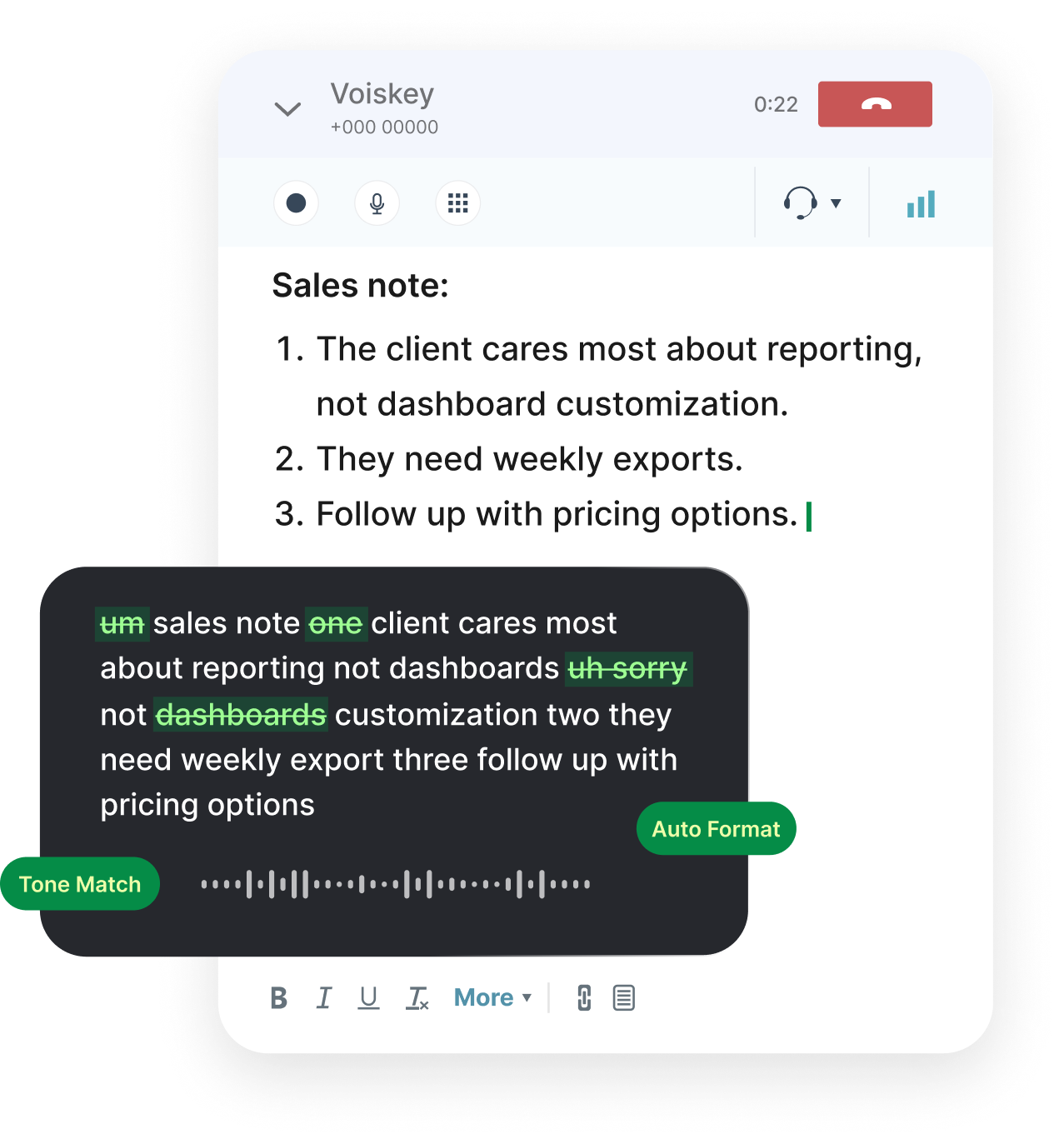
The tone of a recruiting email is the first sample of company culture a candidate receives. You want it professional, but not corporate; enthusiastic, but not gushing. Speaking naturally lands close to that register. Start by dictating the email as you would greet a smart colleague in the hallway: warm, direct, specific. Then remove the parts that do not fit the written form, the ums and the rambling, which Voiskey's dictation already strips out. Read the draft back and check one thing: would you say it to the candidate's face? If not, re-dictate until you would. The tone rule lives in the mouth, not in the style guide.
Match the tone to the stage. Early outreach is curiosity and momentum: few sentences, one clear reason for contact. Mid-process is structure and certainty: next steps, timing, who they will meet. An offer email is warmth plus detail: the numbers, the start date, the ask to discuss. Spell those stages in a short list next to your templates, and when you dictate, state the stage out loud first, like 'this is the offer email,' so the register falls into place. The saved engine handles the boilerplate; your voice handles the feel. The stage line is the mood setter, and it takes one phrase to say.
Candidates talk to each other and on review sites. The emails that get quoted are the ones that feel human, and the ones that feel insulting. Dictation protects you from the second category: typed template language like 'we are excited to reach out' sounds like a system, but the same sentence spoken, with an actual reason attached, sounds like a person. For international hires, Voiskey supports 100+ languages, so you can write the outreach in the candidate's language rather than making them decode a translated boilerplate. That single choice sets the tone before the first word is read. Language is the first culture a candidate touches.
Tracking the Candidate Thread
Keep one tracker with the fields that decide your week: candidate, role, stage, last touch date, and next action. The spreadsheet does not need to be complicated, just read before you dictate. Every morning, open it, filter for candidates who have not heard from you in three days, and speak the nudge. Replying to a candidate by day three is the single highest-leverage habit in recruiting: they are still warm, the role is still current, and the decision is still yours. One dictated line is enough, something like following up on last week, the team still wants to move forward with you, and asking whether they can talk Thursday.
Log the detail as you go, not at the end of the week. For each conversation, write one line of outcome and one line of next action in the tracker, and if a call went long, record a fifteen-second voice note of the key facts while they are fresh. Then next week's follow-up is dictated from the record, not reconstructed from memory. This matters most on busy pipelines because forgetting a candidate is the expensive failure: a new hire gone quiet for two weeks is often already interviewing elsewhere. The record is the difference between a pipeline you manage and a pipeline you only hope about.
Close threads with a real ending. If a candidate is no longer moving forward, send the transparent note instead of the ghost. Speak it plainly: we have decided to move forward in another direction, this is not a reflection of your fit, and I am happy to keep in touch. Candidates do not forget kindness, and they also do not forget silence. Review the tracker weekly for thirty days, keep the closing message script ready, and the pipeline stays clean. Dictated closes take under a minute and they protect the employer brand over the long run. Every closed thread is also a reference you can point to later.
FAQ s
If the ATS lets you type into a text field, Voiskey can write into it. Click into the field, press the dictation shortcut, and speak your email. Because Voiskey is built to work wherever you type, the same flow covers Gmail, Outlook, and browser-based portals without moving your draft into another app.
Read the resume, then speak one specific sentence about it. Batch the outreach in one sitting, record a short voice note per candidate while reading, then dictate from the note. One concrete mention per email is enough to read as personal, and speaking keeps you from editing it into generic praise.
It makes them warmer. Spoken drafts keep your natural phrasing and rhythm, while Voiskey's dictation removes filler words and pauses, so the draft reads clean but personal. You still review every email before sending, which is where you keep the professional register and check names, titles, and details.
Check three things: the candidate's name and spelling, the role title, and the dates or times you offered. Then read the first four lines once. If the ask is clear and the name is right, send it. Keep the company boilerplate and the salary range in a separate saved block so they stay accurate across every email.


 Voiskey
Your voice, amplified.
Choose a real task, follow the steps, and review the results with your team before expanding the rollout.
Use it across macOS, Windows, iOS, and Android