
voice dictation developers rsi: A Practical Guide to Voice Dictation for Developers at Risk of RSI
Keep your code typed and your prose spoken: a developer's load plan.
 Voiskey Team
The Developer Typing Load
A voice dictation developers rsi plan starts with the boundary most guides skip: the code stays typed, and the prose around it moves to voice. Developers type more than almost any other desk profession: code, comments, commit messages, PR descriptions, docs, tickets, standup notes, and chat, all in the same day, often in long stretches with the wrists held over the keys. The repetitive strain risk is real, and it is the reason this article exists. The plan here is narrow and honest: voice carries the documentation, comments, standups, and notes, while code, exact strings, and diffs stay on the keyboard. And the first sentence is the caution that stays with the whole article: this is informational, not medical advice, and persistent pain, numbness, or weakness means seeing a clinician, not tweaking a workflow.
Understand what the day costs your hands before the plan: a coding day is not one task, it is a stack. You type the function, then its docstring; you write the test, then the commit message; you describe the PR, then reply to the review; you update the standup, then the ticket. Each is a different form of the same small motion, and the stack is unbroken, because the next item is always there. The research numbers in the parent article: speaking runs near 220 words per minute versus roughly 45 for typing, which is why a voice plan for the prose can cut the day's keystrokes by a quarter or more without touching the code writing at all. That is the honest arithmetic of this plan.
The risk is not the hour of coding; it is the month of it. Developers do not get the variety of a role that alternates meetings and writing; they get a continuous exposure. That is why the plan is not about one session but about the structure: the prose in the day moves to voice, the code remains typed, and the ergonomics improve for the hours that remain. The structure is also what makes the plan useful in the real sprint, because a plan that requires a new habit on the worst day of the sprint is a plan that dies on Friday. This plan survives the sprint because it moves the day's existing load, not because it adds to it.
The honest metric of the plan is keystrokes, not words, because keystrokes are what the hands feel. A day with 2,000 code words and 1,500 prose words is a day of roughly 17,500 keystrokes, and a voice plan for the 1,500 prose words removes around 7,500 of them, more than a third of the day's load, while the code quality stays exactly yours. The plan runs in four parts: identify the prose, set the voice flow, keep the code boundary, and check the signals. The rest of this article walks each part, and it keeps the same caveat at the bottom of every section: a habit is a complement, a clinician is the source of truth for symptoms.
Voice for Docs, Comments, and Standups
The prose is the day's largest load after the code itself, and it is where voice delivers the most for the least disruption. Documentation: every docstring, README, design doc, and runbook is prose that gets written, edited, and rewritten; draft the prose with voice and type the code snippets inside it. Comments: a comment should say why, and the why is usually a sentence you can speak; dictate the comment for the non-obvious line, and keep the code blocks typed. Standups: the three-line update is a story you already know; speak it into the channel or a voice note. PR descriptions: a description is a summary of the diff; dictate the summary while the diff is open, then paste the code parts. And tickets and bug reports: the reproduction steps are a narrative, and dictation makes a better narrative than the fragments that usually get typed.
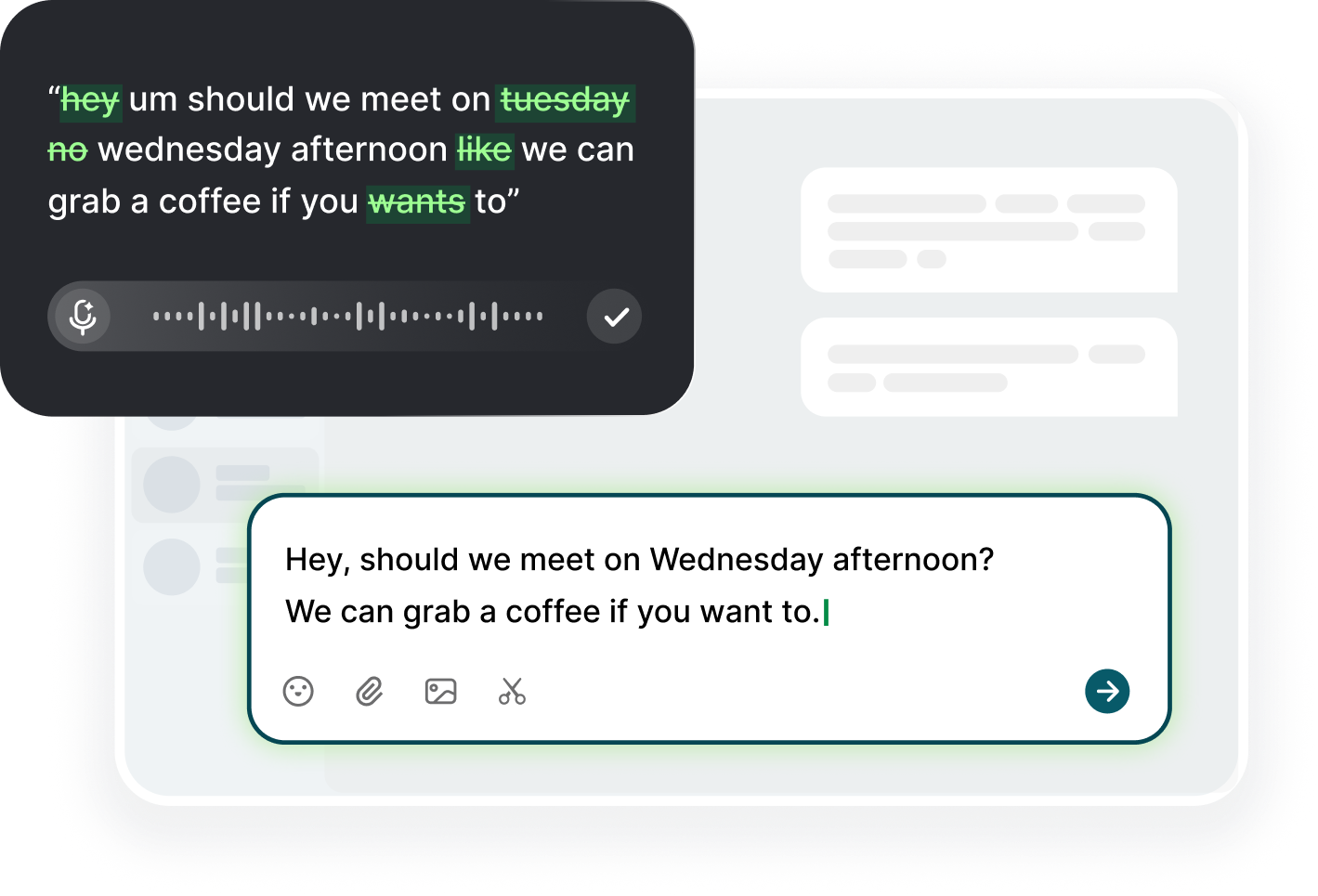
Set the flow so voice is one action, not a session: with Voiskey on macOS or Windows, click into any text field, trigger the dictation shortcut, and speak; the app removes filler words and fixes punctuation as it transcribes, and you review before sending, because nothing is sent on its own. In your editor, the shortcut works in the comment box and the docstring; in the browser, it works in the PR description field and the ticket form. The review step is the same as the code review: you read before you merge, and here you read before you push. The result is prose that is drafted at speech speed, cleaned by you in the review, and that never leaves your hands on the desk for the load it never needed.
Batch the prose like a developer batches tests: at the end of the feature, or the start of the day, run a voice block that covers the day's documentation, the standup update, and the PR description. The batching keeps the dictation from interrupting the coding flow, and it concentrates the no-typing minutes into a block the hands can use for rest. The developer's own best schedule: 90 minutes of code, ten minutes of voice prose, five minutes of hands-down pause, repeat. The voice block is not an interruption; it is the intermission that makes the next 90 minutes possible. And when the pair program or the review happens, the voice takes the notes natively, which is one more prose item off the keyboard.
The quality bar is the two-pass rule: speak the prose first, then read it before you commit it. A prose draft that was spoken and read is better than a prose draft typed in a hurry, because the voice catches the structure you meant and the read catches the corrections you need. Keep a small list of the terms your domain uses and add to it; the misrecognitions cluster in jargon, and the list trims them to near zero. Then commit the message, push the branch, and send the PR, each step the same as before, with the prose having cost a few spoken minutes instead of a lot of typed ones.
What Developers Should Never Voice
The code itself is the never-voice list, and the reasons are concrete. Syntax, brackets, indentation, and case: the tools are built around the assumption of exact characters, and a transcription error in a brace is a run of red squiggles, not a sentence. Identifiers, names, paths: the correction rate is high and the cost of a wrong match is high, so the trade is bad. Code review comments are prose, voice those; code editing is precision, keep it typed. Long diffs: the description in a PR can be voice, but the diff itself is read, not dictated. And anything where one character is the whole point, a version number, a hash, a key, a port: the keyboard is the right instrument, and the plan is the better for the boundary.
The security boundary is absolute: never dictate secrets, passwords, tokens, or anything that must not appear in a log or a transcript. A dictation app is a third party in the middle of your words, and the text it produces is a record of what you said, not a private scratchpad; a developer who dictates a key while thinking out loud has already created the record. The rule is simple: if it is a secret, it is typed, and if it is typed, it is typed into a secure field, and it is never repeated near an app that transcribes. The same applies to private health details, personal data, and anything that would make the transcript a liability. The developer's speech is a work resource, and the secure boundary is the one place it does not go.
The other never-list is the review: a code review is visual, line by line, and the interface is not designed for narration; the comments are the voice part, the reading is the keyboard part. The same for a complex design discussion: the minutes can be voice, the diagram is drawn, and the exact numbers are typed. And the final never is the panic: when a fire is burning, when a service is down, when a user is blocked, the priority is speed and accuracy, and the keyboard is the fast and accurate path; the voice plan runs the next day, when the fire is out. The plan is a habit, not a mandate, and the priority is always the same: the work gets done, in the right order.
There is also a voice-for-code middle that works well when used with the right expectation: dictating a short, simple snippet into a scratch file to check a thought, or narrating a function's logic into a comment to check your own understanding. The middle is a tool for thinking, not for committing: the snippet gets typed into the editor anyway, and the narration is the thinking paper. Use the middle when it helps, skip it when it doesn't, and never let it become the workflow. The honest line between the voice prose and the typed code is the line between the load and the precision, and the line is exactly where the developer's wrist benefits most from the boundary.
Ergonomic Practices for Coding Sprints
The sprint ergonomics are the second half of the plan, and the sprint is the hardest environment for them: two weeks, a deadline, a burn-down, and a built-in excuse for everything. So the sprint ergonomics have to be built like a sprint: small, explicit, and with a visible ticket. The setup is the first ticket: keyboard tray at forearm height, wrists neutral, forearms parallel to the floor, monitor at eye level, mouse arm supported. Do it once per sprint, at the sprint planning, and treat it as committed work, not as a nice-to-have. The second ticket: the rhythm, 90 minutes of code, ten minutes of voice prose, five minutes of hands-down pause. The third: the breaks, a two-minute walk at the midpoint of each morning and each afternoon, and a real lunch away from the desk.
The mouse and keyboard load in a sprint: the sprint is mouse-heavy, since the diff, the build, and the review are all pointer work, so the mouse moves matter. Set a trackball or a different grip if the pointer is the daily load; learn the keyboard shortcuts for the ones you use every day, the find, the switch, the new file, the comment, the commit; and keep the clicking as minimal as possible. The sprint is also posture-heavy: the hours stack, the back gets worse, and the head tilts to the screen, so the rhythm is the important one: stand and dictate, sit and code, walk and review, and recover the body in the gaps.
The developer sprint additionally has the conference room: the standup is standing (good), but the whiteboard is writing, the call is sitting, the pairing is both, and the meeting minutes are a typing load. The meeting ergonomics are the forgotten part: take the notes with voice, because the minutes are prose, keep the phone in the other hand or the mic on the desk, and let the meeting be a voice block. The pairing follows the same rule: the driver types code, the navigator speaks the plan; both roles are ergonomic, and the plan is no worse for it. The meeting is where the sprint usually loses the ergonomic day, and the voice notes are the recovery.
The sprint plan needs a fallback for the fire: when the fire wins, the rhythm compresses to the minimum, the two-minute walk before the hardest task, the voice block for the messages, the microrest on every send, and the planning repair happens after, at the retrospective, where the risks are reviewed like any other risk. The ergonomic risk belongs in the retrospective: the sprint review should include a row for the hands, the same as the product row, because the risk that broke the sprint is the risk that breaks the career. And the developer habit that makes it work: build the ergonomics into the definition of done, along with the tests, so the hands are on the schedule like the code is.
Signals to Act On Before the Injury
The signals are the same for developers as for every desk worker, and the developer-specific versions are worth naming because they are so easily explained away. The forearm ache after a long day is the classic; the morning stiffness is the next; the tingling in the fingers, often the thumb and the index, is the one that gets ignored until it spreads; the numbness at night or on the phone is the stronger one; the weakness in the grip, the difficulty picking up a mug or opening a jar, is the one that stops being ignorable. The developer version of each is the same: it happens after a sprint, after the launch, after the all-nighter, and the explanation is busy, not broken, so the signal is filed under the release instead of the body.
The act-before-the-injury rule: when the pattern shows, change the load before the change is forced. The three moves, in order: move the prose to voice, the documentation, the comments, the standup, the PR description, this is the one that can happen today; shorten the longest unbroken coding block and add the hands-down pause at the end of it; and fix the desk setup, the tray, the wrist angle, the monitor height. Then observe for two weeks. If the trend improves, the plan is working and the load is the problem; if it does not, or the night symptoms appear, see the clinician, because a plan that does not move the trend is a plan that needs a different diagnosis, and the diagnosis is the clinician's role, not the blog's.
The developer-specific responses also include the ones the code culture makes hard: admit the load instead of pushing through, because the culture runs on the marathon and the heroics, and the heroics are exactly the pattern that causes the injury; ask for the adjustment, the ergonomic assessment, the different chair, the voice tool, because the workspace is a tool and the tools get fixed; and take the short breaks even when the burn-down looks back, because the burn-down is a plan, not a body, and the plan is the one that breaks if the body does. The developer who mentions the wrists at the standup is a developer who protects the sprint, the team, and the career, in that order.
And keep the honest final note at the same place it started: this article is informational, not medical advice. It does not diagnose, and it does not treat. What it does is give the developer a plan for the load: voice for the prose, typing for the code, breaks and ergonomics for the hours, a log for the trend, and a clinician for the signals that persist. The plan is the part a developer can control, and the control is the value. The rest, the diagnosis, the treatment, the medication, or the rehabilitation, belongs to the people who trained for it, and the best thing the plan does is send the developer to them at the right time, with the right log, before the load becomes the injury.
FAQ s
Yes, by moving the prose, not the code: documentation, comments, commit messages, PR descriptions, standup notes, and tickets go to voice, while code, exact strings, and diffs stay typed. The split keeps the quality and removes a third or more of the day's keystroke load.
Not in the general case: syntax, case, brackets, and identifiers are exact characters, and transcription errors cost more than the typing saved. Dictate the narration and the documentation, type the code and any secret, and never dictate passwords or tokens.
A forearm ache after a long day, morning finger stiffness, tingling or numbness in the fingers, grip weakness, or symptoms arriving earlier each week and persisting at night. A worsening pattern for two weeks is the moment to reduce load and see a clinician.
With Voiskey, click into the comment box, docstring, PR description field, or ticket form, trigger the dictation shortcut, and speak. The text lands in the field, you review it before sending or committing, and nothing leaves the field on its own.


 Voiskey
Your voice, amplified.
Choose a real task, follow the steps, and review the results with your team before expanding the rollout.
Use it across macOS, Windows, iOS, and Android