
voice dictation for sops: A Practical Guide to Voice Dictation for Creating Standard Operating Procedures
Narrate the task as you run it, and your SOP writes itself while you work.
 Voiskey Team
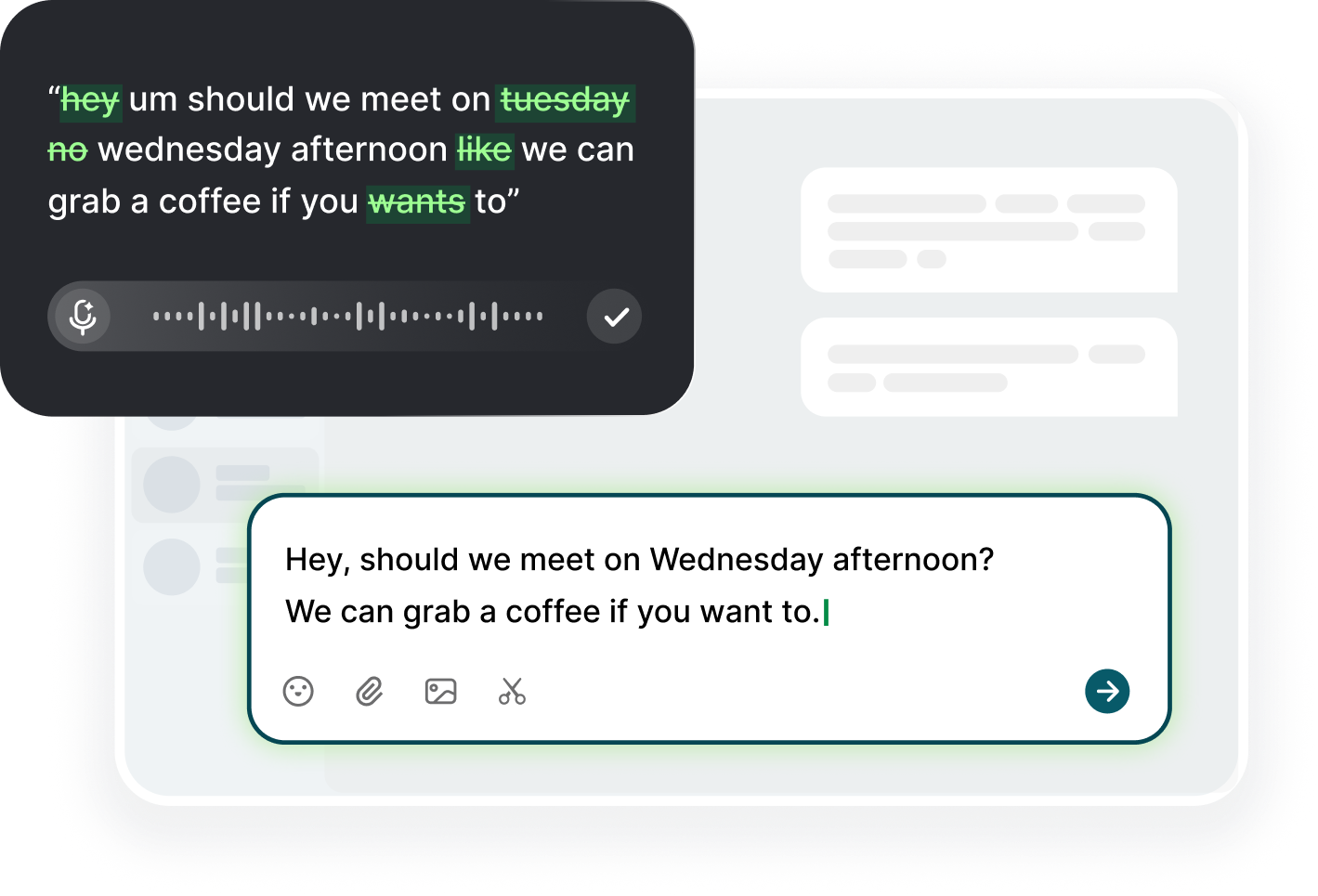
Why SOPs Never Get Written
Everyone agrees the team needs SOPs, and almost nobody writes them. The reason is not laziness: you know the task perfectly, you could explain it to a new hire in two minutes, and then you open a blank document and the whole thing dries up. Typing at roughly 45 words a minute while your brain runs at the speed of speech turns a ten-minute explanation into a half-hour slog, and the draft gets postponed to next week. Voice dictation for sops changes that math. You talk at about 220 words a minute, so the explanation leaves your head in the order you actually run the work, and Voiskey drops the steps into the document as you go. The obstacle was never the procedure; it was the speed mismatch between how you think and how you type.
The second killer is formality. When people sit down to write a procedure, they reach for the language of a policy document, and every honest phrase gets sanded off in the process. You do not say the gray Export button in the top right, not the blue one, in a policy; you write export the file. The instruction becomes airtight and useless at the same time, and the person who actually does the task keeps the real detail in their head. Dictation pulls you out of that register because you talk the way you talk. The first draft of your SOP sounds like you explaining it to the new hire standing beside you, which is exactly the version that people can follow.
The third reason is timing. Most procedures get written weeks after the process ran, from memory, at a moment that has nothing to do with the work. Memory is generous: it keeps the outline and drops the two weird clicks, the timeout you waited through, and the file that has to be renamed before upload. Those details are exactly what a dictation session captures, because talking while you work keeps both your hands and your narration in the real sequence. You say what you actually did because you have not had time to tidy it. Later, when you reread the draft, every missing oddity shows up as a gap you can close with one sentence, instead of staring at a polished checklist that no one can execute.
The fix is to start embarrassingly small. Pick the task you run tomorrow morning, not the flagship workflow. Open the doc where your procedures will live, start Voiskey, and narrate the run as you perform it. Stop when the task stops. That takes four or five minutes, and you now own a real, usable SOP, which rewires the habit: the next one is easier because you have proven the format works. Give it one week, narrate four tasks, and you will find yourself reaching for the doc on the fifth instead of reconstructing the steps from memory. That is the whole game: the SOP exists because it cost less than a coffee break to make.
Capture the Work as You Do It
The way to capture work you do at your desk is to narrate it in the moment, not after. Open the doc where the SOP should live, start Voiskey, then perform the task while you describe each action out loud, the way you would to someone watching over your shoulder. Doing and talking at the same time keeps the steps honest and in order; when you try to recall the whole process cold, your brain skips the boring parts. Start with the login and the first click, name the window you open, the menu you use, and the fields you fill. When your hands carry out the task, your narration follows them, and your words land in the doc as you go.
Be specific on purpose. When you narrate, it costs you nothing to say the exact button, the exact filter, the exact filename, because talking is faster than typing and you are not tempted to abbreviate to save keystrokes. Say the blue Upload button on the far right, the Last 30 Days filter, the invoice CSV with the client site name in it. Voiskey captures the full phrasing, so the detail lands in the doc intact rather than shrinking into vague shorthand like export it. If a term is genuinely unusual, say it clearly once and glance at the text; after that it recognizes the vocabulary that is specific to how your work runs.
Watch for decision points while you narrate. These are the moments where a procedure forks: when a check fails, when a record is missing, when a customer has already paid twice. Say them out loud the moment you hit them, because they are invisible to someone reading the final doc later. Use if statements in plain speech: if the total does not match, stop and check the date range, and call the person who owns the account. Then state what a correct result looks like, the screen, the number, the confirmation email, so the person following your SOP knows when to stop. Decisions are the reason people read procedures at all.
Capture the environment around the task as well, because the real obstacles are rarely on the happy path. Note the access you needed, the permission that was missing, the shared drive where the source file sits, and the tool that logged you out midway. Mention the delay you normally wait out and the error you expect to see on a bad day. If you work at a shared desk and do not want to announce the whole procedure to the room, you can narrate in a low voice; Voiskey picks up softer speech, so the capture stays quiet. The result is a record of the task as it actually runs, not as it looks on a diagram.
Template First, Details Second
Bring a skeleton before you dictate, because a template turns a rambling talk-through into a usable document. Write six empty headings first: goal, starting conditions, steps, decision points, definition of done, and warnings. Then narrate the task in one pass and let the steps fill their slot in the order you run them. The template does the structuring while you do the remembering. When you finish, the page already looks like an SOP, so your only job is to check that nothing is missing. Keep the same six headings for every procedure in a family, which makes the whole library feel like one system instead of dozens of personal formats.
Fill details while they are fresh, and resist the urge to switch to another tool to make it nicer. During the narration, add the small specifics as they occur to you: the shortcut that only works on a Mac, the field that must be cleared first, the name of the colleague who approves overrides. If you remember a missing step halfway through, say where it belongs and keep going; you can drop it into the right spot in seconds because the text is plain and editable. Once the first draft exists, fixing anything takes less time than it took to think about it, and you can bold the critical step or add a one-line caution without breaking stride.
Structure the details after the dictation, not during it. Read the ordered steps once and look for two things only: steps out of sequence, and steps that nobody could act on without guessing. Move the misplaced line, split a long paragraph into numbered steps, and convert a warning from a sentence into its own line labeled caution. Most of what you spoke can stay verbatim, and that is the payoff: the final text reads like you on a good day, not like a committee. Keep one master template per process family, and copy shared blocks, such as how to reset access, into the next procedure so wording stays consistent across the whole library. Number the steps so a ticket or a review can point at step four, and keep each step to one action so nobody has to decide what to do first.
Narrating the Steps in Order
Dictate in the order you run the task, not in the order you think about it. Jumping ahead is the most common mistake, because your brain knows what is coming and wants to get there. Stay in the sequence: first this window, then this filter, then this button, then this check. If a thought about a later step arrives, say it, finish the current step, and let the thoughts land where they belong during the reread. Speaking in order costs you nothing extra, and it is what makes a narrated SOP trustworthy, because the reader can follow the same path your mouse took.
Use verbal cues to mark the structure as you speak. Say step one, then next, then now check, before each action, the way a cooking video cues its sequence. Say before you start for prerequisites and if that fails for branches. These cues become the bullets and bolded transitions in the final doc, so you build the outline with your voice instead of reformatting later. When a step is a boundary rather than an action, name it clearly: do not do this unless you have confirmed the date range. Cues are cheap to say and expensive to add after the fact.
You will skip something, so make skipping cheap. The moment you notice, say scratch that, we need a step before what I just said, and then describe it. Then finish the task, read back the transcript once, and move the step into the right slot. If you forget until tomorrow, that is fine too: the doc is searchable text, and a missing step announces itself as a jump in the sequence. Keep a running list of questions you could not answer mid-run, like what the exact access request form is called, and answer them in the same session so the draft is complete before you close it.
Know when to stop talking. The useful span is from first click to the final confirmation, because everything before it is context you can add in one line and everything after it is polish. If the task takes forty minutes, split it: narrate the first half, finish the work, then narrate the second half into the same list next to a marker. Do not narrate a task you are not performing, because invented steps are exactly what makes an SOP feel hollow. A narrated run is also the fastest way to spot the missing pre-step: the account you set up yesterday, the permission you asked for last week. When the work ends, the dictation ends, and the draft is already waiting.
Versioning, Revision, and the SOP Habit
Finish every new SOP with a small header: the date, the owner, the version, and the last-tested line. These four lines are what turn a note into a procedure. Write them in the same dictation session, saying the date out loud is enough, so the habit costs one breath. When someone later asks which version is live, the answer is on the page. The version number only needs to move when a step changes, and the changelog can be a single line under the header: v3, date, reason. A dated SOP is a decision; an undated one is a rumor.
Update the SOP the first time you run it after a change, not at the end of the quarter. If a button moved, a field renamed, or a step was removed, narrate the fresh run and replace the changed step inside the existing doc. Re-dictating only the changed block keeps the whole procedure honest without a rewrite, and it takes about a minute. While you are there, strike the phrase that no longer matches and note the change at the bottom. This is the habit that keeps an SOP library alive: every time you use the doc, the doc gets newer, not older.
Schedule a short review after the change settles. Once a month, skim the library for procedures you have not touched in ninety days, and check each one against the three questions: does it still match how we work, does anyone still run it, does it cover the failure we hit last week? Kill the dead ones, archive them in a folder rather than deleting, and keep the ones that earn their place. A library of ten current procedures beats a library of eighty stale ones, and the current ones are the ones that survive the moment you hand them to someone else.
Make documentation a byproduct of running the work and it stops feeling like a project. Attach narration to the task you are already doing: the weekly reconciliation, the month-end close, the new client setup. Keep the doc in the tool where the work already lives, because Voiskey works anywhere you can type, in a wiki, a shared drive, or the notes window you already keep open. If you narrate for five minutes after each new procedure and five minutes when one changes, the family of SOPs grows on its own, and the team stops asking who knows how this works.
FAQ s
Most single-task procedures take two to five minutes to narrate, because you already know the steps by heart. Speaking runs at roughly 220 words a minute against about 45 when typing, so what would be a half-hour writing job becomes a short talk-through you can finish between other tasks. The first time you do it, add five minutes for the reread and a quick reorder.
Narrate while you do it, not from memory. Doing the work keeps the steps in the real order and surfaces the small details your brain would skip when reconstructing the flow cold. If a task is long or you cannot narrate while running it, finish the work and dictate immediately after, before the day's meetings wash the specifics away.
Say where it belongs out loud and keep going: for example, that step goes right before the export, I will add it after the send. Then move or insert it in the text after the dictation, because the transcript is plain, editable text in your own doc. A missing step also announces itself as a jump in the sequence when you reread the ordered list.
Put it in the tool where the work already happens, since Voiskey is a voice keyboard and writes into any text field. A shared wiki or drive works for team procedures, a folder of dated docs for personal ones. The rule is that the next person to run the task finds the doc in the same place they would look for a contact, not buried in a documentation folder nobody opens.


 Voiskey
Your voice, amplified.
Choose a real task, follow the steps, and review the results with your team before expanding the rollout.
Use it across macOS, Windows, iOS, and Android