
voice dictation code docs: A Practical Guide to Voice Dictation for Code Documentation
Dictate the docs while the code is still fresh in your head
 Voiskey Team
Docs: The First Thing Skipped
Voice dictation code docs works best if you treat documentation as part of the change, not a chore reserved for a Friday afternoon. The reason docs get skipped is timing: by the time you sit down to write, the reason behind the decision has already left your head and the code looks self-evident. So move the writing earlier, to the moment you are still explaining the design to yourself. Thirty seconds of talking about what you just built produces a paragraph of intent that a doc pass later would never recover. You are not writing documentation; you are recording the thinking that made the code happen.
Start smaller than a full README. While you write a function, open a scratch note and say one sentence about what it does and why the clever part is clever. You are not polishing prose; you are banking context at 220 words a minute instead of typing it at 45. Sixty seconds of narration covers what would take you five minutes to type, and you do it before the memory fades. When you finish the task, you already have the raw material for the docstring, the changelog entry, and the review comment. If you would rather not narrate mid-flow, run the same routine at the end of the work session, when the whole change is still one coherent story in your head.
Set a daily boundary so documentation cannot be postponed forever. Keep one doc file open beside your editor and append the narration you produced during the day, then spend the last three minutes of the work session turning the notes into real prose. The rule is simple: no change gets a pull request label until its spoken note has landed somewhere. That note is not the finished doc; it is the thread you pull later. When review asks why, you answer by copying the sentence you already said. Teams that adopt this habit stop rediscovering decisions in Slack threads and stop asking the author in the next meeting what the code was supposed to do.
Narrating the Code as You Write It
The best place to narrate is inside the editor, because the text lands exactly where the docstring will go. Click into the function you just finished and speak, or open a note pane beside the code and dictate the walkthrough. Filenames, function names, and flags come out formatted the way you would have typed them, not spelled out phonetically, so the note reads like code and not like a URL read over the phone. Describe the inputs, the edge cases, and the one line that was not obvious when you came back to it next week. That single line is the docstring's whole job.
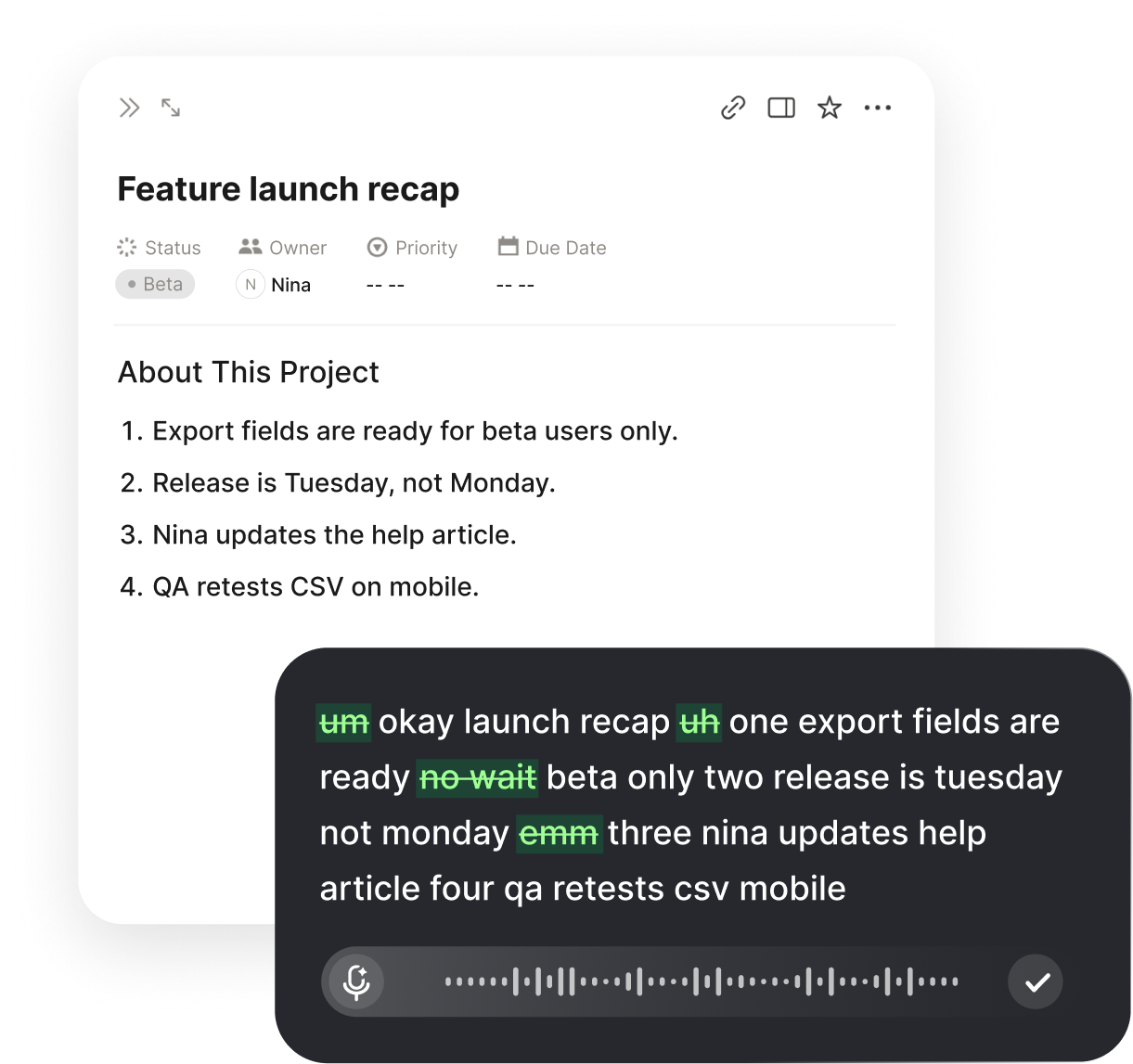
Narrate in three beats so the docstring ends up structured: what the function returns, what it expects, and what breaks silently. For an API helper you might say it returns a parsed request for a given payload, it expects a valid token or it throws, and it does not log the body. With Voiskey's dictation, the fillers and restarts disappear, so the sentence you say out loud becomes the sentence you keep. Then trim the result: delete any clause that states the obvious name, and keep only what someone who trusts your code still does not know. Good docstrings are short, and dictated ones are short too because speaking keeps you honest about what is actually worth saying.
Do not let narration become another interruption. Pick one cue and stick to it: the moment you solve a bug, the moment a test goes green, or the moment you close the editor at the end of the day. Two sentences at each cue is enough, and it adds up to a real paragraph by Friday. Speak at your desk at a normal volume, or whisper if you share an open-plan office; Voiskey picks up softer speech, so you can narrate without broadcasting your work to the whole floor. Keep the buffer achievable, because a documentation habit that survives is the one that never feels like a second job.
Docstrings, Readmes, and API Overviews
Docstrings benefit most from voice because they are dense and repetitive across a codebase. Work through a file top to bottom, dictating the summary line for each public function as you go, and you finish a module in minutes instead of an hour. Say the signature's intent twice: once for the parser and once for the reader. For a function like retry with an exponential backoff, narrate the contract in one breath, and the words that come out are already closer to the final docstring than anything you would have typed after lunch. Freshness is the advantage here, not speed alone, because the trade-off you made is still visible.
The README is where voice earns its keep, because the setup section is a story you already know by heart: install, configure, run, check. Say the steps in order, one command per sentence, and name the failure mode you hit so the next person does not repeat your ten-minute detour. Narrate the environment variables and their defaults, the ports and the health check, and the one command that does not work on a fresh machine. Then read the result back and cut anything that only makes sense to you. A README that reads like a person explaining it beats one that reads like a manifest, and that tone falls out of the narration naturally.
API overviews are the third target, and they are the hardest to write from memory. Dictate an overview while you are still building the endpoint, when the behavior and the error cases are live inside your head. Walk through one request: what the client sends, what the service does with it, what it returns, and what it does on failure. Say the error codes out loud and the response shape you chose. Later, when a consumer asks a question that your overview cannot answer, that is a bug in the doc, not in the question; dictate the fix immediately and keep the overview boring and complete. Boring docs get trust, and trust is what gets you asked about less.
The Documentation Loop Around a Feature
A feature branch is a natural documentation loop, because the doc and the code ship together. Open the branch, create the short doc beside it, and narrate the change the same day, even if the doc is only a heading and a paragraph. Keep the doc next to the code in the same repository, so it gets reviewed in the same diff and does not rot in a separate wiki. When you push the branch, the description can be one sentence: what the doc covers and what it deliberately omits. The doc does not have to be complete to be valuable; it has to exist at the moment the decision was made.
Before you merge, read the doc aloud as if you were the next person on the repo. Every phrase that makes you hesitate is a place where the doc is still written for the author. Fix those places by dictating the correction over the old text, not by deleting and rewriting the whole thing. Then diff the doc against the actual code: does the documented function still exist, does the flag still behave the same way, does the setup still match the Dockerfile? Keep a short checklist of these checks in the pull request template, and the merge becomes the moment documentation gets verified rather than ignored. That verification loop is what makes the habit hold.
Names are the detail that makes dictated docs trustworthy, because a doc that misspells the service name is a doc nobody trusts. Voiskey learns repo names, service names, function names, and the spelling your team settled on, so authMiddleware.ts comes out as authMiddleware.ts instead of a phonetic guess. Teach the vocabulary once and it follows you across machines, so the term you dictated on your work laptop is the same on your personal machine and your phone. That consistency matters in a long doc: a reader who sees four spellings of the same component assumes the whole document is guesswork, and a doc that assumes is a doc that must be re-derived.
Docs That Survive Refactors
Refactors are the moment docs die or get written. When you rename a function, move a module, or change a config default, the doc for that thing is now wrong, and a wrong doc is worse than no doc because it teaches someone confidently. Make it a rule that any rename includes the doc sentence you spoke when the thing was created. Walk the affected section aloud: what changed, why it changed, what old readers need to unlearn. That narration is usually three sentences and it keeps the document current without a documentation task. Current docs require these small corrections, and small corrections are cheap with voice.
Once a week, spend ten minutes on a doc sweep instead of a marathon rewrite. Open the doc, put your cursor at the top, and read each section out loud into the document itself as you go, stopping at the first sentence that is no longer true. Dictate the correction immediately, then keep moving. Do the same for the module's README and the API overview, because three stale facts in a long document cost more trust than three missing chapters. When the sweep is over, write one line at the bottom of the doc noting what you checked: names, commands, config, and links. A dated sweep line tells the next reader the doc was alive last week.
Finally, treat the docs themselves as code-like artifacts with owners, not as a shared attic. Name one person per module who narrates the changes, so corrections have somewhere to land and nobody depends on a volunteer. When a new engineer joins, hand them the doc and a file, and have them attempt the setup while you watch; every instruction they stumble on is a new sentence to dictate into the doc the same afternoon. New-team onboarding is the fastest test of documentation quality you will ever run. If the doc survives a fresh pair of eyes without a rewrite, keep the loop running; if it does not, the problem is the doc, not the reader.
FAQ s
Because the explanation leaves your head within hours. Speaking while the change is fresh captures the why at 220 words per minute, while typing later at 45 words per minute compresses the story into one safe sentence. The dictated note is raw material: a docstring line, a changelog entry, a review comment. You clean it up after, not during, and nothing is lost to memory.
Yes. Voiskey learns repo names, service names, function names, internal codenames, and the spelling your team settled on, so authMiddleware.ts comes out formatted rather than spelled out phonetically. That vocabulary syncs across your machines and your phone, so the same term comes out the same way wherever you draft. You teach it once, then dictate as you write.
Start with docstrings and the README setup section, because they are short, dense, and read by everyone who touches the code. Next come API overviews, dictated while the endpoint is still fresh. Leave architecture essays for later; they benefit from reflection, and a morning recap does not suit them. Prioritize what people read on the day they need it.
Narrate in three beats: what, why, and what you ruled out. Dictate into the actual doc file or a note beside it, then edit the same session. Say the rough version and let the tool clean up the fillers and restarts. Finish with the read-aloud test, and cut any sentence that only makes sense to you. Ten minutes of editing beats an afternoon of rewriting.


 Voiskey
Your voice, amplified.
Choose a real task, follow the steps, and review the results with your team before expanding the rollout.
Use it across macOS, Windows, iOS, and Android