
Suno and the Elvis Presley Voice Deal: AI Can Sing, You Still Type.
AI can sing in any voice; your own words still start at the keyboard.
 Voiskey Team
The Suno Voice Headline
The Suno and Elvis Presley voice deal became the kind of headline that travels. A music generation platform, one of the most recognizable voices in popular music, and a licensing agreement that puts the two together: the story writes itself. For listeners, the appeal is obvious. The idea of hearing a familiar voice in a new context is powerful, and it is exactly the kind of thing that compresses a complicated technology story into a single sentence. That is why the announcement moved quickly from trade coverage into general conversation. It framed AI music as a cultural question, not only a technical one.
The deal also marks a shift in how AI music is discussed. Earlier coverage focused on whether a model could produce a listenable song. That debate is largely settled for casual listeners, who judge the output by whether it sounds good rather than by how it was made. The new question is who has the right to a voice, and what a license actually permits. Those questions involve artists, estates, labels and platforms, and they will not be resolved by a model release. The Presley headline makes the issue concrete in a way that abstract policy debates never could capture as cleanly.
For the industry, the signal is that catalog voices are becoming a product category. If a platform can license a famous voice and offer it inside a creative tool, then voice itself becomes a feature rather than a fixed human attribute. That is a significant change, and it will invite imitation. Expect more deals, more partnerships and more debate about what consent and compensation should look like when a voice is the raw material. The details will vary by jurisdiction and by contract, but the direction is clear. Voice is moving from something you have into something you can license.
What the headline does not change is the workflow of the person using the tool. A user still opens a text box, describes the song they want, and waits for a result. The voice inside the model may be legendary, and the input is still a prompt typed by a human. That contrast is easy to miss when the story is about a famous name. Yet it is the part that affects every creator, every day. The output side of music generation has become extraordinary. The input side is still a keyboard, a blinking cursor and a blank box. That is the part the headline leaves out.
Output Artistry, Input Friction
Output artistry is the easy part to admire. A generated track can carry a melody, a mood and a production style that would have required a studio session a decade ago. The quality is uneven, but the ceiling keeps rising, and the best results are genuinely impressive. Suno and similar platforms have turned music generation into something a non-musician can try in an afternoon. That widening of access is valuable and worth celebrating. The tools lower the barrier to making something, and lower barriers tend to produce more experiments, more surprises and more people who discover they enjoy the act of creating something.
Input friction is harder to see, because it happens before anything plays. The user has to describe a genre, a mood, a tempo, a reference and a lyrical direction. Each of those choices is creative, and each one has to be expressed in words. For some people, that is the fun part. For many, it is the moment the process stalls. The blank prompt box has the same problem as the blank page: it asks for specificity before the idea is fully formed. The gap between hearing a song in your head and describing it in text is where a lot of good ideas quietly die.
The friction compounds with iteration. Music generation is rarely one prompt and done. You try a version, hear what is wrong, and revise the description. The revision requires words again, and the words have to capture a subtle difference: warmer, slower, less literal, more like a late-night radio song. Typing those refinements is slow enough that people settle for approximations. They accept the third version because describing the fifth would take another five minutes. The creative result is shaped by the input method, whether or not the creator consciously notices the shift. The tool shapes the art in ways the artist rarely records.
That is the asymmetry at the heart of the current moment. Output has become rich, fast and accessible. Input has stayed narrow, textual and slow. A creator with a clear idea can still lose it between the thought and the prompt. The fix is not a better model. It is a better way to get the idea out of the creator's head and into words the model can use. When the input improves, the output improves too, because the model finally receives a description that matches what the person actually imagined. That is a quiet leverage point, and it is available to anyone willing to change how they write.
The Prompt Is Still Typed
The prompt is still typed, and that is the bottleneck nobody puts on a slide. A prompt is a creative brief compressed into a text field. It has to name the genre, set the mood, hint at the arrangement and leave room for the model to surprise you. Good prompts are specific without becoming rigid. They read like instructions from a director who knows what they want but trusts the performer. Writing one well is a skill, and like most writing skills it improves with practice. The problem is that practice takes time, and typing is a slow way to practice anything.
Typing also changes how people think. When the medium is slow, the mind edits early. You drop an idea because it is hard to phrase, not because it is bad. You simplify a description because the sentence is getting long. Those small compromises accumulate into a prompt that is tidier than the original vision and less interesting. Speaking has the opposite effect. It encourages you to say the whole thought first and shape it afterward. The first version is messier, and it often contains the detail that makes the result distinctive. That detail is exactly what a generative model needs to produce something distinctive.
The prompt is also where revision happens, and revision is where most of the creative work lives. A first description gets you a sketch. A second description, informed by what you heard, gets you closer. Each round requires the creator to translate a reaction into language: too bright, too busy, not enough space. Those reactions arrive quickly in the mind and slowly on the keyboard. The gap between reaction and revision is where momentum is lost. A faster way to write the revision keeps the creator in the flow of listening, adjusting and listening again. Flow is fragile, and a slow input breaks it more often than a bad idea does.
None of this makes typing obsolete. Some people think best at a keyboard, and a carefully written prompt can be a pleasure to craft. The argument is not that typing is bad. It is that typing is the only option for a task that is fundamentally about describing sound, mood and feeling. A creator who can speak the brief has a second path, and for many tasks it will be the faster one. The prompt will still exist. It will simply arrive by voice, with the filler cleaned up and the punctuation in place. The creative act stays with the person, and the transcription stops being a tax on it.
Speaking Your Creative Brief
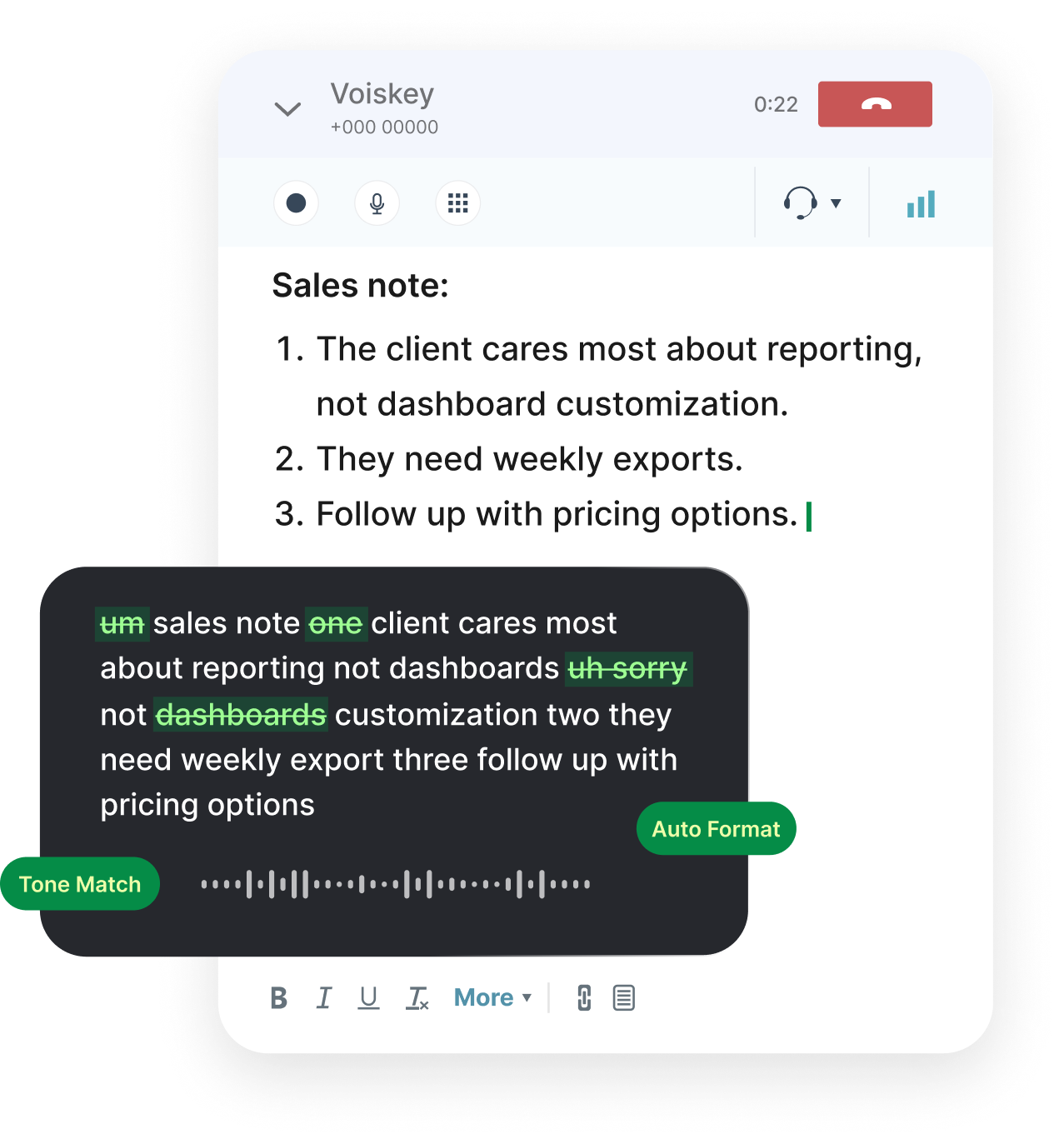
Voiskey gives the creative brief a spoken path. It is system-level voice input for Mac and Windows, so it works in the text box where you write prompts rather than in a separate tool. The flow is Speak, Polish, Type, Edit: hold the hotkey, describe the song, let the polish step remove filler and fix punctuation, then refine the wording. Expression intelligence is the idea behind it. The result should sound like your brief, not like a transcript of you thinking out loud. For a task built on mood and description, that distinction matters more than raw speed alone. The goal is a brief you would be happy to send to a collaborator.
The practical setup is the apps you already use. Voiskey works in browsers and text fields, including the ones where music tools and creative documents live, along with Gmail, Outlook, Slack and Cursor. Custom vocabulary keeps artist references, project names and genre terms spelled the way you want them. Support for more than one hundred languages helps creators who write for audiences in different markets or collaborate across regions. Because the tool sits at the system level, you do not leave the page to dictate. You press a hotkey, speak the brief, and keep iterating in the same browser window. That continuity is what makes a spoken brief practical rather than a novelty.
Spoken briefs are especially useful for the messy middle of a project. The first prompt is easy to type because it is short. The fifth prompt is harder, because you are describing a small adjustment to something you just heard. Saying it out loud is natural: make the chorus warmer, pull back the drums, keep the vocal close. Those are the kinds of notes a producer gives in a studio, and they are easier to speak than to type. Voiskey turns them into clean text so the next generation starts from a clearer description. That keeps the creative loop moving.
The next step is concrete. Download Voiskey for Mac or Windows and try it on your next task, whether that is a song prompt, a video script or a campaign brief. Start with the description you have been putting off because it felt hard to write. Say it out loud, edit the result, and send it to the model. You may find that the idea was never the problem. The problem was the keyboard between the idea and the prompt. Speaking the brief removes that step, and the output often shows the difference. Try the same prompt both ways and compare what the model produces. The difference is usually in the specificity, not the length.
Download Voiskey and Start Creating
Getting started is a short setup. Download Voiskey for Mac or Windows, run the installer, and grant the permissions the tool needs to accept input across apps. Pick a hotkey that is comfortable and does not clash with the shortcuts you already use. Open the text box where you write prompts, hold the hotkey, and say a description at a normal pace. Release and read what appears. If a name or a genre term comes out wrong, correct it once and add it to your custom vocabulary. The first session is about getting comfortable with the rhythm of speaking and editing. Speed will come on its own after a few sessions.
The second session should use a real project. Choose a prompt you have been meaning to refine, and speak the revision instead of typing it. Describe the changes you heard in the last result: the tempo, the instrumentation, the feeling you want the next version to carry. Let the polish step clean the text, then edit the phrasing until it matches your intent. Save the prompt and compare the new output with the old one. This small experiment shows whether spoken briefs fit your process better than typed ones, and it takes only a few minutes. Most creators learn more from this one comparison than from a dozen tutorials.
Teams can use the Team plan to keep creative language consistent. Shared vocabulary means everyone spells project names, artist references and genre terms the same way, which matters when several people contribute to one campaign. Shared workflows give common briefs, such as a song concept or a video treatment, a familiar structure regardless of who speaks them. Setup is handled once rather than repeated by each creator. The result is a voice input layer that fits the studio or the marketing team, not just one person's habits, and it keeps the written briefs aligned as the team grows and changes. That consistency saves the small corrections that quietly accumulate.
The larger lesson from the Suno headline is that output and input have to improve together. A legendary voice singing a vague prompt is still a vague result. A creator with a fast, clear way to describe an idea gives that voice something worth performing. Download Voiskey for Mac or Windows, speak your next creative brief, and keep your own phrasing in the loop. The models will keep getting better at singing. Your job is to make sure the song they perform is the one you actually heard in your head. Start with one spoken prompt today. The voice deal will be remembered; the habit will change your output.
FAQ s
A creator can speak an idea out loud, and Voiskey turns it into clean text in the prompt field. It handles fillers and changes of mind, so early thinking does not become a messy draft. For complex requests, it can shape a spoken description into an AI-ready prompt with the important details captured.
Voiskey learns the names, jargon, and spelling preferences it sees you use, which helps with titles and project names you repeat. If something comes out wrong, fix it in the text and keep speaking. Consistent use of a title makes it easier for Voiskey to match your preference the next time.
Download Voiskey for Mac or Windows, complete the short setup, and open the place where you write, whether that is a notes app, a document, or a prompt field. Choose one small piece of the project, speak it, and review the text. Starting with one real task shows you how the habit fits your process.
Yes. Voiskey works system-wide on Mac and Windows, so it fits the text fields in the tools you already open. That includes documents, note apps, chat, and code editors. You do not move your project into a new editor. You place the cursor, use the shortcut, and edit the text where it appears.


 Voiskey
Your voice, amplified.
Download Voiskey for Mac or Windows and speak your next creative brief into shape.
Use it across macOS, Windows, iOS, and Android