
professional tone in email dictation: A Practical Guide to Dictation for a Professional Tone in Business Emails
Speak the full draft first, then adjust the register in one fast pass.
 Voiskey Team
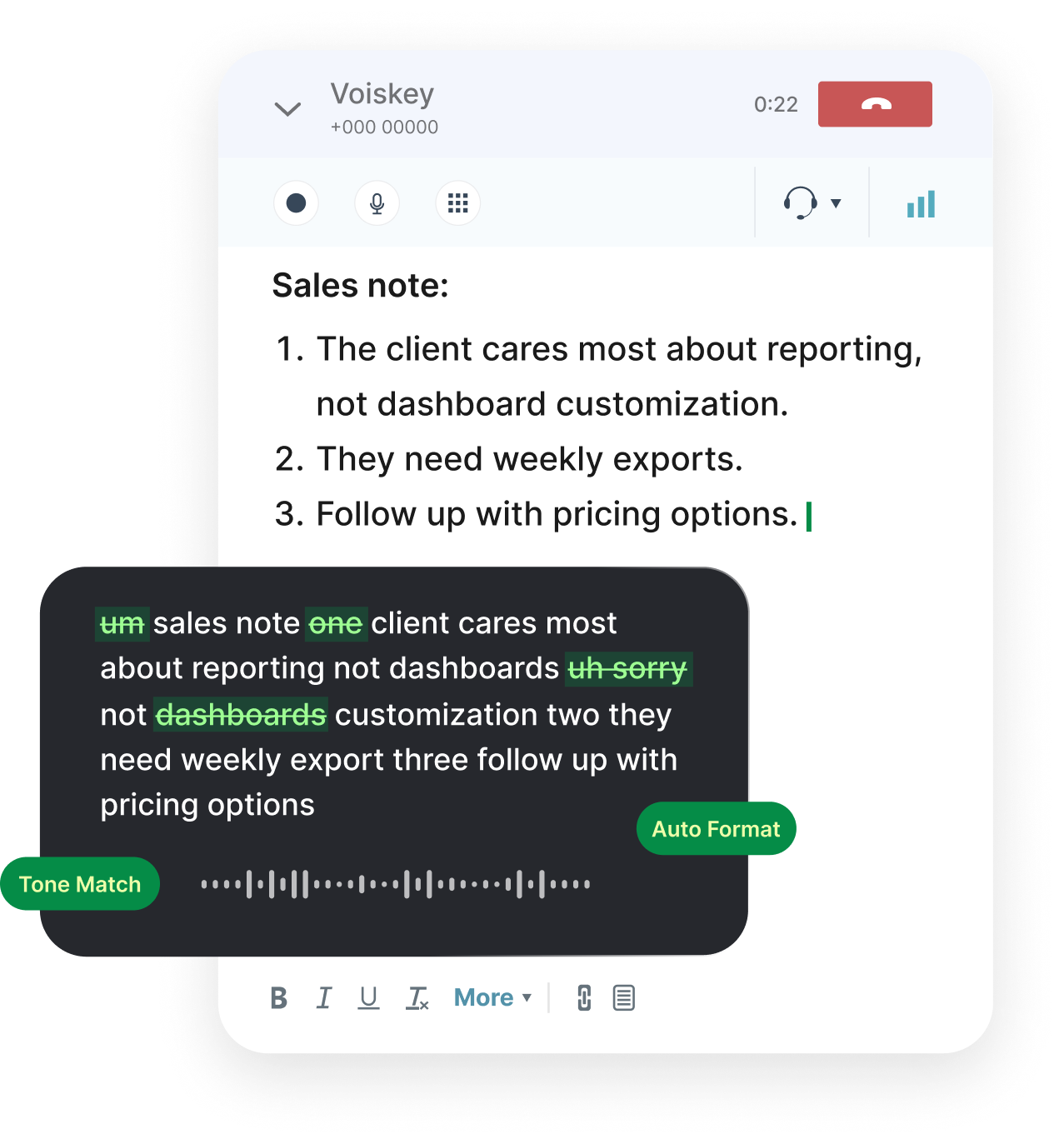
Speech vs. Business Register
There is a tension at the heart of professional tone in email dictation: you speak in warm, loose, first-person sentences, and business email expects a careful, structured register. The resolution is not to write a formal letter in your head and then type it. It is to speak the real message first, fully and naturally, and then adjust the dressing. Say the draft out loud: what happened, what you need, what the timeline is. Then open Voiskey's cleaned text and move tone, not meaning. The warmth survives the edit because it was in the draft from the beginning, and the reader feels the person behind the form.
Business register is mostly subtraction: fewer exclamation points, fewer qualifiers, fewer personal asides. The casual voice says just wanted to quickly check in; the business voice says following up on the schedule. Dictation actually makes the subtraction easier because the spoken draft arrives in full, and you can see exactly which phrases to cut. Type and you edit as you go; speak and you edit what exists. The result is a message that sounds like a person who is careful, which is the definition of professional. The second rule: keep the sentence structure you spoke, just re-season the words. Say the sentence and the register shows itself; cut the ornament and the ask stays.
Know the audience before you speak a word. A client invoice dispute wants an even, factual register. An executive update wants numbers and decisions first. A peer message can stay conversational. Name the register out loud as you start dictating, one phrase: this is the formal version, or this is the quick note. It anchors the entire draft. Then keep one editing rule: read the final draft and check that a careful stranger, someone cautious and fair, would read it without being able to tell it was dictated. If they can tell, the tone is not attached yet, and the fix is one pass away.
Say the Whole Thing First
The single best trick in dictated business writing is to produce the draft in one continuous pass, with no editing until the last sentence is spoken. When you stop to fix a phrase mid-way, you lose the thread, and the message becomes a patchwork. So say the entire email: greeting, context, ask, closing, in whatever order comes out. Then look at the whole thing. Voiskey has already removed the filler and the false starts, so what you review is a complete message with your thought process in it, instead of a polished fragment you no longer trust. The unedited draft is your actual judgment, and the judgment is what the email is for.
Say the polite version and the direct version, and keep the direct one. Business writers over-soften. The polite draft says that if you have a moment, it would be great if you could possibly look at this; the direct draft asks whether you could review this by Thursday. Say both out loud and the difference becomes obvious: the ask survives. Then write the email with the direct ask and the polite opening. Dictation helps here because saying the sentence tells you how it sounds to receive it, and you cannot hear that when you are typing it. Hearing the two versions back to back is the whole training of the register.
One pass also solves the too-long-to-start problem. The emails that never get written are the ones you over-plan: the conflict email, the budget request, the difficult notice. Speak them anyway, quickly, even badly. You now have a draft with the essential facts, and fixing a draft is infinitely easier than starting one. This is the honest reason to use your voice in business email: it converts the intimidating message into a paragraph you already own. Then the register pass is a ten-minute job, not an all-afternoon stall, and the thing you feared becomes one more email you sent. The block that was the problem moves to the editing pass, where it belongs.
Tone Adjustment in One Pass
After the spoken draft is clean, do one pass only, in this order: cut the hedges, then fix the grammar, then check the ask, then finish. The hedges are just, maybe, a bit, I feel like, hopefully, and any sentence that starts with an apology for existing. Delete them without mercy. A single pass with a checklist beats three passes of wandering. If you find yourself rewriting an invented problem, stop and re-read the ask: the message either says it or it does not. One pass, four checks, send, and the register lands where the draft was always heading. One pass done, the hedge is gone, and the sentence sounds like a decision.
Turn the spoken contractions into written ones where it helps: I'll and we're read naturally in most business email, while cannot and do not read heavier. You do not need full formality unless the audience requires it. The reliable test is the reply rate, not the style guide: if a message gets answered, the register is right. When in doubt, keep the sentence structure you spoke and replace only the vocabulary. We need to sort this by Friday stays in one line, and we need to resolve this by Friday is the same line with the register attached. One clause changed, the whole register moved.
Leave the signature alone and keep the formatting spare. A business email with a strong first paragraph is read; one with bold, italic, and a bulleted manifesto is skimmed. Dictate the body as plain paragraphs, keep your standard signature, and let the message carry itself. If the content needs a list, keep it to three bullets and no more. The one place where polish still wins entirely is the subject line: dictate a few candidates out loud, then pick the shortest one that names the topic and the deadline. The subject is the first thing read, and it should be the cleanest thing written.
Titles and Greetings That Stick
Greetings are where dictated emails most often go wrong, because the voice skips them. Say them deliberately, first thing: Dear Dr. Chen, Hi Priya, or Good morning, Marcus. Then keep the greeting that matches the last email in the thread. If they signed off Best, Sarah, you can use Hi Sarah, but dropping personal contact for a generic sir or madam in a business reply is the fastest way to read as a template. Dictate the greeting as its own sentence, pause, then start the body. The pause makes the draft show the respect the greeting carries. The greeting is the first full sentence you dictate, and it sets the register for the rest.
Get the titles right every time. When you dictate to someone you have not met, say the title out loud first: Ms. Alvarez, Director of Operations. Saying it forces you to check the correct spelling and the right honorific, because you cannot hide from it in the way you can hide behind to whom it may concern, which is the greeting of someone who never checked. If the person signs with a name, use that name. The email's first line is a small courtesy, and the courtesy compounds with every message in the thread, until the whole relationship reads as one careful correspondence.
When you do not know the name, find it. One minute of searching the website, the signature on the referral email, or the meeting invite beats a generic greeting. Then dictate the found name once and let the draft keep it: Dear Ms. Alvarez. If the reply behavior is to use first names, match the thread. The rule to keep in your head as you dictate the greeting: name them, do not guess them. A correct, specific greeting is a signal of care, and care is the tone business email is actually trying to create in the first place. The name on the screen is the reader in the mind, and the email addresses both.
The Ask That Gets Answered
A professional email is judged by whether it gets answered. The winning structure is one ask, stated once, with a date. Speak the ask before any context: could you send the signed contract by Thursday? Then add the context they need, one paragraph, and stop. Dictation helps you find this because when you speak the email you naturally state the request at the point where you would ask it in a conversation, which is early. The typed version buries the ask under three paragraphs of setup because typing makes the setup cheap. Speaking makes the ask the cheap part, so it gets the front seat.
Make the ask easy to answer. Instead of let me know your thoughts, say reply yes or no to the three positions by Friday. Instead of we should discuss, ask whether they have thirty minutes on Tuesday. Speaking these versions reveals how much more concrete they are. If you are asking for a decision, attach the material, state the date, and name the fallback: if Friday is not possible, I will default to the second option. A business email with a plan gets answered fast; one with a vibe waits, and the wait is the cost of the vague ask.
Close with the next move and the thanks. Thanks, and I will confirm the details by Tuesday. Do not end on a question mark and a soft line; end on the state of the plan. Then send it at the time you actually want it read: mid-morning on a workday, when your counterpart is clearing the queue, not at 11 p.m. The polished ask that lands at a good hour is what professionals call follow-up, and the routine is buildable: dictate, adjust the register in one pass, verify the greeting, and send. Repeat it and the tone becomes part of the day.
FAQ s
Only if you skip the tone pass. Speak the full draft naturally, then edit in one pass: remove hedges like just and maybe, fix the grammar, and check the ask. What remains is your actual sentence structure with business vocabulary on it. The draft sounds warm, the tone sounds ready to send.
Speak it before you plan it. Say the whole message out loud, badly if needed, because a spoken draft with the facts is easier to fix than a blank page. Then do one tone pass. The difficult part is starting, and speaking starts you in ten seconds. Keep the ask specific, the date real, and the tone even.
Yes. Executives want the decision first and the context behind it. Dictate in that order: the ask or status in the first two lines, then the supporting detail, then a clear next step. Keep it to one screen. The spoken draft helps because you naturally lead with what matters when you talk, instead of building up to it.
It gets most names right from context, and you can add names, company terms, and spelling preferences to the Voiskey dictionary so they stay consistent across devices. Still, check the draft before sending: verify the title, the name spelling, and any numbers, then send as you normally would.


 Voiskey
Your voice, amplified.
Choose a real task, follow the steps, and review the results with your team before expanding the rollout.
Use it across macOS, Windows, iOS, and Android