
manage wrist pain voice tools: A Practical Guide to Managing Wrist Pain with Voice Tools at Work
Treat voice dictation as a first-class desk tool, beside the chair and the tray.
 Voiskey Team
Building a Pain-Aware Workday
The practical way to manage wrist pain voice tools at work starts the day before you sit down, with a plan that treats pain as a work input rather than a problem to ignore. A pain-aware workday is not a day without typing; it is a day where the pain is a variable in the plan, like a deadline or a meeting. That means you check the pattern before you start: which time of day is the flare, which task makes it worse, and which evening it fades, then shape the schedule around the answers. The tools, and the voice tool above them, keep the output while the load is managed. One upfront note: this article is informational, not medical advice. A pain pattern that is persistent, getting worse, or accompanied by numbness or weakness is a clinician's conversation, not a setup tweak.
Start the morning with a two-line check before the first email: how are the hands today, and what is the highest load task on the calendar? The first line decides the day's voice budget; the second decides which task gets that budget. A green morning means a normal split, a yellow morning means more voice, and a red morning, visible pain before you type, means the voice carries nearly everything and the appointments are deferred, not skipped. The plan is not dramatic; it is a branch in the schedule that a written rule triggers, so the decision at 8:45 is automatic. A pain-aware day is mostly a set of automatic decisions made in advance, which is what makes it hold on the days your hands hurt.
Give yourself a load budget the way you give yourself a calendar: a daily number of words you will type, and a daily number you will speak. The budget is the honest instrument of the pain-aware day, because it converts vague discomfort into a decision. Write 500 typed and 1,500 spoken for a yellow morning, or 300 and 2,200 for a red one; the numbers do not have to be scientific, they have to be real. Then the plan is simple: the budget holds, the voice carries the rest, and when the keyboard share goes over, the answer is not to push through, it is to shorten the typing block and add a microbreak. The budget is what keeps the pain from being negotiated away by urgency.
Respect the counterintuitive rule: the more pain you have, the more planning you need, not less. A painful day with no plan becomes a spiral: avoid typing, fall behind, type harder, pain worse. A painful day with a plan becomes a sequence: check, budget, delegate to voice, break, and finish with the day's output mostly intact. That is the entire value of the pain-aware workday, and it is why the plan deserves fifteen minutes of setup, not a moment of faith. Write the morning check, the budget, and the flare rule on an index card; keep them where your eyes fall at the start of the day, and the plan will be there when the pain is, which is the only time it really matters.
The Tool Matrix: Voice, Mice, and Alternatives
Build the tool matrix before you buy anything, because the matrix is what tells you what to buy and in what order. Three kinds of load sit at a desk: repetition, force, and static posture, and each is fixed by a different tool. Repetition is the number of movements, and it is the only one that voice dictation removes. Force is the pressure of the movement, and it is what a light-touch keyboard, a low-resistance switch, and a trackball reduce. Posture is the position of the body while working, and it is what a keyboard tray, an armrest, a chair, and a split keyboard fix. Most people try to fix all three with one purchase, which is why the drawer fills with gadgets and the pain stays. The matrix says: decide which load is the problem, then buy for that one.
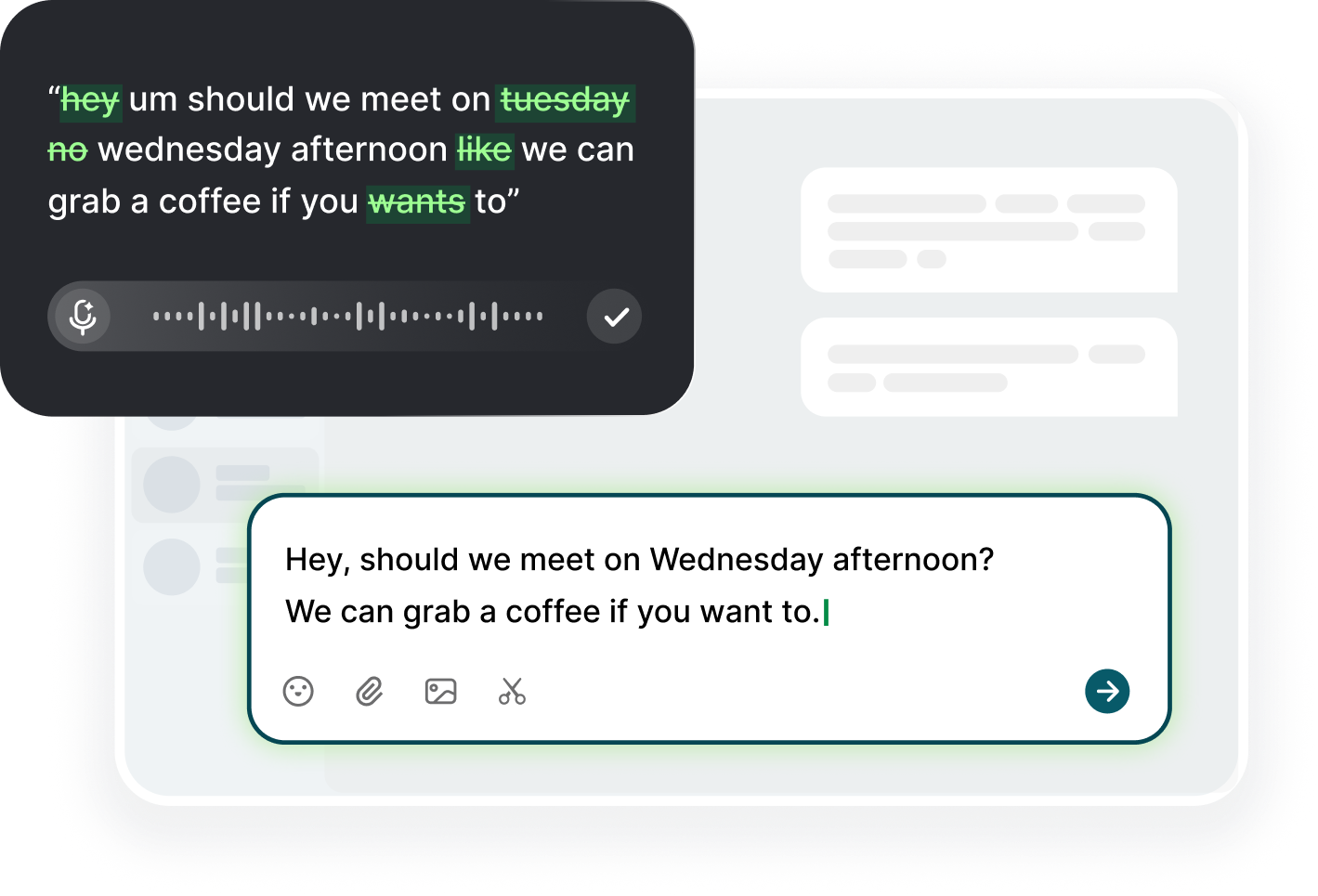
The matrix entry for voice is the one that does the most per minute of adoption. It removes the repetition from the day's largest task: the writing. With Voiskey, you download it on macOS or Windows, click into the same field, trigger the dictation shortcut, and speak; on a phone you add it as a keyboard and tap into any field. The app turns natural speech into clean text, removing filler words and fixing punctuation, and you review before sending, because nothing is sent on its own. That is the matrix entry: the tool that lets you keep writing thousands of words a day with the hands doing almost none of the motion. No other tool in the matrix does that.
The rest of the matrix is about the movements that remain. The mouse is the second source of repetition and force after the keyboard, and its fix is simpler than most people assume: a trackball or a vertical mouse changes the grip and the travel, keyboard shortcuts cut the navigation, and a few saved snippets remove the retyping. The keyboard tray exists to let your wrists stay neutral and your forearms stay parallel to the floor, which is the posture fix; a split keyboard does the same for the wrist angle. The chair is for the back, the monitor for the neck, and the armrests for the shoulder. Each tool is a single answer to a single question, and the matrix is the list of the questions.
Then assign instead of accumulate: put the matrix on one page, mark which load hurts, and buy or set up only the entry or two that answer it. This is the honest cost-benefit of tooling, and it saves money and time. A pain that is mostly repetition gets the voice tool first, and the free plan's 2,000 words a week is enough to test it before a purchase. A pain that is mostly the mouse gets the trackball or shortcuts. A pain in the evening, regardless of the day's work, gets the posture fix first. One change at a time, two weeks per change, and a log of the arrows: which direction did the evening rating go after each change. The matrix plus the log is how you choose, and the log is how you know.
Desk Setup for Painful Days
On a painful day, the desk stops being a good idea and becomes an instrument; the painful-day setup differs from the good-day one. First, lower the keyboard tray so your forearms sit parallel to the floor and your elbows rest at roughly ninety degrees, with shoulders relaxed, not raised; the keyboard is a flat surface for neutral wrists, not a shelf to press into. Second, keep the keyboard close to the body so you do not lean forward to reach it, and keep the mouse on the same side, because switching sides on a bad day adds load rather than reducing it. Third, set the monitor to eye level so your neck and hands are not the only parts of you doing the day's work. Fourth, place the microphone where you can speak without moving the arm: a headset or desk mic, not a phone held in your painful hand.
The painful-day setup is also about what you remove. Remove the mouse from the daily path and use keyboard shortcuts for the navigation you do most: switching windows, copying, pasting, saving, archiving, and sending are all shortcuts instead of pointer moves. Remove the reach for the phone: if a call or a reply comes in, use the keyboard shortcut to the field and a headset for the voice. Remove the long mouse stretches by keeping the files and windows you need pinned, so the day is fewer movements at the same output. And remove the all-day wrist rest: a wrist rest is a support, not a cushion to lean into for hours, because leaning keeps the wrist in a static angle, and the correct position is the neutral one, not the padded one.
Change your position, not just your tools, because static posture is the third load and a painful day needs the change. Stand and dictate the morning queue. Sit for the short typed part with the neutral wrists. Walk during the long call instead of sitting through it. This is the rhythm the painful day needs: the load is spread across the day and distributed across positions rather than concentrated into one hour of sitting and clicking. The desk is not a jail, and the freedom to move is the cheapest tool in the matrix. If the chair does not promote it, an armrest pad and a keyboard tray are the first two purchases, because they enable the changes, and the changes are what the day needs.
When the pain rises mid-day, the setup check has three questions and three answers. Question one: is my wrist bent toward the thumb or the pinky instead of neutral? Answer: adjust the keyboard angle and the forearm height. Question two: is my elbow above my shoulder or the shoulder raised? Answer: lower the armrest, raise nothing, and repair the seat height. Question three: am I holding the phone, the mouse, or the pen while the other hand does the work? Answer: put it down, or hand it to the microphone. Those three fixes, done in a minute, are the moment-to-moment management of the day; the tools are a system, the system is a check, and the check is what trims the flare instead of feeding it.
Communicating Pain in a Fast Environment
The fastest work environment punishes invisible adjustments: nobody sees the shoulder, the wrist, or the overhead of a heavier effort. The slow part is not the request for help; it is the request without a plan. So when you communicate pain in a fast environment, bring the solution, not the problem. The two-sentence version is: my hands have been bothering me, so I am moving my email and notes to voice dictation this week; the tasks and deadlines stay the same, and I will let you know if anything changes. Two sentences, no drama, no apology, no medical detail, just the plan and the promise. That is the entire art, and it works because it gives the manager a way to say yes without carrying a problem.
The second sentence of the plan is the one that keeps the deadline: what is exactly the same. Name the same outputs, the same times, the same ownership; the change is the input method, not the scope. When a colleague asks what the voice thing is, the answer is one line: it is dictation, I am doing it to rest my hands. You do not owe an ergonomic lecture and you do not need a permission slip; you are managing a personal health variant of the same work, and the plan is the professional form of that. The environment shifts from stuck to supported when the ask is framed as an adjustment to the work, not as an incident in it.
There are moments when the plan needs the big conversation, and the big conversation is a different sentence: I have been managing wrist pain at my desk for a few weeks; I would like an ergonomic assessment and an updated setup, and I want to keep the same output while I go through it. That sentence is for the manager, the HR contact, or whoever owns the workspace, and it is the one to use when the symptoms are persistent or the desk itself is the obstacle. The reason to ask for the assessment is not to be seen as fragile; it is because the desk is a work tool, and the assessment is how you get the tool fixed. Ergonomic assessments are common in most workplaces precisely because this is a known, solvable load, and the ask is a professional one.
Mention the voice plan to your team as a habit, not a declaration: at the start of a meeting, say you will be dictating notes, which is why you are standing; in a thread, say you will respond by voice today. These small mentions do two things: they prevent the surprise of a voice reply from a teammate, and they normalize an input method that takes one week to feel ordinary and one month to forget. The fast environment runs on predictability, and the one-line notices are the predictability. If a teammate asks if the voice is a new thing, the answer is the plan version, not the medical version; the plan is the part that belongs to the team.
The Long-Term Routine That Keeps You Working
The routine that keeps you working with wrist pain is a loop with three turns, and it runs on a monthly rhythm. Turn one, the measurement: once a month, look at the voice share of your day, the evening rating, and the note log, and ask whether the trend is stable, better, or worse. Turn two, the single change: pick one adjustment, a tool, a posture, a task swap, and run it for two weeks before judging. Turn three, the review: decide whether the change worked and whether to keep it, and write the next change down. The loop is small on purpose, because a small loop you keep is better than a big plan you abandon. The monthly rhythm is what keeps the pain from sneaking back into the routine's blind spot.
The long-term routine also needs the variety that the good months forget: the month is not all voice, because variety is the load management that the tool cannot do alone. Rotate the tasks of the day: respond by voice in the morning, type the precise form at midday, walk the afternoon review instead of sitting through it. Rotate the position: standing, sitting, walking. Rotate the hand that holds the phone. The rotation spreads the load, and it is also the reason the voice habit stays fresh: a tool that is always the only tool becomes a chore, and a rotation is the pace that keeps it a practice. The variety is not chaos; it is the rhythm of a day that protects the hands without asking the mind to manage it.
The long-term routine includes the medical revisit as a scheduled event, not an emergency. If a symptom was severe enough to change your work, it deserves the clinician revisit at the interval they suggest, and it deserves the annual check even when it feels quiet, because a quiet year is exactly the time to confirm the plan. Bring your log: the voice share, the evening ratings, the changes you made, and the ones that helped. A professional can read more from a month of honest notes than from a memory, and the notes are the difference between care you manage and care you guess. The routine is not a replacement for the clinic; it is the record that lets the clinic help more precisely.
The success of the routine is not measured by the absence of pain, but by the presence of work you can sustain. A month at the same output with an evening rating that trends down is a success, not a compromise. A month with a flare that you handled in a day because the plan was ready is a success, too. A month where you reduced a project's scope and asked for the support that made it right is a success, even when it does not taste like one. The sustainable desk is the one that produces the career, and it does so when the tools, the plan, and the honest log keep the work and the worker together. Wrist pain is manageable at work when the management is a system, and the system is the routine: measure, change, review, repeat.
FAQ s
Yes, briefly and constructively. A two-sentence plan, I am moving my email and notes to voice dictation to rest my hands and keeping all deadlines the same, usually works. For persistent symptoms, ask for an ergonomic assessment and keep a clinician in the loop.
They remove the repetition from the day's biggest load: the writing. A day of emails and notes becomes speaking instead of 10,000-plus keystrokes. Voice does not treat pain, but it reduces the load a great deal, which is the practical part of managing it.
Match the fix to the symptom. Repetition-driven pain responds to voice; mouse-heavy pain responds to a trackball or shortcuts; evening pain or aching that grows through the static day responds to posture fixes such as a keyboard tray and armrests. Change one at a time and log the trend.
See a clinician promptly if pain is persistent, worsening, spreading, or accompanied by numbness, tingling, or grip weakness, or if it appears before work starts. Meanwhile, reduce typing load, use voice for the writing, and take real breaks, and avoid long stretches of one position.


 Voiskey
Your voice, amplified.
Choose a real task, follow the steps, and review the results with your team before expanding the rollout.
Use it across macOS, Windows, iOS, and Android