
faster gmail replies with voice Typing: A Practical Guide
Turn Gmail from a typing task into a speaking one and clear the queue faster.
 Voiskey Team
Inbox Speed Is Decision Speed
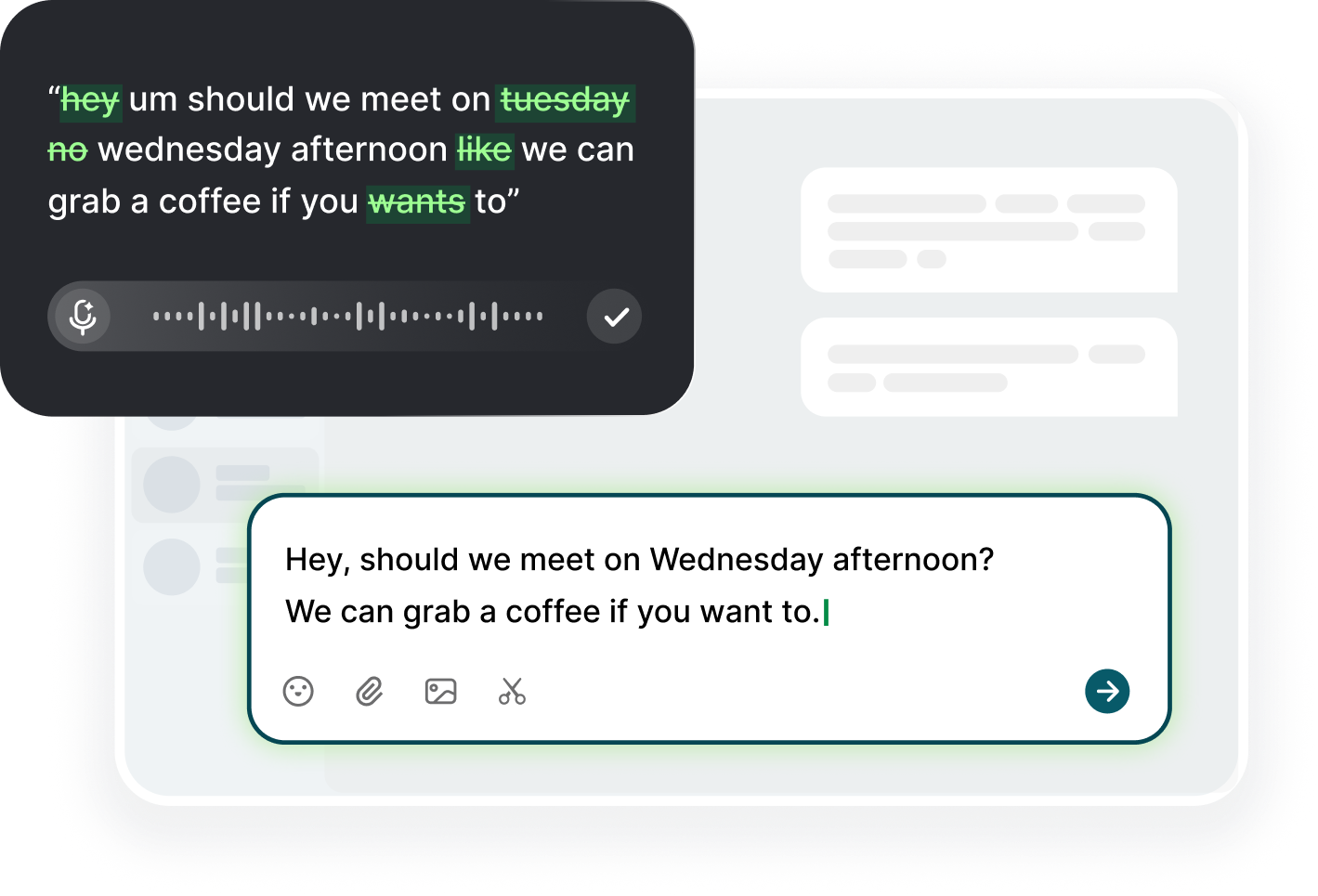
The inbox is not your to-do list; it is your incoming decision queue, and every unanswered message is a decision parked in your head. Faster Gmail replies with voice typing work because they cut the only expensive part, the drafting. You read the message, you know what you want to say, and you say it. Click into the reply field, press the shortcut, and speak the answer at your natural pace. Voiskey turns the spoken words into clean email text, you glance for names and dates, and you send. The decision happens in the moment instead of in the later pile, and the pile is where good work goes to die.
The queue compounds. Twenty unanswered emails is not twenty decisions; it is twenty decisions that need re-reading before you can make them, plus the guilt that comes with the third day of unread. Speaking removes the double cost. When a reply takes forty seconds, the default action on a fresh email becomes reply now instead of flag for later, and the flagged pile stops growing. The speed is not just convenience; it is a different operating mode. Message arrives, decision made, outbox grows, brain free to move to the next thing. The inbox is a queue you process, not a cave you live in.
Think of it as the speed of thought, not the speed of typing. By the time you have typed half a sentence you have already decided the rest of it, and the wait creates the abandonment that leaves emails half-written in drafts. Dictation lets the reply finish while the decision is still warm. Do the same for the replies you are tempted to draft and never send: say them out loud, finish the thought, and either send them or delete them. A sent quick answer is worth more than a perfect draft you never shipped. Draft it or delete it, and the draft that says nothing anyway is the one to delete.
Dictating Straight into Gmail
The setup is one step: open Gmail, click into the compose or reply box, and use your dictation shortcut. That is the entire integration. You are not transcribing into a separate app, not copying text between windows, and not changing where you work. The cursor is in Gmail, so the voice goes into Gmail. This matters because the moment you add a copy-paste step, the habit gets skipped. Keep the shortcut where your hand expects it, and the workflow stays one breath from the compose field, whether you are on desktop with the app or on the phone with the keyboard.
Use the Gmail keyboard shortcuts to stay in flow. With your hands near the keyboard, press C to compose, R to reply, or E to archive, then speak instead of typing the body. The archiving habit pairs perfectly with dictation: read, reply, archive, next, all in under a minute. When a message needs a decision you cannot make yet, flag it and move on, then handle the flag list in a batch where you dictate replies one after another. The flow becomes a rhythm, and the rhythm is what keeps the inbox at zero. Learn the letters for the five actions you use daily and the rest is optional.
Let the voice handle the small words so your fingers handle the exact ones. Names, product terms, and codes still deserve a check: read the draft once, verify the name spelling and the links, then send. Voiskey supports a personal dictionary, so a client name you correct once stays correct on every device. For the routine messages, keep nothing more than a short list of phrasing you like. The variety of a spoken answer beats the uniformity of a saved reply every time, because the recipient cannot tell they are number three today. The personal dictionary is the habit that makes the spoken draft the final draft.
The Sixty-Second Reply Rule
Set a rule: if a reply will take under sixty seconds to speak, send it immediately on first read. If it cannot be answered in sixty seconds, do not draft a partial version, flag it, and schedule a block. The rule works because the middle zone is where the time goes: half-thought replies, rewritten introductions, tabs left open until Friday. Dictation shrinks the first zone dramatically, because a line about moving the request to the team and confirming Friday takes fifteen seconds to say. Most of your thread, you just made immediate. The sixty-second line is simply the sixty-second decision, spoken before it could be deferred.
The sixty-second reply is a finished reply, not a short one. It answers the question, states the next step, and names the date. Compare will get back to you with I will confirm by Friday at noon. The second one is speakable in one breath and needs no follow-up. Dictate the date out loud to make sure it is real: you are more likely to commit honestly when you say the hour than when you type soon. And keep sixty seconds honest: if a thread needs a paragraph, send the paragraph. The rule is about delivery speed, not brevity at all costs.
There is a tool-free version of this habit for the messages that do not need a reply at all. Before you dictate anything, ask whether the message requires an answer or merely an acknowledgement. Half the inbox is handled with an archive or a star. Then spend the saved energy on the messages that genuinely change work: the decision requests, the approvals, the blockers. Answer those first with your voice while your attention is highest, and let the routine acknowledgements ride the same flow. Order is part of speed, and the inbox rewards the ordering. Triage by consequence, not by arrival, and the sixty seconds land where they count.
Flagging and Follow-Up in Flow
Flag for later, do not draft for later. A half-written draft in Gmail is a tax on your attention and a mess to finish, while a flagged message is a clean decision waiting for a block. When you flag, add a one-line note about what the reply needs, or dictate it straight away: needs the numbers from finance. Then your follow-up block starts from notes, not from re-reading. In that block, open the first flagged message, glance at your note, and dictate the reply from the note. A batch of ten flags clears in fifteen minutes flat. The note is what makes the batch possible, and the note is one spoken line.
The follow-up you owe other people also lives in the flagged list. Did you promise to send the doc Friday? Did you say you would introduce them? Track those promises in one place, then dictate the delivery message the moment the task is done: the doc is attached, and here is the one thing I would read first. The instinct to announce completion in the moment, rather than waiting to be asked, is the strongest trust signal in an inbox. The spoken draft makes the announcement trivial, so it happens at the moment of completion, always. Keeping the promise list in the same place as the flag list is the reminder system.
Review the flag list daily and delete what lost its purpose. A message flagged for three weeks is usually a decision you have already avoided; say the item out loud and choose: reply, delegate, or drop. Most of them are drop. Dictate the reply for the ones that still matter, and to be safe, use the search operators to find threads where the last email is yours and you still owe something. That list is the true inbox. A daily pass over it replaces the vague stress of a long inbox with a short, actionable queue. A clean flag list is a decision backlog, and a daily decision wins the week.
When Voice Beats Typing
Voice beats typing for anything you already know how to say: acknowledgements, confirmations, updates, short asks, and the routine part of longer emails. It also beats typing for the messages that would otherwise be delayed by the sheer size of the drafting effort. If a reply is eight sentences and you know the content, speak it in under a minute and send. Typing still wins for careful drafting: contracts, long proposals, and emotionally delicate messages you need to weigh word by word. Use voice for speed, typing for craft, and know which is which. The line between the two is where the inbox either speeds up or stalls.
The second rule is environment. Dictation wins when your hands are busy, your wrists hurt, or your posture has gone bad in a long meeting cycle. It wins in the car and between meetings, when a phone reply is the only option. It loses in a noisy open office with a weak mic, and it loses for anything with dense code, links, or tables. Match the tool to the message: speak the prose, type the data. Voiskey is built to be a keyboard replacement, not a keyboard competitor, and knowing where the line is saves the frustration. Test the mic once, pick the room, and the good dictation day becomes every dictation day.
Measure the shift in your own inbox, not in theory. For one week, count how many replies you sent while speaking and how long your average first-response time became. The numbers will surprise you, because the seconds add up: at roughly 220 words per minute for speaking versus about 45 for typing, a three-sentence reply drops from a minute to seconds. Then audit the remaining re-reads and flags. Whatever the root cause is, whether it is the drafting or the avoidance, the fix is the same: answer with the voice while the decision is warm, and the inbox stops being the bottleneck.
FAQ s
Yes. Click into a compose or reply field in Gmail, activate your dictation shortcut, and speak. Voiskey writes the text into the field where your cursor is, so there is no separate app, no transcription window, and no copy-paste. You then review the draft in Gmail and press send yourself.
A three-sentence reply takes about fifteen to thirty seconds to speak, versus roughly a minute and a half of typing. That is the gap that matters: when a reply is fast enough, you answer it on first read instead of flagging it for later, and the flagged pile stops growing.
Yes, especially when you already know the content. Speak the whole email in one pass: the ask, the context, the next step. Then make one editing pass for names, numbers, and links. For very dense or legally careful text, typing still makes sense, but the speaking habit removes the blank-page start on nine out of ten messages.
Yes. On iOS and Android, add Voiskey as a keyboard in your system settings, then switch to it on the Gmail compose screen and speak. The same custom dictionary and clean-up apply across devices, so a name you correct on desktop stays correct on your phone.


 Voiskey
Your voice, amplified.
Choose a real task, follow the steps, and review the results with your team before expanding the rollout.
Use it across macOS, Windows, iOS, and Android