
Call Centers Got Voice AI First. Your Desk Is Next.
Bring call center voice momentum to every desk with system-wide input.
 Voiskey Team
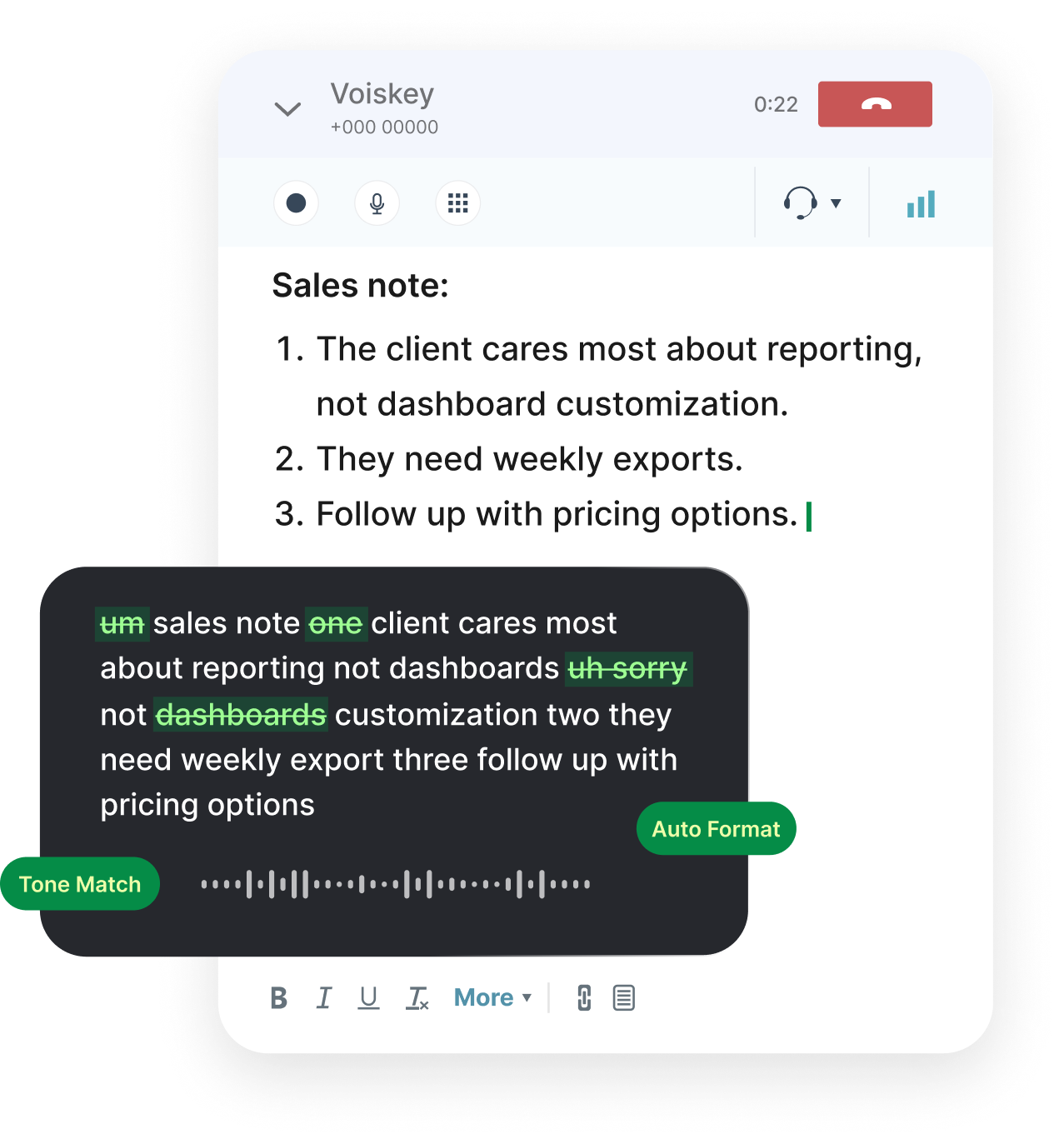
The Call Center Proving Ground
Call centers were the first place voice AI proved it could handle real work. The environment is demanding: high volume, clear metrics, and a steady stream of conversations that must be handled correctly. That pressure made the industry an ideal testing ground. Vendors built systems to listen, suggest responses, and increasingly to take parts of the conversation themselves. ElevenLabs, for example, has connected its realtime and agent products to platforms such as NiCE CXone, Genesys Cloud, Amazon Connect, and Five9. The integrations signal that voice AI is no longer experimental in this corner of the enterprise. The call floor became the lab.
The results gave other departments a reference point. When a contact center can show that an agent handled a share of calls or that a suggestion system shortened handle time, the numbers are concrete and repeatable. Leaders outside the contact center noticed. If voice AI can work under the pressure of a live customer call, the reasoning goes, it can probably help with ordinary office work too. That logic is appealing, and it is largely correct, but it skips an important detail about what the contact center actually automated. The detail is easy to miss when the results look so good.
The detail is that most of the early wins were about the conversation itself: understanding the customer, suggesting a reply, and completing the interaction. Those are output-side improvements. The agent speaks, the system listens, and the customer hears a resolution. What received less attention was the writing that surrounds the call, the notes, summaries, and follow-ups that keep the record accurate. In a contact center those tasks are often handled by dedicated staff or squeezed into the end of a call, so they were easy to treat as secondary. Secondary does not mean small, and it does not mean free.
That choice made sense for a first wave. The conversation is the visible product, and improving it showed immediate returns. But it also created a template that other teams may copy too literally. If the lesson from the contact center is simply that voice AI can talk, then the next wave will focus on making more things talk. If the lesson is that voice AI can remove friction from a whole workflow, then the next wave looks different, and it reaches the individual desk. Which lesson gets learned will decide where the investment goes next. That choice is the real fork in the road.
From Scripts to Everyday Writing
Contact center work is more scripted than most office work, and that is why voice AI took hold there first. A support call follows recognizable patterns, and patterns are easier to automate. The agent can learn the common paths and handle them well. Ordinary office work is less predictable. An analyst writing a summary, a manager drafting a project update, and a coordinator replying to a vendor all face open-ended writing tasks with no script to follow. The structure that made the contact center tractable is missing on the typical desk. That absence is the real difference. Scripts hide effort that the desk exposes.
This difference explains why the contact center wins did not translate directly. A system tuned for a support conversation does not automatically help someone write a project brief. The task is different, the vocabulary is different, and the tolerance for a wrong tone is different. What transfers is not the specific solution but the underlying insight: voice can replace a surprising amount of manual input if the system is good at turning speech into usable text. That insight applies far beyond the contact center, even though the products built for the contact center do not. The principle travels further than the product.
The writing on a typical desk is also more varied. A person might write a status update in the morning, a customer email at noon, and a set of meeting notes in the afternoon. Each has its own register and its own expectations. A tool that handles only one kind of writing leaves the rest untouched. What people need is something that works across all of it, in whatever application the writing happens to occur. That is a different requirement from the one the contact center imposed, and it points toward a different kind of product. Variation is the norm, not the exception.
So the migration from scripts to everyday writing is not a simple extension. It is a shift in scope. The contact center asked whether voice AI could handle a bounded, repetitive conversation. The desk asks whether it can help a person express themselves across an unbounded range of tasks. The second question is broader, and answering it requires a tool that is general rather than specialized, personal rather than departmental, and present wherever the person happens to be typing. The shift is from a script to a blank page, and the blank page is harder. Harder work is where the value usually sits.
The Desk Is the Next Frontier
The desk is where most knowledge work actually happens, and it is still overwhelmingly keyboard-driven. A typical employee sits in front of a screen and types for hours: email, chat, documents, tickets, and forms. The contact center automated the conversation, but the desk has not automated the writing, and the writing is the larger share of the day. That gap is the next frontier, not because it is glamorous, but because it is where the hours are. A small improvement in input speed, multiplied across a whole workforce, adds up to a large amount of recovered time. The math is straightforward and the prize is large.
The desk also has a different relationship with voice. In a contact center, speaking is the job. On a typical desk, speaking is how people already communicate with each other, in meetings and calls and quick hallway conversations. The words are there; they just do not make it into the software. People explain an idea to a colleague and then type a much shorter version into a document. The spoken version is usually better, because it contains the context and the reasoning that the typed version drops. The gap between the two versions is the opportunity. Closing it is a small, practical win.
This is why the desk is a natural next step for voice input. The behavior already exists; it just needs a path into the tools. When that path is easy, people will use it, because speaking a thought is faster than typing it. When the path is awkward, they will fall back to the keyboard, even if they know the spoken version would be richer. The frontier is not about teaching people to talk. It is about removing the friction between talking and the text that software expects. That is an engineering problem, not a motivational one. Engineers solve friction all the time.
The contact center proved that voice AI could work at scale under pressure. The desk offers a gentler test with a larger payoff, because the potential improvement is spread across every employee rather than concentrated in one department. The question is whether organizations will treat the desk as a place worth upgrading, or whether they will assume that voice AI belongs only where customers are on the line. The answer will shape how much of the contact center's momentum reaches the rest of the company. The desk is the next frontier, and it is already waiting. It only needs a tool that meets it there.
A Voice Layer for All Apps
Voiskey is built for the desk rather than the call floor. It works at the system level on Mac and Windows, which means it is available in whatever application has focus: the email client, the chat app, the document, the ticket, or the browser. Instead of adding a voice feature to one product, it adds a voice layer that follows the person across all of them. That generality is what the desk requires, because the desk is not a single application. It is a dozen applications used in sequence throughout the day. The layer sits under all of them. No single app has to change.
The Speak-Polish-Type-Edit loop fits everyday writing well. A person speaks a draft, watches it form, polishes the wording, and types only the corrections that remain. For a status update or a customer email, this is faster than starting from a blank page and produces a fuller first version. Expression intelligence helps the spoken draft read like writing rather than transcription, which matters when the text is going to a colleague or a customer. The tool is not trying to replace the keyboard; it is trying to make the expensive parts cheaper. That is a modest goal with a large effect.
Voiskey also handles the practical details that keep voice input usable across a large organization. Support for 100+ languages lets a global workforce dictate in the language they think in. Custom vocabulary keeps product names, team names, and internal terms accurate. Because it works in the apps people already use, there is no need to move work into a new tool. The voice layer sits underneath the existing workflow, which is the least disruptive way to improve it and the easiest for a team to adopt. Adoption is easier when nobody has to change where they work. That is why a layer beats a new destination.
The result is a capability that scales from one person to a whole company. Download Voiskey for Mac or Windows and try it on your next task. What starts as a faster way to write a note becomes a faster way to write everything, and the time saved accumulates across the workforce. That is the desk version of the contact center win: not a dramatic automation of the conversation, but a quiet removal of friction from the writing that fills the day. Quiet improvements are the ones people actually keep. They fit into the day without asking for much attention at all.
Download Voiskey for Your Team
Begin with a pilot that is easy to judge. Pick a small group and a handful of everyday writing tasks, such as emails, meeting notes, and status updates. Install Voiskey, agree on a hotkey, and ask the group to use voice for those tasks for a week. Compare the time spent and the quality of the drafts. Keep the comparison simple and honest, and let the people doing the work describe what changed. A short trial like this produces clearer evidence than a large rollout designed in a meeting room. Start small, measure honestly, then decide. A clear result ends the debate quickly.
Once the habit forms, extend it carefully. Add the applications the team uses most, and encourage people to speak the tasks they usually postpone, such as long summaries and careful follow-ups. Build a shared custom vocabulary so names and terms arrive consistently. Share a few example phrases that work well, not as rules but as starting points. The goal is to make voice input a normal part of the day rather than a special effort, because the value comes from repetition, not from a single impressive demo. Repetition is where the return lives. Every repetition makes the next one faster.
The Team plan supports this stage directly. Shared vocabulary and shared workflows mean a group can agree on terms and patterns, so drafts are consistent and easier to review. New hires start from the same base instead of inventing their own, which shortens onboarding and reduces confusion. For an operations or IT team planning a rollout, that consistency is the difference between a collection of individual habits and a capability the organization can rely on and extend over time. Consistency turns scattered adoption into a system. A system is easier to support than a loose set of habits, and it also survives when people leave.
The contact center showed what voice AI can do when it is aimed at a clear, high-volume task. The desk is the next place to apply the lesson, and it does not require a massive project. Download Voiskey for your team, run a short pilot, and let the results speak. If the writing gets faster and the drafts get better, you will have found a straightforward way to bring the contact center's momentum to every desk in the company. The tools are ready, and the desks are waiting. All that is left is to start a small pilot this week.
FAQ s
Yes. After a conversation, the rep opens the message field and uses Voiskey to say what should go back to the customer. Voiskey returns clean text at the cursor, with fillers and stumbles removed. The rep reviews the draft, adjusts tone if needed, and sends. It is often faster than typing a careful reply from scratch.
Voiskey works system-wide on Mac and Windows, so it fits the text fields in email, chat, ticketing, and documentation tools. There is no separate plugin for each app. A rep puts the cursor where the reply belongs, uses the Voiskey shortcut, and edits the text that appears before sending it.
You can speak a longer reply in a natural flow and let Voiskey return a clean block of text. It removes fillers and stumbles, which matters when you are thinking out loud under time pressure. Review the draft in sections, fix any name or detail, and send. Keeping replies organized helps customers follow the answer.
Voiskey runs on Mac and Windows, works in the apps the team already uses, and needs only a short setup per person. The shortcut is the same everywhere, so onboarding is brief. The Team plan adds shared vocabulary and workflows, which helps a group keep terms and phrasing consistent across shifts.


 Voiskey
Your voice, amplified.
Download Voiskey for Mac or Windows and bring faster voice input to every desk across your organization.
Use it across macOS, Windows, iOS, and Android