
alternative tools dictation stopped: A Practical Guide to Alternative Tools When ChatGPT Voice Text Stops Working
When one voice tool fails, keep writing: use a fallback that always works.
 Voiskey Team
Building a Graceful Fallback Stack
The phrase alternative tools dictation stopped working is one you should never need to search on a deadline. The professional move is to plan the stack before the outage rolls in: a primary path for daily work, a backup that needs no installation, and a stopgap that works when you are away from your desk. Each tier has a different job, and each should be tested on an ordinary workday, not during a live emergency. When the primary fails, the fallback should already be a habit, because a habit you have rehearsed is faster than a search that ends with thirty open tabs and a missed deadline.
Start by writing down the three paths on one note: your daily tool, the OS dictation shortcut, and the phone route. Next to each, write the single symptom you should see when it is alive, so you can verify it at a glance rather than guessing. Test each once for two minutes: the primary with a sentence in the app you use the most, the OS path in a plain field, and the phone with a note you actually need. A stack you have never tested is a stack you do not have, and a two-minute rehearsal is cheap insurance against a thirty-minute scramble.
Keep the failover decision small and automatic: if the primary fails twice in a row, switch to the backup without starting a diagnosis session, because two failures is a pattern, not a coincidence. Diagnosis deserves a scheduled thirty minutes, not the middle of your writing flow, and the pause you take to diagnose is the pause that kills the deadline. This rule, fail over first, debug later, is what keeps a tool outage from becoming a work outage, and it is the difference between an annoyance that costs you ten minutes and a problem that eats the rest of your afternoon. Write the rule on the same note as the stack, so the decision is made before the need is felt.
Place the written stack somewhere visible, on a sticky note, a pinned message, or the notes app, because a strategy that lives in your head is one you will rewrite from scratch under stress. A strategy on paper is one you can follow while your brain is busy being annoyed, and the paper is what makes the failover rule actually stick. Update the note when you change tools or shortcuts, and keep it within one glance of the desk. The note is the cheapest part of the stack and the most valuable, because it converts a plan you own into a plan you follow.
OS-Level Dictation as the Backup
The OS path is the fastest backup because it needs no installs, no accounts, and no permissions beyond the ones you already granted, and it works on a machine that has never heard of the tool you are replacing. Windows Voice Typing opens with Win+H, and macOS Dictation triggers on the double Fn press; both type into whichever text field has focus, which is exactly what you need when ChatGPT's capture path is down, and they do not care which page is in front. The trade-offs are predictable: fewer punctuation commands, more silence-timeout drops, and stumbles on technical vocabulary. But it works, and working is what a backup is for, so the trade is an easy one to accept.
Prepare the OS path so it really is ready, because a backup you have never tested is a wish. Confirm the microphone permission is granted to the browser or app you intend to use, verify the input device, and test the shortcut in a plain text field so you know the exact trigger by muscle memory, and write the trigger on the stack note. Then note that OS dictation types into the focused field, so focus matters: click the ChatGPT input box, press the shortcut, and speak, and do not let a notification steal the cursor mid-sentence. If the OS path can type, you can write the prompt, the email, or the note, and nothing about the outage changes your output.
Add a light layer of polish to compensate for what the OS path lacks. Speak punctuation explicitly, comma, new line, period, or run the result through a polishing pass later, because the OS engine will not format for you and the difference between a draft and a message is the commas. If the transcript comes out rough, paste it into a text editor first and fix it before sending, because an OS-transcribed message that silently carries errors reads worse than a short typed one, and the recipient sees the errors even when you do not. A three-minute cleanup is still faster than a lost hour of waiting for a repair you cannot control.
Practice the OS path once a week, not once a year, in the exact app you would use it in. A shortcut you have pressed a hundred times is effortless the moment you need it, while a shortcut you last pressed last winter requires a search, and the whole point of a backup is that it is available without thinking. Run one sentence through the OS path every Friday as a closing routine, and you will have rehearsed it fifty-two times a year. When the outage finally comes, the fallback will be the thing that already works rather than the thing you are learning.
Mobile Voice Input as a Stopgap
The phone is the most portable stopgap because mobile keyboards ship with excellent microphone keys, and the mic key is on every keyboard you already use. On iOS, the microphone key on the keyboard, and on Android, the mic key in Gboard and most keyboards, runs dictation on the device's own engine, works without any permission fight, and types directly into whatever field, chat, or note you are in, which makes the phone a complete writing surface rather than a toy. If your work can be done from a phone for a day, that is often the fastest restoration of your writing flow, and it works on the train, in the lobby, or anywhere the laptop stays in the bag.
Use the phone as a transcriber, not just a typist, and you will get more out of the stopgap. Record the draft with the voice memo or dictation, then send or sync the transcript to your desktop and finish there, since the transcription is the expensive part and the desktop is the better editing surface. Many messengers and note apps auto-transcribe a voice note, and this lets you capture a long prompt or a report on the move and refine it once you are back at the desk, with the desktop doing what it does best. That hybrid is especially useful when your desktop's capture path is the broken part, because the phone never touches the thing that broke.
Set the phone route up before you need it: check that its keyboard mic works, pick the note or chat app you will dictate into, and bookmark any tool you use for transcription, then run a test sentence through the exact path you would use in an outage. Also confirm the phone has a data plan or offline speech, because the mobile dictation engine is frequently online too, and a phone without data is a stopgap without a gap covered, which is the most disappointing discovery in the whole exercise. A two-minute setup twice a month is the price of a fallback that actually covers the outage when it arrives, and it leaves nothing to discover in the moment.
Test the phone route with the exact work you expect to phone in: a real email reply, a real note, a real prompt, not a Hello World sentence. Stopgap routes fail on the details, so a realistic rehearsal now beats a surreal experiment in the middle of a real crisis, and the rehearsal is what tells you which field the phone actually delivers to. Note the one difference that surprised you and adjust the note, because the surprise is the bug that would have cost you the session. Twenty minutes of rehearsal purchases an hour of calm on the day it matters.
Alternative Transcription Tools
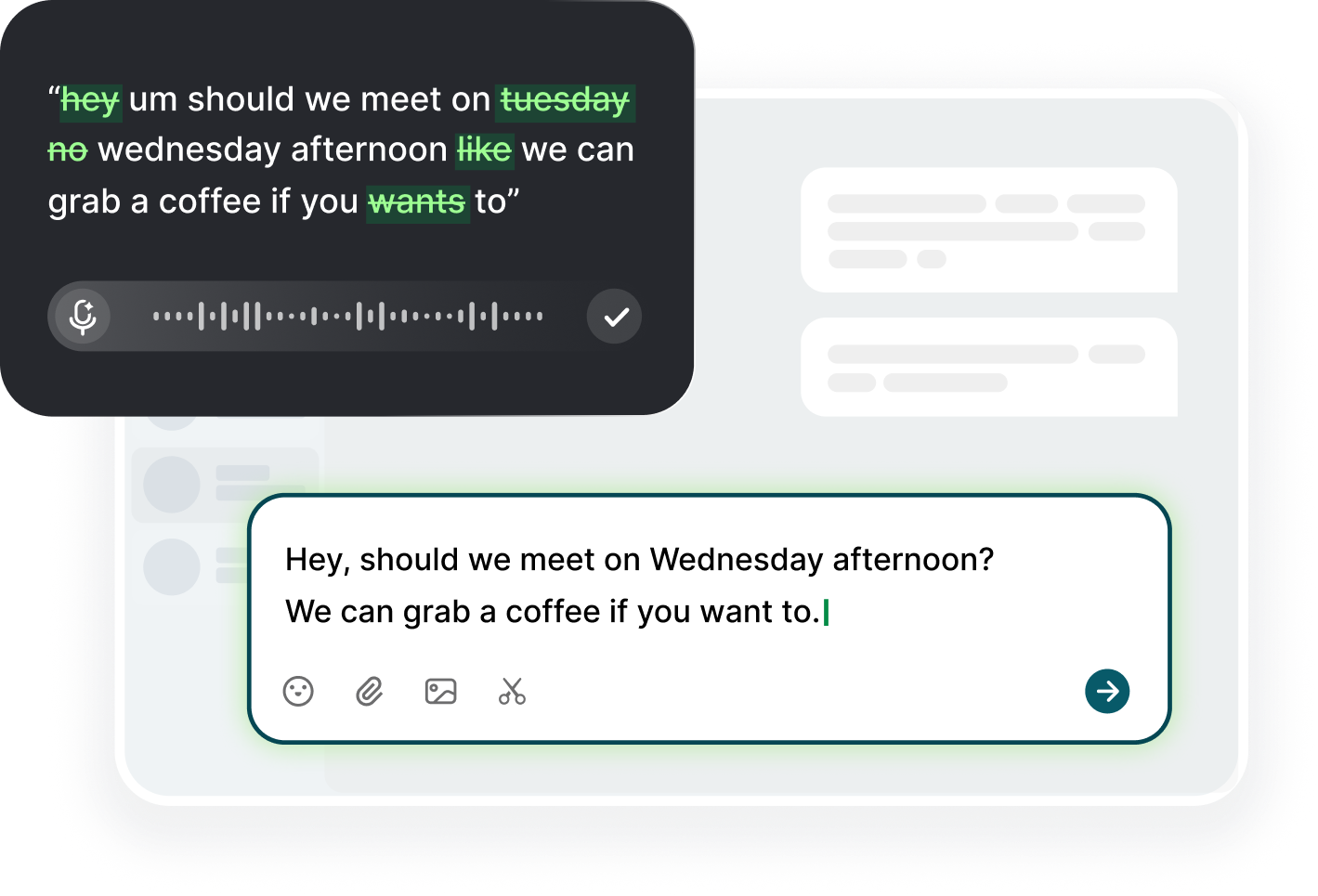
For the tier you can install, the field divides into two families, and the difference is how they handle time. The first is dictation apps and extensions that type into focused fields, which replace the browser's engine with one consistent experience; the parent article's example is Voiskey, a Chrome extension and desktop app with real-time speech to text, punctuation voice commands, and filler-word cleanup, supporting many languages. The second family is recorder apps that transcribe audio files later, which trades immediacy for robustness on long files and poor connections, and which is the better fit for unreliable links. One family is for live work, the other for when the network is hostile.
Pick by failure mode, not by popularity. If ChatGPT's own path is down but the mic and browser are fine, a focused-field dictation app is the direct substitute, and it usually keeps working through the same outage since it runs a separate engine, so the outage of one service does not become an outage of your writing. If the network is the broken part, offline or recorder-based tools win, because they do not need a live stream at all, and they are the only ones that keep working on the train. Choose the family that covers your weakest link and keep a second one installed as a runtime check, so a single service's outage never blocks your work, and the switch is a click rather than an install.
Rotate and compare during calm times, because the calm day is the only good day to choose. On an ordinary day, dictate one sample with each alternative tool and count the errors and the time to a polished sentence; log which one you would use for each of the work types you do, be it prompts, emails, or notes, since each tool wins a different job. A calm-day benchmark makes the panic-day choice automatic, and it also tells you whether you even need the backup, because some people find the alternative is simply better for them and the switch becomes permanent, which is the best outcome of all. Either way, you will know it on evidence rather than on memory.
Prefer tools with an export you control: transcripts you can copy, sync, or send as plain text are worth more than ones locked inside a single app, because the value of a transcript is that you can move it. A fallback you can paste anywhere is a fallback that never strands your words, and the export is what lets you finish the work on whatever surface still works. Test the export in the rehearsal, not after the outage, and copy one real paragraph end to end to prove the formatting survives the trip. One extra minute of setup now saves the only hour you cannot get back, and the rehearsal is the only reason the fallback feels like a plan instead of a rescue.
Deciding When to Debug vs. Switch
Debug when the problem is single, visible, and repeatable: a permission toggle that flips back, a device that got unplugged, a shortcut that got captured, all of which you have already met in the earlier articles. Those have one cause and one fix, and they are worth five minutes of your time, because five minutes of diagnosis beats a week of workarounds. Switch when the problem is environment-wide, recurring across tools, or rooted in something you do not control, like a corporate block or a service outage, because no amount of debugging fixes a service that is down, and no setting you own can restore it. The distinction is simple: debug a broken link, switch around a broken chain.
Use a diagnostic budget, ten minutes, and spend it on the quick checks from the earlier articles: permissions at the OS and site level, the input device, the network and VPN, a second browser, an incognito or fresh profile, and that is the whole budget. If those do not find it, stop and switch, then schedule a deeper session when you have time and energy, and write the note for the follow-up while the memory is fresh. A daily failure accepted without diagnosis is a routine, not a problem, but the reverse is also true: a problem you diagnose once a week on purpose beats a habit of panic repairs, and the scheduled session is what keeps the diagnosis from eating the writing.
Whatever path you land on, keep the stack alive, because a stack is only as good as its last rehearsal. Rerun each fallback test monthly, update your notes when shortcuts or tools change, and review once a quarter whether the primary is still the best tool for your work, since the best tool last year may not be the best one today. With Voiskey as one consistent layer across the apps you type in, and the OS and mobile paths as backups, the phrase dictation stopped working can be a footnote in your day rather than the headline, and you will wonder why you never built the stack earlier. The maintenance is five minutes a month.
Share the stack with one colleague who dictates, since two tested fallback stacks are better than one. A teammate who has rehearsed the same three paths can confirm a system-wide outage in minutes, and the fastest diagnosis in any outage is the one someone else already ran, because their identical failure tells you your machine is not the problem. Send them the note with the three paths and meet for one rehearsal session, and keep a shared row in the log where both of you mark what failed and what worked. Ten minutes of sharing converts a personal plan into a team habit, and the team habit is what makes the outage a footnote for everyone who documented the fix.
FAQ s
Fail over first and diagnose later. Use OS dictation: Win+H on Windows or the double Fn press on macOS, both of which type into the focused field. Away from your desk, the phone keyboard's mic can type the note and you can finish it on the computer later.
Generally a bit lower. They stumble on technical vocabulary, impose silence timeouts, and require explicit punctuation. They are the reliable backup because they need no installation, and for a deadline they beat a dead primary path, then you polish the transcript afterward.
Yes. Phone keyboards have excellent mic keys that type into any field. Dictate into a note, email, or chat, send or sync the transcript to your desktop, and refine there. It works anywhere, including on a commute, as long as the phone has data or offline speech.
Match the tool to the failure. If the mic and browser are fine but the service is down, a dedicated app with its own engine substitutes directly. If the network is weak, pick an offline or file-based recorder that transcribes later, and keep a second option installed as a runtime check.
After your quick checks are exhausted: OS and site permissions, input device, network, VPN, and a second browser. Give it ten minutes. If nothing changes and you still need output, switch to the backup and schedule the real diagnosis for later, when a deadline is not involved.


 Voiskey
Your voice, amplified.
Choose a real task, follow the steps, and review the results with your team before expanding the rollout.
Use it across macOS, Windows, iOS, and Android