
AI Agents Can Book a Table. You Still Type the Follow-Up.
Speak the messages that agents leave behind after the task is done.
 Voiskey Team
The Agent Demo That Impresses
The demo is genuinely impressive. An AI agent on OpenTable, working through ChatGPT, takes a request, checks availability and books a table without a person touching a form. Similar demos appear every week: agents that schedule meetings, file tickets, compare options and complete small transactions end to end. The message is consistent. Software can now act, not just answer. That is a real step forward, and it deserves the attention it gets. The agent completes the task that used to require a sequence of clicks, and it does so in seconds. It is easy to watch the clip and conclude that the work is finished. But a booking is only one moment inside a longer exchange of messages.
The enterprise side tells the same story. Salesforce, Cresta, Five9 and Level AI have all pushed agents into customer conversations, and ElevenLabs integrations with NiCE CXone, Genesys Cloud, Amazon Connect and Five9 bring voice agents into call flows. Anthropic's agent momentum has made the idea of delegated work feel normal. In coding, Cursor, Claude and Codex write and refactor faster than most people can review. MCP connects tools so an agent can reach beyond a single app. The direction is clear: execution is being automated at every layer of the stack. The demo is not a trick. It is a preview of how work will be assigned. That preview is convincing, and it sets expectations for everything that follows.
What the demos share is a focus on execution. The agent does the thing: books, schedules, searches, drafts, files. Execution is visible, measurable and easy to show in a short video. It also fits neatly into a product story about autonomy. The harder part is everything around the task, and that part rarely makes the demo. A real booking produces confirmations, changes, reminders and messages to other people. A real ticket produces questions, updates and a summary. The agent may finish the action, but the conversation around the action continues, and someone still has to write it. That imbalance is the real story behind the agent boom.
That is the gap the excitement tends to skip. Once the agent closes its window, a person opens a mail app or a chat and types the follow-up. The task is complete and the communication is not. The demo celebrates the automated moment and ignores the manual hour that follows. That is not a flaw in the agent; it is a boundary of what the agent was built to do. Understanding that boundary is the key to seeing where the next productivity gain actually lives. The agent handles the task. The person still handles the words around it, and those words are the larger share of the day.
What Happens After the Booking
After the booking, the conversation starts. You confirm the time with the people joining you. You mention the address and any dietary notes. You tell a colleague why the meeting moved. You send a short recap once the table is booked. None of these messages is difficult, and all of them are typed. The agent that booked the table has no idea that the follow-up exists, and even if it did, it would need a way to hear what you want to say. The task ended at the reservation. The communication is just beginning. The messages are small, and together they form most of the day.
The same pattern appears around every automated task. A filed ticket produces a note to the requester and a comment for the team. A scheduled meeting produces an agenda and a reminder. A completed purchase produces an update for finance and a heads-up for a manager. Each item is short, and each one has to be written. Agents can generate some of this text, but they still need a clear instruction about what to say and who should hear it. That instruction usually arrives as a typed prompt, which puts the keyboard back at the center. Agents reduce the work of doing and leave the work of telling.
There is also a coordination layer that agents rarely touch. A booking affects other people, and those people need to be told in a way that fits the relationship. A short note to a close colleague sounds different from a formal message to a client. The judgment about tone, timing and detail is human work. Even when an agent drafts the message, a person decides what it should accomplish. That decision is easier to express by speaking than by typing, because it is closer to how people explain a situation out loud. A tool that captures that explanation as it is spoken removes the translation step entirely.
So the booking is not the end of the task; it is the pivot. Before it, the work is logistical. After it, the work is communicative. The agent is good at the first part and absent from the second. That is why a successful demo can still leave a user with a full inbox of follow-ups. The automation moved the bottleneck rather than removing it. The next gain does not come from a better booking agent. It comes from a faster way to write everything the booking set in motion. That is where a voice layer earns its place in the workflow, right after the agent finishes.
The Follow-Up Tax
Call it the follow-up tax. Every automated task leaves a small tail of messages that a person still has to write. The tax is paid in short bursts: a confirmation here, an update there, a recap at the end of the day. Individually, each message takes a minute or two. Across a week, the minutes add up to hours. Because the tax is spread out, it is easy to miss. Nobody puts a follow-up on a calendar, and nobody counts the time. It hides inside the ordinary rhythm of a workday. The only way to see it is to add up the small messages, and almost nobody does.
The tax is highest for people whose work is mostly coordination. A project manager, a sales rep, an operations lead or an executive assistant spends much of the day turning events into messages. A booking, a call, a meeting or a decision each generates a small cluster of notes. Agents can handle more of the events, which means more events per day and more follow-ups per event. Automation increases throughput, and throughput increases the volume of communication that has to be written. The tax grows precisely because the automation works. The more tasks an agent completes, the more messages the team has to send. That is a strange side effect of progress.
There is a quality cost as well. Follow-ups written in a hurry are shorter, blunter and more likely to omit context. A rushed note can create a second round of questions, which creates more messages. The tax compounds. People who feel behind on writing tend to skip the small courtesies that keep a team running smoothly. The result is a workflow that looks efficient on paper and feels brittle in practice. The missing minutes are not just time; they are the connective tissue of a team. A team that writes well stays coordinated, and a team that writes in a rush slowly loses the thread.
The follow-up tax is invisible because it is distributed. No single message is painful enough to demand a tool, so people absorb the cost and move on. But the cost is real, and it sits exactly where voice input is strongest. Short, frequent, context-rich messages are easy to say and tedious to type. If the tax could be paid by speaking, the savings would show up across the whole day rather than in one dramatic moment. That is the opportunity the agent boom has created without meaning to. The next tool does not need to be dramatic; it needs to make the small messages effortless.
Speaking the Unfinished Work
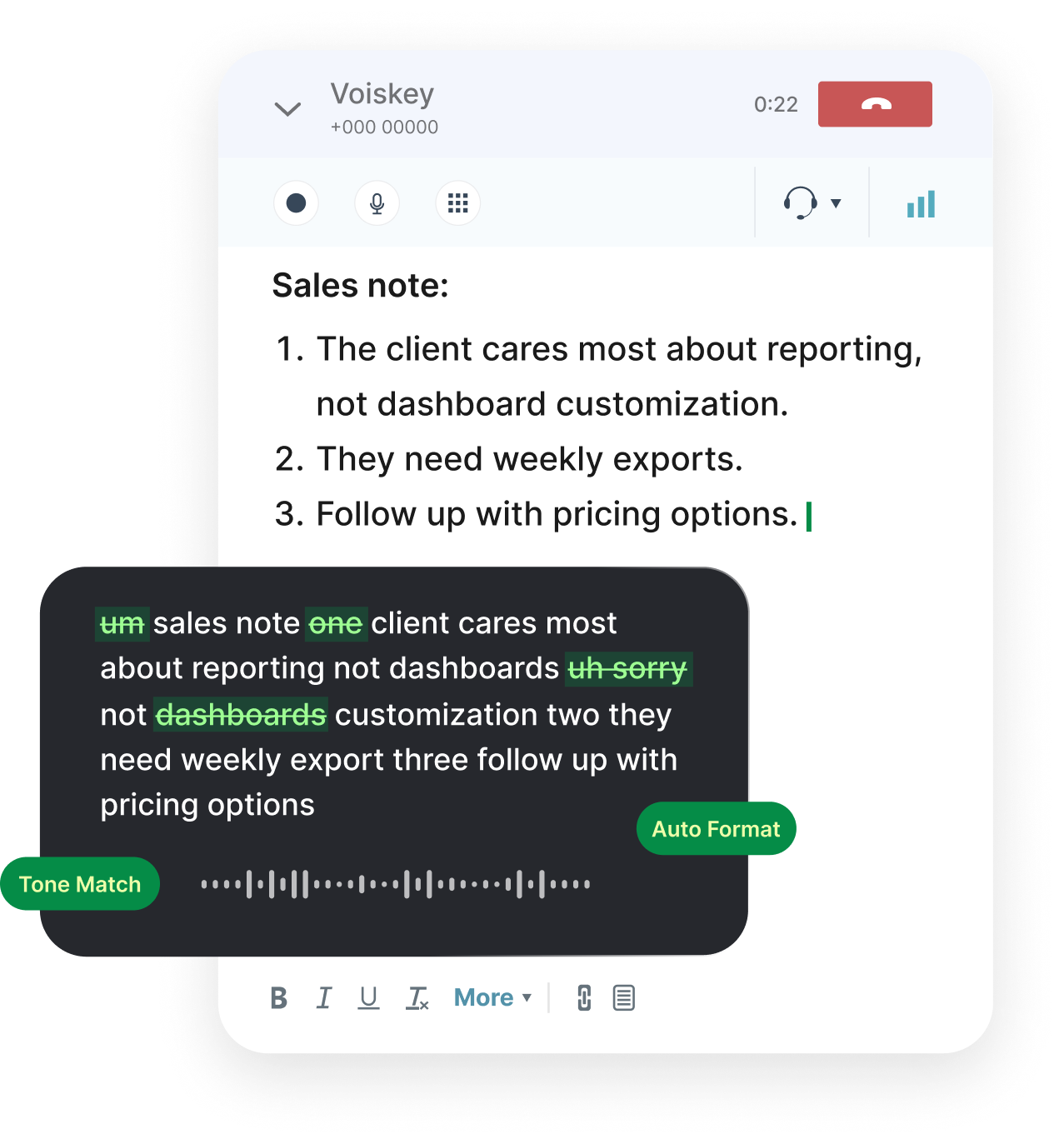
Voiskey is built for the unfinished work. It is system-level voice input for Mac and Windows, so it works in the mail, chat and editor fields where follow-ups actually get written. You hold a hotkey, speak, and the words appear in the field you were already using. The flow is Speak, Polish, Type, Edit: capture the thought, clean it up, insert it, then adjust. There is no separate transcription window and no app to switch to. The follow-up stops being a typing task and becomes a spoken one, which is much closer to how people already think about it. That is the whole idea in one sentence.
The practical fit is strong. Voiskey works in Gmail and Outlook for confirmations, in Slack for quick updates, and in Cursor and other editors for notes and summaries. Custom vocabulary keeps names, venues and product terms intact, which matters when a follow-up includes specific details. Support for more than one hundred languages helps teams that work across markets. Because the tool sits at the system level, the same habit covers every message the booking set in motion. You do not learn a new app; you add a microphone to the ones you already use. The microphone simply follows the cursor wherever the follow-up needs to go.
Long follow-ups show the benefit most clearly. A recap of a meeting, a summary of a booking and its context, or a detailed note to a client is painful to type and natural to say. Speaking it in one pass and letting the polish step handle filler and punctuation turns a ten-minute writing task into a two-minute explanation. Mixing typing and speaking in the same message also works, which matters because nobody dictates every word. Download Voiskey for Mac or Windows and try it on your next task, whether that is a confirmation, an update or a full recap. The savings repeat with every message.
Expression intelligence is the right idea here. The goal is not a transcript but text that sounds like the person who spoke it, with the meaning intact and the noise removed. That is why the polish step matters as much as recognition, and why the tool fits teams. The Team plan adds shared vocabulary and workflows, so everyone spells names the same way and standard follow-ups follow a consistent shape. When agents handle more tasks, the messages around those tasks become the human contribution. Voiskey makes that contribution faster without making it generic. The human contribution stays personal even as the execution becomes automated. That balance is the goal.
Download Voiskey for the Follow-Up
Getting started takes a few minutes. Install Voiskey for Mac or Windows, grant the permissions the setup requests, and choose a hotkey that does not collide with your existing shortcuts. Open the field where you write follow-ups, hold the hotkey and speak a sentence. Release and watch the text appear. If the first result includes an odd word, correct it once and add the term to your custom vocabulary. Pick a comfortable pace rather than rushing, because clear speech produces cleaner text. The first session is about building muscle memory, not about testing every feature. A few calm repetitions teach more than a long checklist.
Choose one real follow-up for the second session. Confirm a booking, send an update after a meeting, or write the recap you have been postponing. Speak the whole thing in one pass, then edit the result. Notice where the polish step helped and where you needed to adjust. This loop is short, and it turns the tool from a novelty into part of your routine. After a few days, reaching for the hotkey becomes automatic, and the follow-up stops feeling like a chore. That shift is the point. Most people notice the change on the long recaps first, then use it for short notes too.
For teams, the Team plan adds shared vocabulary and workflows, so everyone spells names and internal terms the same way. That consistency matters when several people write about the same bookings, tickets or clients. A shared vocabulary reduces the small corrections that add up across a department. Workflows can be standardized so a confirmation, a status note or a recap follows the same shape regardless of who speaks it. Setup is managed once rather than repeated by every person. The result is a voice layer that fits the team rather than one individual's habits. Consistency across the team is the real payoff of shared settings.
The bigger picture is that agents will keep taking over more of the execution, and that is good. The work they leave behind is the conversation, and that conversation is still human. Download Voiskey for Mac or Windows, speak your next follow-up and judge the difference for yourself. The agent can book the table. You still have to tell everyone about it, and now you can do that by talking. One spoken message is enough to show how much typing the follow-up tax really costs. Try it on one message tomorrow and let the result speak for itself. The difference is easy to feel.
FAQ s
Once the task is done, open the message field and use Voiskey to say what you want to send. Speak naturally, including the details you want to confirm, and Voiskey turns it into clean text at the cursor. You can adjust tone and wording in the draft before you send it to the customer or colleague.
Yes. Speaking is often faster than typing when you are still thinking, and Voiskey is built for that moment. It catches fillers and stumbles and returns a readable draft in the field you are using. You review the wording, fix anything that needs it, and send while the context is still clear in your mind.
Voiskey works system-wide, so it fits the text fields in the apps you already use. That includes email clients, chat apps, and many other tools. You do not switch to a special editor; you put the cursor where you would type and use the Voiskey shortcut.
The Team plan shares vocabulary and workflows, so colleagues can use the same product names, terms, and preferred phrasing. Each person still speaks in their own voice and edits the draft, but shared vocabulary reduces drift in the language customers see. It is a practical way to keep a support or sales team sounding like one organization.


 Voiskey
Your voice, amplified.
Download Voiskey for Mac or Windows and speak the follow-ups your agents cannot write.
Use it across macOS, Windows, iOS, and Android