
Voice to Text for Sales Pipeline Email
Move Pipeline Email Without Losing the Afternoon to Typing
Deals stall in drafts more often than in discovery. Speak the next email—Voiskey puts it in the field before you drive to the next call. Free to start.
Where Pipeline Email Stalls
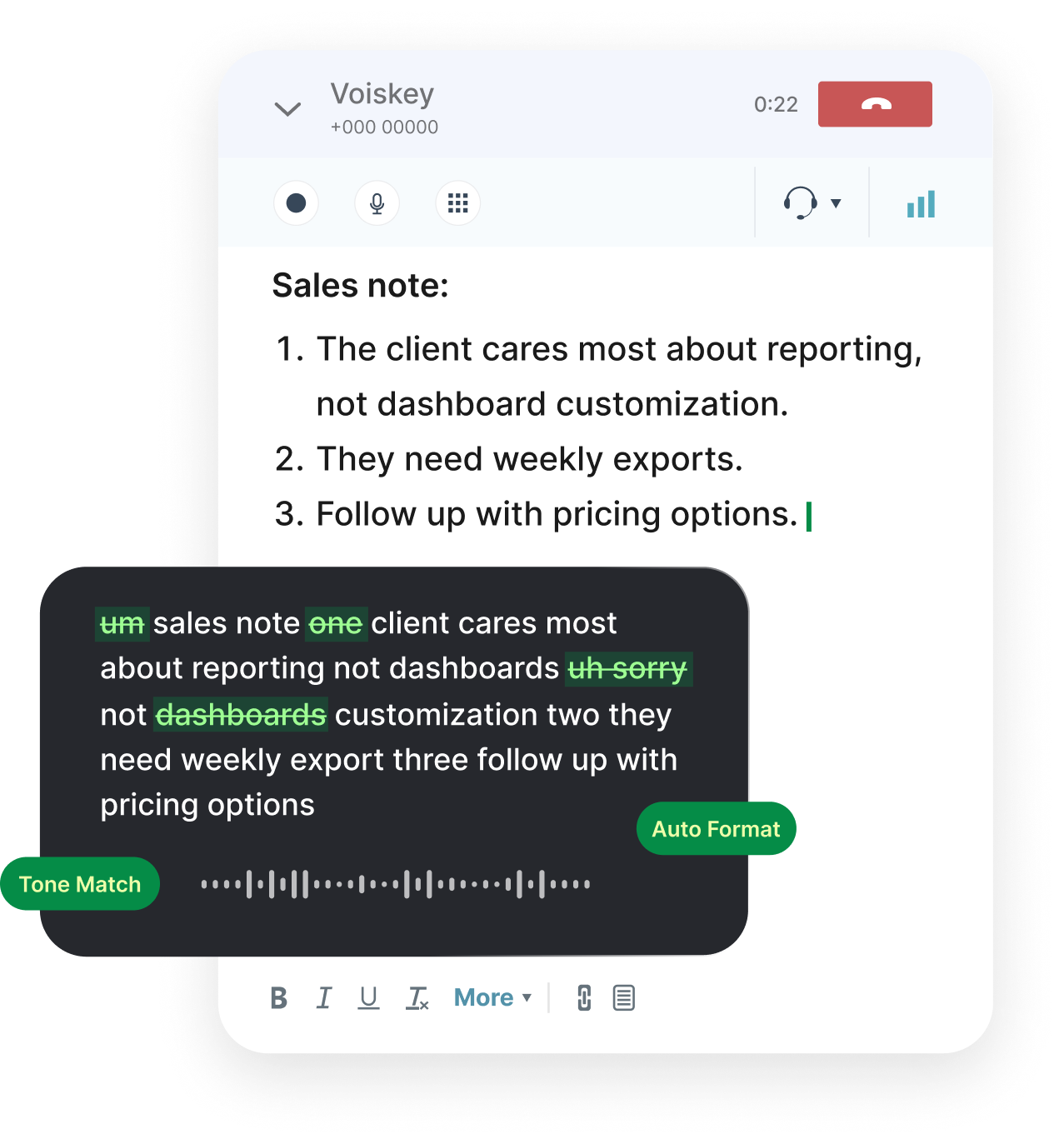
The call went fine. The written follow-through is what slips—proposal context, mutual action plans, renewal framing.
Voice typing turns the ten minutes after the call into sendable email instead of CRM guilt.
The Ten Minutes After the Call
Open the thread or the sequence step. Speak what changed in the deal, what you need from them, and when you will check back.
Log the same brief as a CRM note if your process requires it—one spoken pass, two destinations.
After-call email checklist:
- Confirm what you heard them prioritize
- State your next deliverable and date
- Ask for one concrete reply
- Note risks for your manager if needed
Pipeline Emails Worth Dictating

Proposal Cover Notes
Why this scope, what is optional, what to decide first.
Champion Nudges
Short internal-forwardable notes that respect their politics.
Renewal and QBR Mail
Outcomes, risks, and the ask for another year.
Pipeline Commentary
Weekly email to leadership that is not a spreadsheet dump.

Follow-Ups and Replies
The thread that keeps multi-thread deals alive.
Internal Handoffs
Email CS or SE with context before the next call.
Works Where the Deal Lives
Salesforce activity fields, HubSpot sequences, Gmail, Outlook, LinkedIn—click the field and speak. Switching CRM does not change the habit.
Workflows for a sales week:
- Buyer and champion emailVoice typing for emails
- Prospect LinkedIn messagesVoice typing for messages
- CRM notes after the callVoice typing for notes
- SE and CS handoffsVoice typing for teams
- Discovery call wrap-upsVoice typing for meetings
FAQ s
Cold email is first touch. Pipeline email is everything after—proposals, renewals, multi-thread nudges. Voiskey helps you produce the text in both cases; it does not send or sequence for you.
No. You supply the deal context and tone. A message to a champion stays different from a message to procurement.
No. It turns what you say into text at your cursor. It does not read opportunity fields or email history.
Yes. Click any text field—task comments, email composer, notes—and dictate. The same works in HubSpot and other CRMs.
For most reps, short notes and replies fit two thousand words a week. Long proposals spoken end-to-end use more.


 Voiskey
Your voice, amplified.
Speak naturally, write effortlessly, and move faster. Turn your voice into polished, ready-to-use text wherever you work.
Use it across macOS, Windows, iOS, and Android