
Product Managers
PRD Generator for Product Managers: Speak the Spec
You already explained the feature three times in standup. Say it once more into the PRD field — the draft appears at your cursor. Free to start.
Why PRDs Stall for Product Managers
Product managers spend the day aligning in speech — standup, design critique, eng pushback — then sit down to type a PRD and the clarity disappears. The blank page is not a thinking problem. It is a typing tax on something you already said.
A good prd example is rarely missing ideas. It is missing the first pass that captures problem, user, scope, and what done looks like before the next meeting starts.
Speak a PRD Example Instead of Typing It
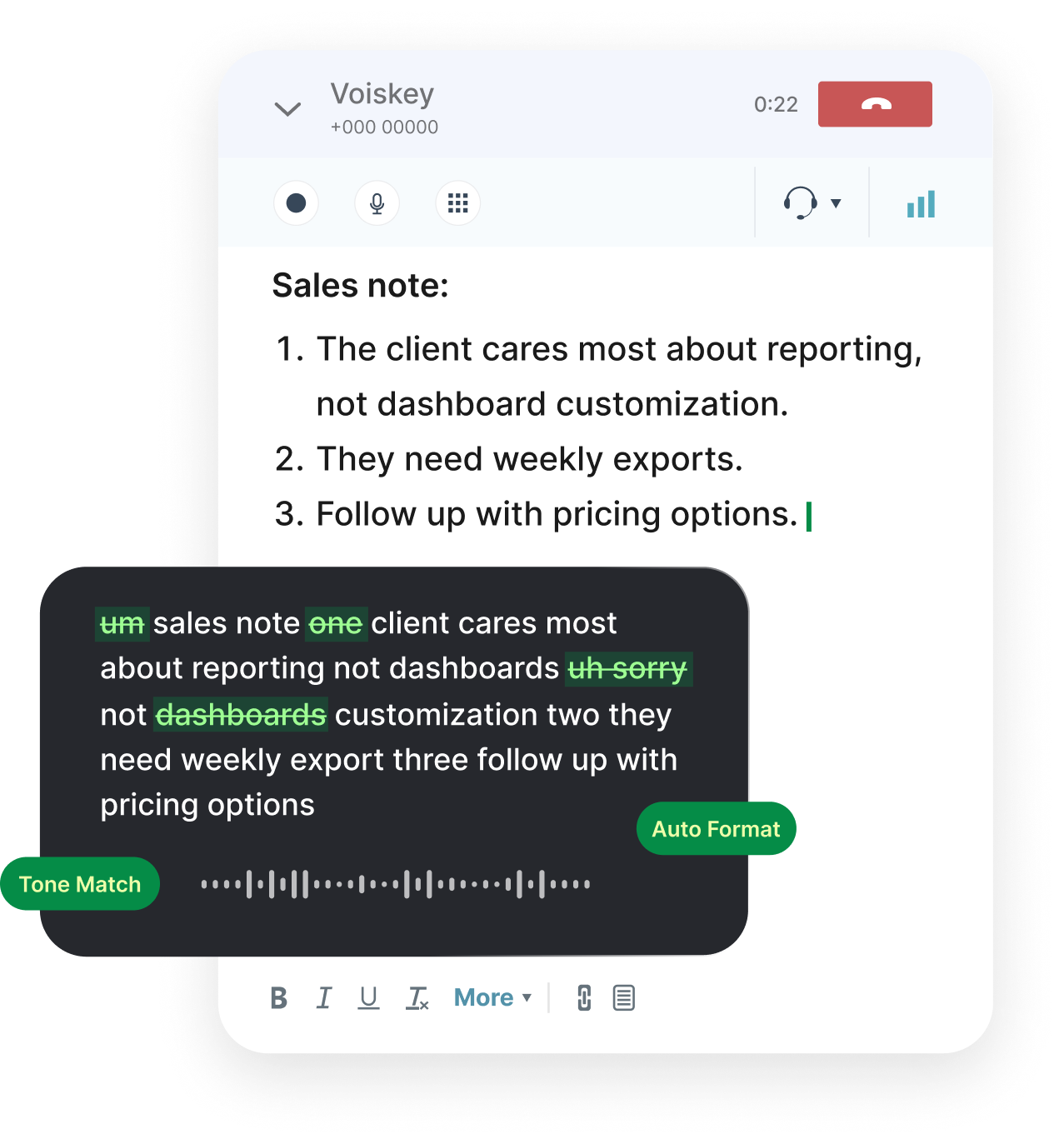
Put the cursor in Notion, Confluence, Google Docs, or Linear. Speak the feature the way you would explain it to eng: who hurts, why now, what is in, what is out.
Voiskey cleans restarts and fillers so the draft reads like a written prd example, not a transcript. Prefer a quieter room? It can pick up softer speech, including a whisper.
Need structure after a messy dump? Select the paragraph and ask by voice to turn it into problem / goals / non-goals / acceptance criteria. That is closer to an ai prd generator workflow — without inventing requirements you did not say.
PRD Format That Sticks
A simple prd format works: problem, users, success metric, scope, non-goals, acceptance criteria, open questions. Say each heading, then the content under it.
Looking at prd examples from other teams helps less than shipping your own first draft the same day. Speaking gets you to something eng can react to before the idea cools.
What to Dictate
PRD First Draft
Speak problem, scope, and acceptance criteria into the doc.
Stakeholder Updates
Slack or email status without rewriting the same story twice.
Interview Recaps
Capture themes while the call is still warm.
Tickets and Specs
Turn a spoken walkthrough into ticket-ready text.
Works Where You Already Work
Use it in Notion, Confluence, Google Docs, Word, Linear, Jira, Slack, Teams, and Gmail. No plugin per tool — text lands at the cursor.
macOS, Windows, iOS, and Android. Custom vocabulary stays with you so product names stay consistent across devices.
FAQ s
It is voice typing plus optional Ask AI on text you select. You speak the product thinking; Voiskey cleans fillers and can help reshape a selected draft into bullets or a clearer outline. It does not invent requirements you never said.
Yes. Right after an interview, speak themes, quotes, and follow-ups into Notion or Docs while they are still fresh.
Yes. Add codenames, metrics, and partner names to your vocabulary. They sync across macOS, Windows, iOS, and Android.
No. You still own scope and trade-offs. Speaking gets a usable first draft faster than typing from a cold start.
One month of Pro free when you create an account, up to two more months when you invite friends, and 2,000 words a week on the free plan after that, with no expiry date. Short specs and Slack updates often fit; long multi-page PRDs use the weekly budget faster.


 Voiskey
Your voice, amplified.
Open the PRD doc. Say the problem out loud — the first draft appears where you already write.
Use it across macOS, Windows, iOS, and Android