
Investors
AI Pitch Deck Generator: Speak the Outline First
The story is clear in conversation. The deck is empty. Speak the narrative — outline text lands at your cursor. Free to start.
Deck vs Story
People search pitch deck generator and pitch deck ai when the story is stuck in their head and the slide file will not start. Design is rarely the first blocker — narrative is.
Investors feel the mirror problem: a founder pitched clearly, and the internal note that should capture why is still empty.
Speak the Pitch Deck Outline
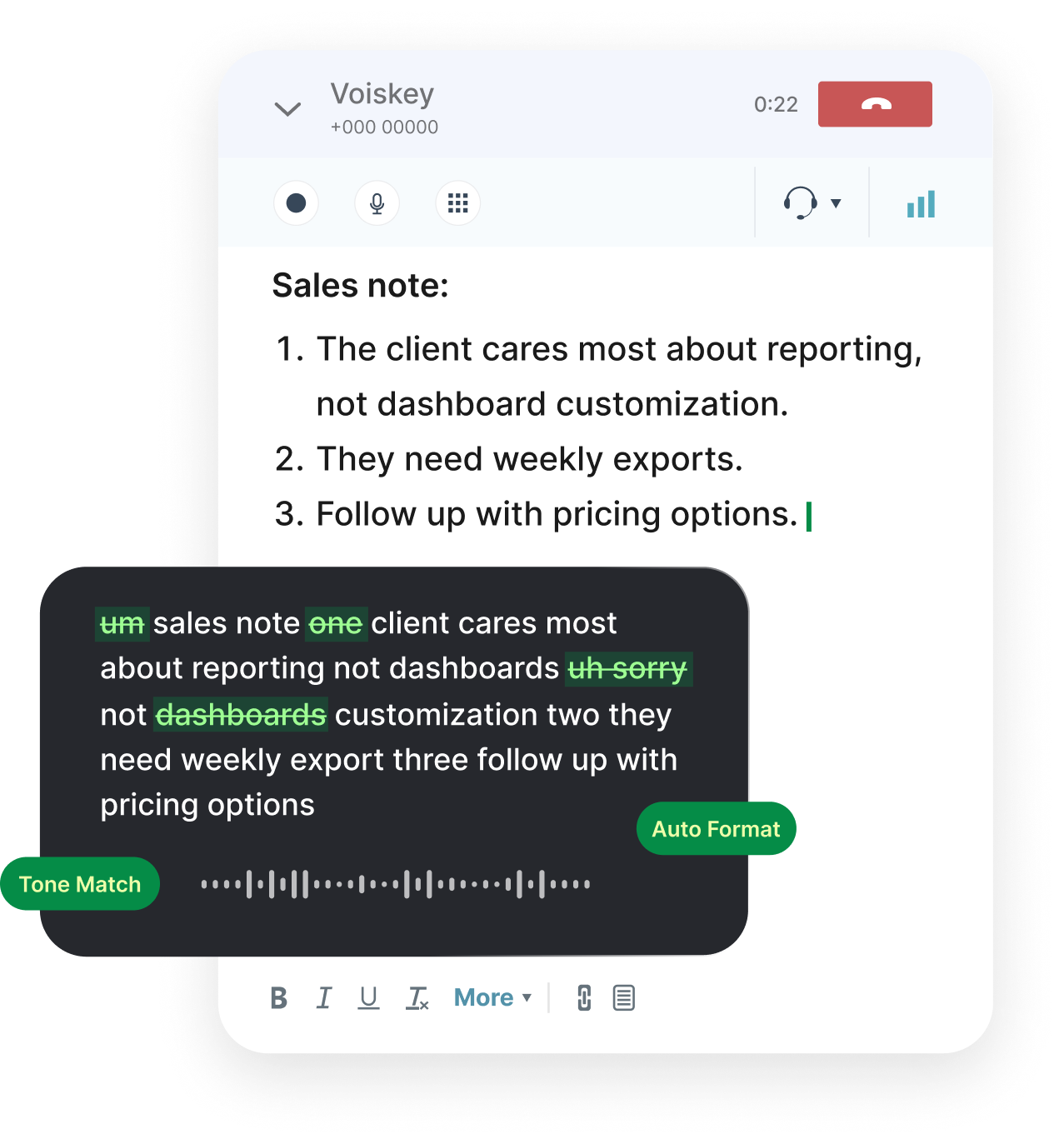
Open a doc — not the slide tool yet. Speak problem, solution, market, product, traction, team, and ask the way you would say it in a room.
That is a practical ai pitch deck generator workflow: voice becomes an editable outline faster than typing into a pitch deck maker from zero.
Select the dump and ask by voice to split it into one slide per section with three bullets each. Then move the text into Gamma, Pitch, Keynote, or PowerPoint.
For Investors Reviewing Decks
After a pitch, speak what landed, what felt thin, and what you still need. Land it next to the investment memo so the IC thread stays specific.
Custom vocabulary keeps fund names and sector jargon consistent when you dictate under time pressure.
What to Dictate
Deck Outlines
Slide-by-slide narrative before you open the design tool.

Post-Pitch Notes
Strengths, gaps, and diligence asks for investors.
Partner Summaries
One Slack paragraph that survives Monday.
Founder Follow-Ups
Speak the next ask into email while context is fresh.
Works Where You Already Work
Google Docs, Notion, Word, Slack, Gmail, and browser-based pitch deck creator tools that take pasted text. Speak first, design second.
macOS, Windows, iOS, and Android — outline on the phone after the meeting, polish at the desk.
FAQ s
No. Voiskey puts clean outline and speaker-note text at your cursor in Docs, Notion, or email. You still place content into your pitch deck creator or slide tool.
You speak the narrative; fillers are cleaned. Select text and ask by voice to turn it into slide-by-slide bullets. It does not invent metrics you never said.
Yes. Speak strengths, gaps, and questions into your memo or CRM note while the deck is still open on screen.
Yes. Speak progress, numbers, and the ask into the email or update doc.
No. There is no file upload. You speak into whichever field has focus.


 Voiskey
Your voice, amplified.
Open a blank doc. Say the story slide by slide — then paste into your deck tool.
Use it across macOS, Windows, iOS, and Android