
MEDDIC Checklist by Voice
Fill Your MEDDIC Checklist by Voice After Every Call
The hardest part of running MEDDIC is not knowing the framework, it is filling the meddic checklist while the call is still fresh in your head. Dictate a few sentences against each field the moment you hang up and Voiskey turns them into clean, CRM-ready notes. Free to start.
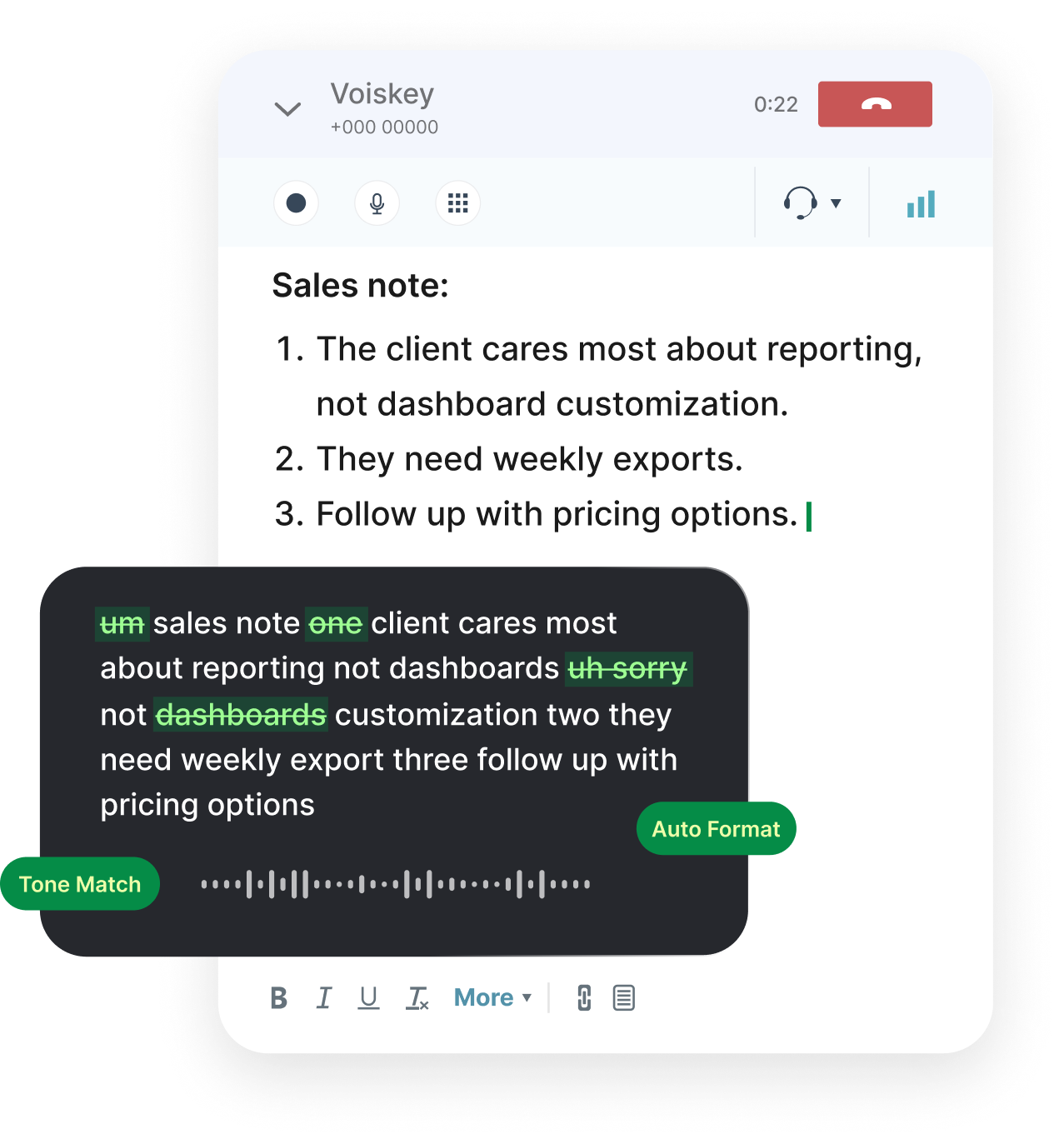
The Checklist Goes Stale by the Next Meeting
Every rep knows the drill: the discovery call ends, you promise yourself you will update the meddic checklist later, and then three more calls stack up before you get back to it. By the time you open the CRM, the economic buyer's exact words have blurred, the metric the prospect cared about is now a vague memory, and the pain they described has flattened into a generic line that helps no one. The framework was never the hard part. Keeping the fields current, specific, and honest while the detail is still in your head is where qualification quietly falls apart.
Typing is the bottleneck. After a long call your hands are tired, you are already context-switching to the next meeting, and typing runs at around 45 words a minute. So the notes get compressed into whatever you can stand to type, which is almost never the texture that actually moves a deal forward. The quote from the champion gets dropped. The one sentence the economic buyer said about budget gets paraphrased into nothing. The specific decision criteria collapse into 'they want it to be easy to use,' which tells your manager and your future self absolutely nothing.
Speaking fixes the economics of the problem. You talk at roughly 220 words a minute, so narrating what just happened against each field takes a fraction of the time and keeps the real language intact. Voiskey is a voice keyboard that drops that speech straight into your CRM or notes app as clean text, so the checklist gets filled while the call is still vivid, not reconstructed from fragments a day later when half the detail is already gone.
Moments an AE Dictates Instead of Types
The best time to fill a field is the ninety seconds right after you hang up. You are still in the headspace of the conversation, you still remember the throwaway comment that turned out to matter, and you have not yet talked yourself out of writing it down. These are the moments where speaking beats typing by a wide margin, because the window where the detail is accurate is short and it closes faster than most reps admit.
Across a normal selling week, the same pattern repeats in different shapes. Right after discovery, in the gap between back-to-back calls, walking to the next meeting, or decompressing in the car after an onsite, the content is fresh and the keyboard is the only thing standing between your memory and a clean record. Dictating lets you capture it in that gap instead of letting it evaporate, so the checklist is built from what actually happened rather than what you can still recall on Friday.
When speaking beats typing for an AE:
- Right after a discovery callMEDDIC fields filled while fresh
- Between back-to-back meetingsNotes captured in the gap
- Walking out of an onsiteChampion quotes saved verbatim
- Prepping for the next touchGaps in the checklist spotted early
How to Fill the MEDDIC Checklist by Voice, Field by Field
The trick is to treat each letter as a prompt and simply talk through what you learned. Open the deal in your CRM, put your cursor in the notes field, and move down the six fields in order. You are not writing an essay; you are answering six questions out loud while the answers are still sharp. Here is the field-by-field pass that takes about two minutes once it becomes a habit, and it fills every part of the checklist in the prospect's own language.
Run these six fields out loud after each call:
- Metrics: say the number the prospect wants to move and by how much. 'They want to cut onboarding time from six weeks to two, which is worth roughly a quarter of a rep's ramp.' Speak the figure they actually used, not a rounded guess.
- Economic buyer: name the person who controls the budget and quote how they framed it. 'The VP of Ops signs off; she said this comes out of next quarter's tooling budget, not headcount.' If you only suspect who it is, say that too.
- Decision criteria: list what they will actually judge you on, in their words and in priority order. 'Security review first, then native Salesforce sync, then price. Integrations are a hard gate.' Vague criteria are how deals get stuck.
- Decision process: narrate the real steps and timeline. 'Pilot with two teams, then a security review in week three, then a procurement cycle they said runs about thirty days.' Dates and owners are what make a close date credible.
- Identify pain: capture the cost of doing nothing in their own language. 'Reps spend Friday afternoons on manual CRM updates and the data is stale by Monday, so the forecast is wrong going into the week.' Pain in their words sells for you later.
- Champion: name your internal advocate and state the evidence they are real. 'Marcus offered to introduce me to the VP without being asked and is pushing the pilot internally.' A tested champion is worth more than a friendly contact.
Jargon, Names, and Clean Punctuation
Sales conversations are full of company names, product names, and acronyms, and a note tool that mangles them creates more editing than it saves. Voiskey learns the names and field-specific vocabulary you use, so account names, competitor names, and the alphabet soup of MEDDIC, ARR, POC, and SOW come out spelled the way you write them after a few uses. Say an unusual name clearly once and check it; it tends to stick, so each deal gets a little cleaner than the last instead of fighting you every time.
Punctuation and structure come through as you speak, so your dictated notes land as readable sentences rather than a run-on wall of text. You can speak a short list, start a new line for each field, and the result is a CRM note a manager can actually scan on a forecast call. If a word comes out wrong, fix it inline the same way you would fix a typo. The point is that editing a mostly-right note takes seconds, while typing a complete one from a blank field is the task you keep putting off.
Works in the CRM You Already Live In
Voiskey is a voice keyboard, so it works anywhere you can type with no integration to set up and nothing for IT to approve. Dictate straight into the notes field on a Salesforce or HubSpot opportunity, into a deal in your pipeline tool, or into the document where you prep for the next call. The checklist lives where your team already looks, so nothing has to be copied over later and no field ends up stranded in a side note that no one reads.
It also fits the devices a seller actually uses between meetings. Capture a field on your iPhone walking out of an onsite, finish the rest on your Mac at your desk, and keep the same clean format throughout. Because Voiskey picks up softer speech, including a whisper, you can dictate a champion's quote in a quiet office or a shared space without broadcasting the deal to the whole room.
Where an AE dictates during the day:
- Discovery notesDictated into the CRM opportunity
- Call prep docsSpoken straight into Docs or Notion
- Deal updates to your managerVoice typing in Slack or email
- Mobile capture after onsitesDictated on iPhone or iPad
Getting Started Is Free
You get the same generous start as everyone: one month of Pro free when you create an account, up to two more months when you invite colleagues, and 2,000 words a week on the free plan after that with no expiry. A disciplined field-by-field pass after each call fits comfortably in that, and the habit pays for itself the first time a deal does not slip because the notes were actually complete when your manager asked.
There is nothing to integrate and no verification to clear. Create an account, open the deal you just talked about, put your cursor in the notes field, and run the six fields out loud. The next time someone asks where that deal really stands, the answer is already written down, in the prospect's own words, instead of trapped in a memory that fades a little more with every call you take after it.
FAQ s
Once the six-field pass is a habit, it takes about two minutes right after a call. You are answering six short questions out loud, and since speaking runs near 220 words a minute against roughly 45 for typing, you capture far more detail in far less time than opening the CRM hours later and reconstructing it from memory.
Yes. Voiskey is a voice keyboard that works anywhere you can type, so it drops text straight into any CRM notes field without an integration or admin approval. Put your cursor where you want the note and speak, and the text appears exactly as if you had typed it.
It learns the names and field-specific vocabulary you use, so account names, competitor names, and terms like MEDDIC, ARR, and SOW come out right after a few uses. Say any unusual name clearly once and glance at the result; corrections stick and the editing shrinks over time.
Yes. Voiskey picks up softer speech, including a whisper, so you can record a champion's exact quote or a sensitive budget detail without the rest of the floor hearing it. In a fully silent room, capture the note the moment you step out of the call.
Say so out loud and name the next step, such as 'no economic buyer confirmed, ask the champion who signs.' A dictated gap turns an empty field into an action item, which is far more useful on a deal review than a blank space that quietly hides the risk.
For most individual reps, yes. A two-minute field-by-field pass after each call is short, and a month of Pro plus 2,000 words a week after that covers a normal pipeline. Heavy, long-form dictation across a very large book of business uses more.


 Voiskey
Your voice, amplified.
Speak naturally, write effortlessly, and move faster. Turn your voice into polished, ready-to-use text wherever you work.
Use it across macOS, Windows, iOS, and Android