
Dictation for Mac: Picking a Dictation App for Mac
Choosing a dictation app for mac comes down to accuracy, speed, and whether the tool works in every app and browser where you already type.
 Voiskey Team
What Dictation on a Mac Means Today
If you are shopping for a dictation app for mac, it helps to know how much the category has changed. Dictation once meant sitting inside a single desktop program, training it for an afternoon, and hoping it caught your words. Today the bar is far higher. A modern tool should transcribe your speech in real time, keep pace with natural talking, and drop clean text straight into whatever window you are already working in, whether that is an email, a document, a chat thread, or a code editor.
That shift matters because the way people work on a Mac has changed too. Most of us no longer live inside one app. We bounce between a browser, a messaging client, a notes app, and a handful of web tools throughout the day. A dictation solution that only works in one place forces you to copy and paste constantly, which defeats the purpose of speaking instead of typing. The options worth considering now are the ones that follow you everywhere and feel invisible once you start talking.
The good news is that voice input has become genuinely practical for everyday professional work, not just accessibility or quick notes. Writers use it to draft faster, support agents answer tickets without wrist strain, and busy managers clear an inbox between meetings. The question is no longer whether dictation works. It is which option fits the way you actually use your Mac.
Why Voice Input Is Worth It
Most people can speak far faster than they can type, often two to three times as quickly, and that gap compounds over a full workday. When you dictate a first draft instead of typing it, you move at the speed of thought and spend less energy fighting the keyboard. For long emails, reports, and documentation, that difference can turn a thirty minute task into a ten minute one, leaving more room for the thinking that actually requires your attention.
There is a physical benefit too. Hours of typing contribute to wrist and shoulder strain for a lot of knowledge workers, and shifting some of that input to voice spreads the load. Dictation is also a natural fit when your hands are busy, when you are reviewing a printed page, or when you simply think more clearly out loud. A capable tool lets you capture ideas the moment they arrive rather than losing them while you reach for the keyboard.
Finally, voice input lowers the friction of starting. A blank page is intimidating, but talking through a rough version is easy. Once the words are on screen you can edit, trim, and polish. The strongest dictation setups lean into this: they get your thoughts down quickly and accurately so the hard part, refining the message, is the only part left.
What to Look For in a Dictation App for Mac
Before comparing specific names, it helps to fix the criteria that separate a tool you keep from one you abandon after a week. Accuracy comes first, because a transcription that needs heavy correction is slower than typing. But raw accuracy is not the whole story. How the tool handles punctuation, formatting, and your industry vocabulary matters just as much for producing text you can send without a cleanup pass.
The second big factor is reach. A dictation tool that only works in one editor leaves you copying and pasting all day. The strongest options insert text directly wherever your cursor sits, from native Mac apps to browser tabs. Speed and latency round out the list: the words should appear as you speak, not after an awkward pause, so the experience feels like a conversation rather than a wait.
The criteria that actually matter
- Accuracy on natural, conversational speech, including names and technical terms.
- Real-time response so text appears as you talk with minimal lag.
- Works across apps and browsers, not just one editor, so you never copy and paste.
- Voice commands for punctuation and new lines so output is clean and ready to send.
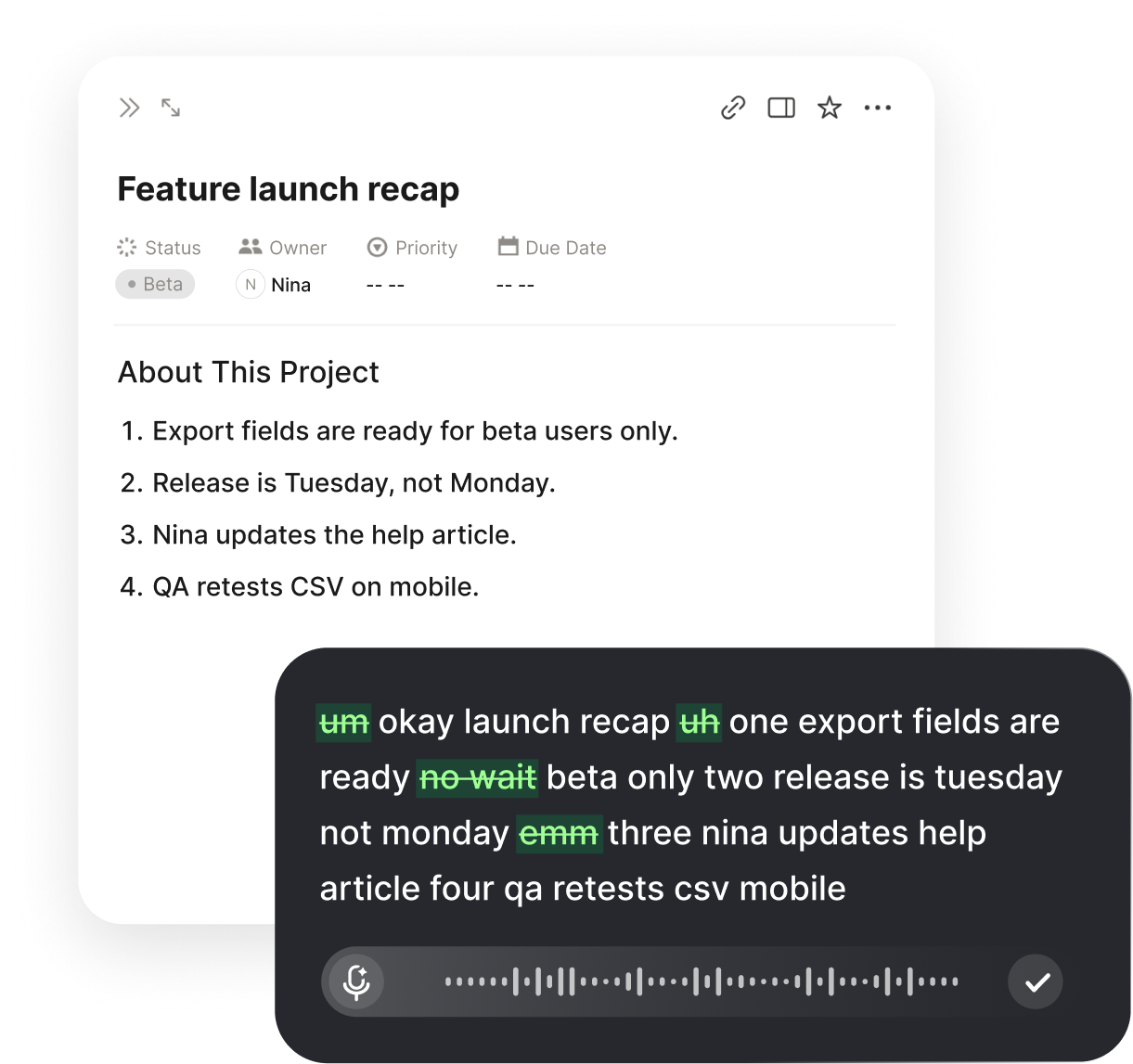
- Filler-word cleanup that removes the ums and false starts automatically.
- A privacy-conscious approach so you feel comfortable dictating sensitive work.
- Simple setup with no long training session before you can start.
An Honest Look at the Main Options
There are a few broad categories of dictation tool on the Mac, and each suits a different kind of user. Understanding the trade-offs up front saves you from installing three apps and uninstalling two. Below is a plain summary of what each type tends to do well and where it falls short, so you can match the strengths to your own routine rather than chasing a single star rating.
Apple ships a built-in Dictation feature and a more advanced Voice Control mode with every Mac. These are free, deeply integrated, and fine for short bursts of text or basic commands. They are a reasonable starting point, but they can struggle with heavy formatting, specialized vocabulary, and consistent accuracy across every third-party app. Dedicated desktop programs such as Dragon have long been the power-user choice, especially for fields like medicine and law, offering strong accuracy and custom vocabularies at the cost of a heavier footprint and a steeper setup.
Browser-based dictation, including the voice typing built into some web editors, is convenient when your work lives in a single site, but it rarely extends beyond that one tab. Modern cross-app tools like Voiskey aim to combine the strengths of these worlds: high real-time accuracy, punctuation and cleanup features, and the ability to type by voice anywhere on your Mac, from native apps to any browser.
How the main choices compare at a glance
- Built-in Mac Dictation / Voice ControlFree and integrated, good for short text and commands, weaker on formatting and specialized terms.
- Dedicated desktop software such as DragonStrong accuracy and custom vocabularies, but heavier setup and a bigger learning curve.
- Browser dictationHandy inside one web editor, but usually stuck in that single tab.
- VoiskeyReal-time accuracy with punctuation commands and filler cleanup that works across apps and browsers.
Why Voiskey Fits the Modern Mac Workflow
Voiskey is built for the way people actually use a Mac today: spread across many apps and tabs at once. It runs as a Chrome extension and a desktop app for both Mac and Windows, so your voice becomes an input method everywhere rather than a feature locked to one program. You can dictate an email in Gmail, draft a doc in Google Docs, answer a prompt in ChatGPT, write code in Cursor, and reply in Slack or Notion, all with the same tool and the same muscle memory.
Accuracy is the foundation, and Voiskey pairs real-time speech to text with voice commands for punctuation so you can speak periods, commas, and new lines naturally. Its filler-word cleanup quietly removes the ums, likes, and false starts that make raw transcripts look messy, so what lands on screen reads like something you would actually send. It supports many languages and is designed with privacy in mind, which matters when you are dictating client notes or internal plans.
The result is a tool that disappears into your workflow. There is no long training session and no single app you have to retreat to. You press a shortcut, talk, and clean text appears where your cursor already is. For most professionals weighing a dictation app for mac, that combination of accuracy, reach, and polish is exactly what turns voice input from a novelty into a daily habit.
Getting Started and Building the Habit
The fastest way to judge any dictation tool is to use it for one real task, not a test sentence. Pick something you already have to write, like a reply to a long email thread or a short status update, and dictate the whole thing before you touch the keyboard. You will learn more in five real minutes than in an hour of reading reviews, because you will see how the tool handles your voice, your pace, and your vocabulary.
A few habits make voice input feel natural quickly. Speak in full phrases rather than one word at a time, since context helps accuracy. Say your punctuation out loud so the text comes out formatted, and let the tool handle filler cleanup rather than over-correcting yourself mid-sentence. Keep a consistent shortcut so starting to dictate is reflexive. Within a few days most people stop thinking about the mechanics and simply talk.
It also helps to start with low-stakes writing before you move to high-stakes messages. Draft notes, outlines, and casual replies by voice first to build confidence, then graduate to client emails and formal documents once you trust the output. Because a cross-app tool like Voiskey works the same everywhere, the habit transfers cleanly from one app to the next without relearning anything.
The Bottom Line
There is no single right answer for everyone, but the decision is simpler than it looks once you weigh it against your own work. If you only need occasional short dictation and live mostly in native Mac apps, the built-in tools are a fine free start. If you work in a specialized field with demanding vocabulary and do not mind a heavier setup, a dedicated desktop program can pay off. But if you move between many apps and browsers all day and want accurate, clean text with almost no friction, a modern cross-app tool is the stronger match.
For that last and most common case, Voiskey is a compelling pick. It brings real-time accuracy, punctuation voice commands, and filler cleanup to every app and browser on your Mac, with support for many languages and a privacy-conscious design. The right dictation app for mac is ultimately the one you reach for without thinking, and a tool that works everywhere you already type is the easiest kind of habit to keep.
FAQ s
Start with high real-time accuracy, support for punctuation and formatting by voice, and the ability to work across every app and browser you use. On a Mac that cross-app reach is especially valuable because most people split their day between native apps and the browser. A tool that only works in one place forces constant copying and pasting, so reach and accuracy together are what separate a daily driver from a novelty.
Apple's built-in Dictation and Voice Control are free, integrated, and perfectly serviceable for short text and simple commands. If your needs are occasional and light, they may be all you require. However, they can struggle with heavy formatting, specialized vocabulary, and consistent accuracy across third-party apps, which is where a dedicated tool like Voiskey tends to pull ahead for professional, everyday writing.
No. Voiskey offers both a Chrome extension and a desktop app for Mac and Windows, so you can dictate well beyond a single browser. It works across apps and browsers including Google Docs, Gmail, ChatGPT, Cursor, Slack, and Notion, inserting clean text wherever your cursor already sits. That flexibility is the main reason people pick it over tools locked to one tab or one program.
Modern voice-to-text is accurate enough for real professional work, not just quick notes. Voiskey transcribes natural, conversational speech in real time and handles punctuation through voice commands, then cleans up filler words so the output reads like finished text. You will still edit and polish as you would with any draft, but the starting point is clean enough to send after a light review rather than a heavy rewrite.
Not with a modern tool. Older dedicated programs often required a training session to learn your voice before they worked well. Voiskey is designed to start working right away, so you install it, set a shortcut, and begin dictating. Accuracy on names and technical terms improves as you use natural phrasing, but there is no long upfront setup standing between you and your first dictated sentence.
Voiskey is built with privacy in mind, which matters when you dictate client notes, internal plans, or other confidential material. As a general rule, review any dictation tool's privacy approach before using it for sensitive content, and choose one that is transparent about how speech is handled. A privacy-conscious design is one of the criteria we recommend weighing alongside accuracy and cross-app reach when choosing a dictation app for mac.


 Voiskey
Your voice, amplified.
Try Voiskey on your Mac and turn clear speech into clean, ready-to-send text in seconds.
Use it across macOS, Windows, iOS, and Android