
AI Voice Typing for Teams
Turn your thoughts into better team communication
Turn spoken thoughts into clear, ready-to-use text for team updates, project handoffs, standups, decisions, and follow-ups.
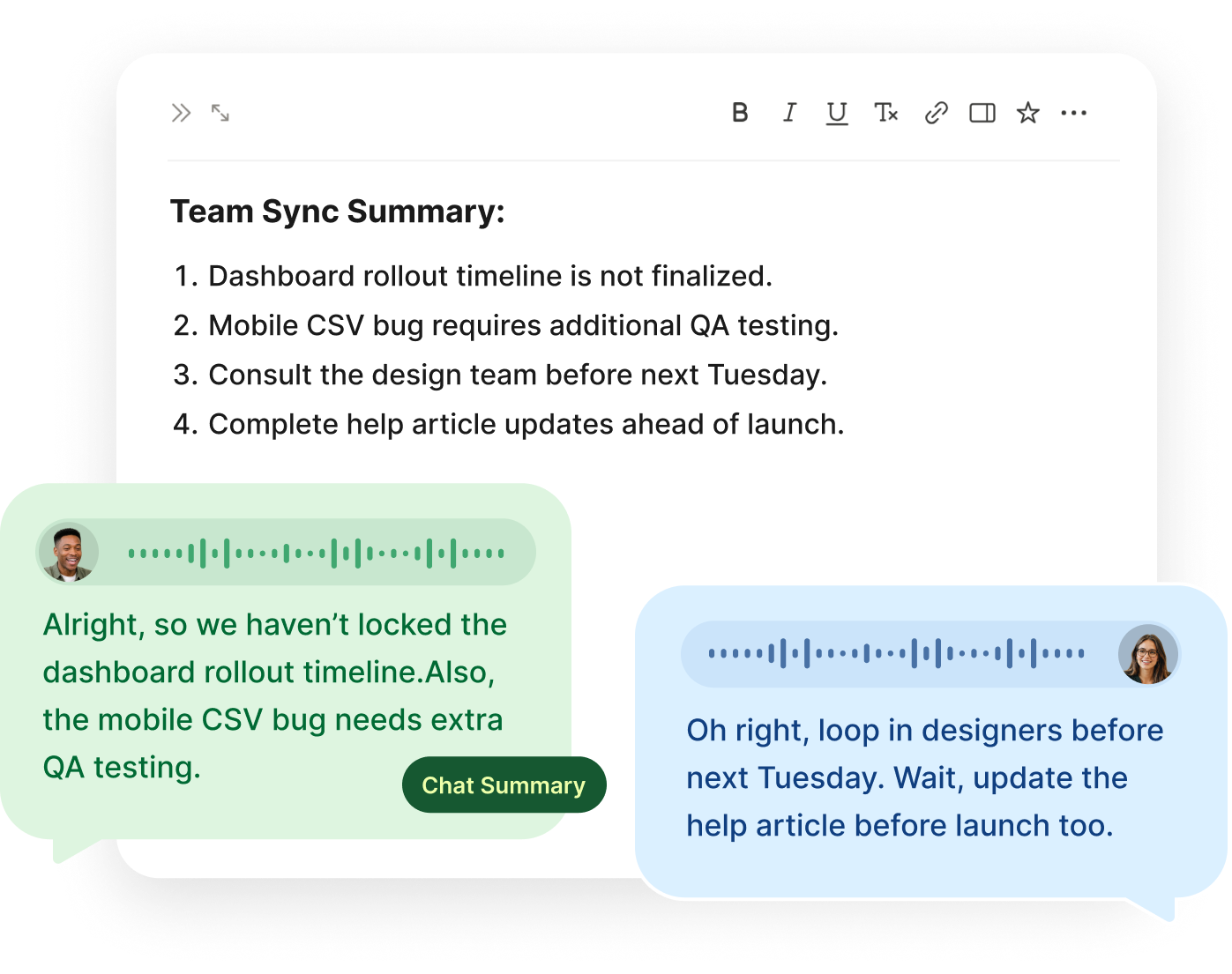
Voice typing for team communication
Teamwork depends on small pieces of writing. A quick status update. A handoff before logging off. A standup note. A recap after a decision. A follow-up after a customer call. A blocker explained clearly enough that someone else can help.
None of these messages need to be long, but they do need to be clear.
Voiskey helps you write those everyday team updates faster. Say what you mean naturally, then turn your voice into clear, ready-to-use text in the tools your team already uses.
It is especially helpful when you already know what you want to say, but typing it out would slow you down.
Why team writing takes more effort than it looks
A team update is rarely just a sentence. It often needs context, status, timing, ownership, and next steps. If one part is missing, the message can create more questions than it answers.
A vague update like "Still working on this" does not give the team much to act on. A better update explains what is done, what is still open, what is blocked, and when the next step will happen.
That kind of clarity takes effort. Voiskey helps by letting you speak the full thought first, while the context is still in your head. Then it turns that rough speech into text that is easier for teammates to read and use.
Turn rough spoken context into useful updates
Most people do not think in polished work messages. They think in rough context: what happened, what changed, what feels blocked, what someone needs to know, and what should happen next.
That is why basic voice-to-text is often not enough. A raw transcript may include filler words, repeated phrases, half-finished sentences, and unclear structure.
Voiskey is designed to help turn natural speech into ready-to-use text. You can talk through the update in your own words, then review a cleaner version before sharing it with your team.
This makes it easier to write updates that are specific without becoming long, and clear without sounding overworked.
Team workflows Voiskey can help with
Team updates
Share progress, changes, blockers, risks, and next steps without typing every detail from scratch.
Project handoffs
Turn spoken context into a clear handoff with status, decisions, links, open questions, and the next owner.
Standup notes
Dictate what you finished, what you are working on, and what is blocked in a format your team can quickly scan.
Decision recaps
Capture what was decided, why it matters, and what needs to happen next.
Async updates
Write clear updates for teammates who may read them later, especially across time zones or busy schedules.
Manager updates
Turn rough context into a concise update that is easy to scan and act on.
Customer-facing team notes
Write internal notes, support context, account updates, sales follow-ups, and success handoffs with less manual typing.
Cross-functional work
Explain context clearly across product, design, engineering, marketing, sales, support, operations, and leadership.
How voice typing works for teams
Voiskey fits into the places where your team already writes.
The workflow is:
- Open the app, document, chat, task tool, dashboard, or browser field where you want to write.
- Click into the text field.
- Activate Voiskey with your dictation shortcut.
- Speak your update, handoff, note, recap, or follow-up naturally.
- Review the text.
- Share the final version.
Voiskey does not automatically send team messages. It helps you create the text, while you stay in control of what gets shared.
Dictate team updates in 100+ languages
Teams often work across languages, locations, and time zones. Voiskey supports 100+ languages, so you can dictate updates, notes, handoffs, and follow-ups in your preferred language.
FAQ s
A clear team update should explain the current status, what changed, what is blocked, and what happens next. If someone else needs to act, include the owner and deadline. Voiskey helps you speak the update naturally and turn it into ready-to-use text your team can scan quickly.
Yes. Voice typing is useful for work updates because many updates are easier to explain out loud than to type from scratch. With Voiskey, you can dictate a project update, standup note, handoff, recap, or follow-up, then review the text before sharing it.
Start with the project health: on track, at risk, blocked, or complete. Then add what changed, what is next, and where help is needed. Voiskey helps turn that spoken status update into cleaner text with better structure, punctuation, and flow.
A useful project handoff should include the current status, key decisions, important links, blockers, open questions, and the next owner. This helps another teammate continue the work without having to ask for missing context.
Async communication depends on clear written context because teammates may read your update later. Voice typing helps you capture the full context while it is fresh, then turn it into a written update that is easier to understand across time zones, schedules, and teams.
A good standup update should cover what was done, what is in progress, what is blocked, and what comes next. Voiskey can help you say the update naturally first, then turn it into a clear written version for your team.
Voiskey can help teams write clearer async updates, project recaps, and handoffs, which can reduce some back-and-forth and status meetings. When updates are easier to create and easier to read, teammates can stay aligned without always needing another call.


 Voiskey
Your voice, amplified.
Speak naturally, write effortlessly, and move faster. Turn your voice into polished, ready-to-use text wherever you work.
Use it across macOS, Windows, iOS, and Android