
AI Voice Typing for Notes
Take better notes with your voice
Capture ideas, study notes, work notes, research notes, and project thoughts faster with AI voice typing that turns natural speech into organized text.
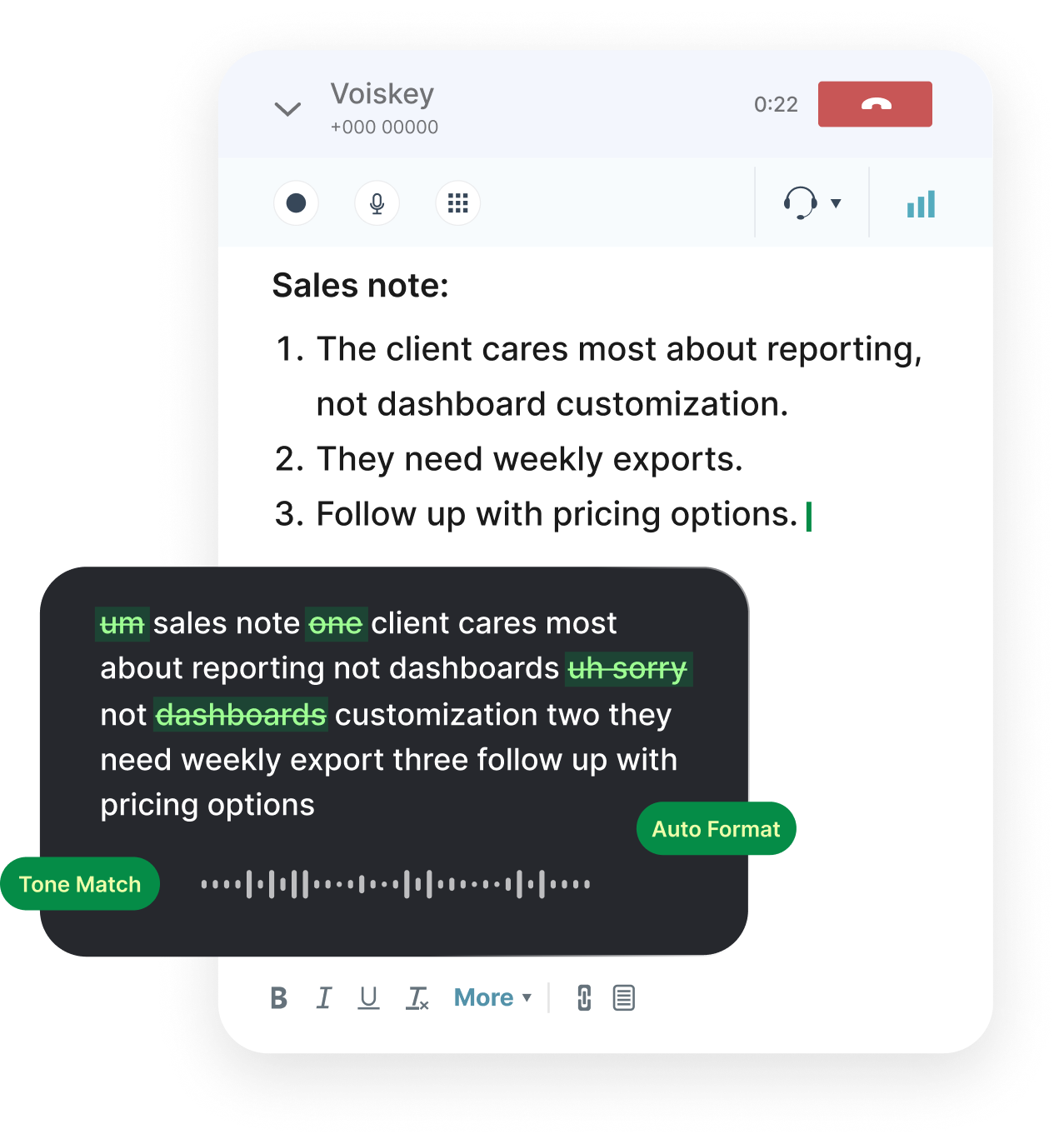
Voice typing for notes
Good notes usually start before your hands are ready. An idea appears while you are reading, walking between meetings, reviewing a document, studying for class, planning a project, or trying to remember what someone just said.
Voiskey helps you capture those thoughts while they are still fresh. Instead of stopping to type every sentence, you speak naturally and turn your voice into clear, organized note text you can keep, edit, search, and build on later.
You do not need to speak in perfect paragraphs. Start with the rough version. Pause, restart, correct yourself, or talk through the idea out loud. Voiskey helps turn that natural speech into readable notes.
Why voice notes help you capture more
Typing can slow down the moment when your thinking is moving fastest. You may lose the detail, simplify the point too early, or skip the messy context that would have made the note useful later.
Voice typing gives you a faster way to get the full thought down. You can dictate a quick idea, expand a research note, outline a plan, capture a class takeaway, or record the first draft of a personal reminder without fighting the keyboard. Unlike a raw voice memo, dictated notes become organized text right away.
Use Voiskey in your daily notes apps
Voiskey is designed for the places where you already write. Use it in Apple Notes, Google Docs, Notion, Microsoft OneNote, browser-based editors, school portals, content calendars, and any desktop text field where you keep your notes.
This matters because most people do not keep all notes in one app. Work notes may live in a project doc. Study notes may live in a school platform. Personal ideas may live in a notes app. Research may be scattered across tabs and documents.
Voiskey helps you keep the note where it belongs. Click into the place where you want the text, speak your thought, review the result, and keep moving.
Note types Voiskey can help with
Work notes
Dictate project updates, task context, decision notes, handoff details, and quick thoughts between meetings.
Study notes
Capture lecture takeaways, reading summaries, exam prep ideas, language practice notes, and questions to review later.
Research notes
Talk through insights from articles, PDFs, customer interviews, user feedback, competitor research, and source material.
Personal notes
Save ideas, reminders, journal entries, travel plans, book notes, and everyday thoughts without typing long blocks of text.
Creative notes
Dictate outlines, story ideas, content angles, script notes, product ideas, and first-draft fragments while the idea still has energy.
Team notes
Capture shared context, project observations, blocker details, and next-step notes before they disappear into chat history.
How to dictate notes with Voiskey
Voiskey fits into your existing writing flow.
The workflow is:
- Open the notes app, document, browser page, or text field where you want the note to appear.
- Click into the note or document.
- Activate Voiskey with your dictation shortcut.
- Speak naturally, even if the thought is rough.
- Review the organized note text.
- Edit anything you want to refine.
- Save it in the app you are already using.
Dictate notes in 100+ languages
Voiskey supports 100+ languages, so you can capture notes in the language you think in, study in, or work in. This is especially helpful for multilingual users, international teams, students, researchers, and anyone who switches between languages during the day.
Voiskey can also help with names, terms, spelling preferences, product language, technical vocabulary, and personal phrasing, so dictated notes feel closer to the way you actually write.
FAQ s
Basic speech-to-text gives you the words you said. AI voice typing is designed for writing. It helps turn rough speech into cleaner text with better punctuation, fewer fillers, and a structure that feels more like a note than a transcript.
Yes. Voiskey works where you type, so you can use it for Google Docs voice typing, Notion notes, Microsoft OneNote pages, Apple Notes, browser editors, and other note-taking spaces.
Meeting minutes are usually formal records. Meeting notes are practical working notes for the team. Voiskey is best for everyday meeting notes, recaps, follow-ups, standup updates, and action items.
Yes. Students can use Voiskey to dictate lecture takeaways, reading summaries, exam review notes, research ideas, class questions, and study reminders while the material is still fresh.


 Voiskey
Your voice, amplified.
Speak naturally, write effortlessly, and move faster. Turn your voice into polished, ready-to-use text wherever you work.
Use it across macOS, Windows, iOS, and Android