

professionals who answer many chats every day
AI Voice Typing for Messages
Turn your voice into polished Slack replies, Teams updates, DMs, customer responses, and everyday messages
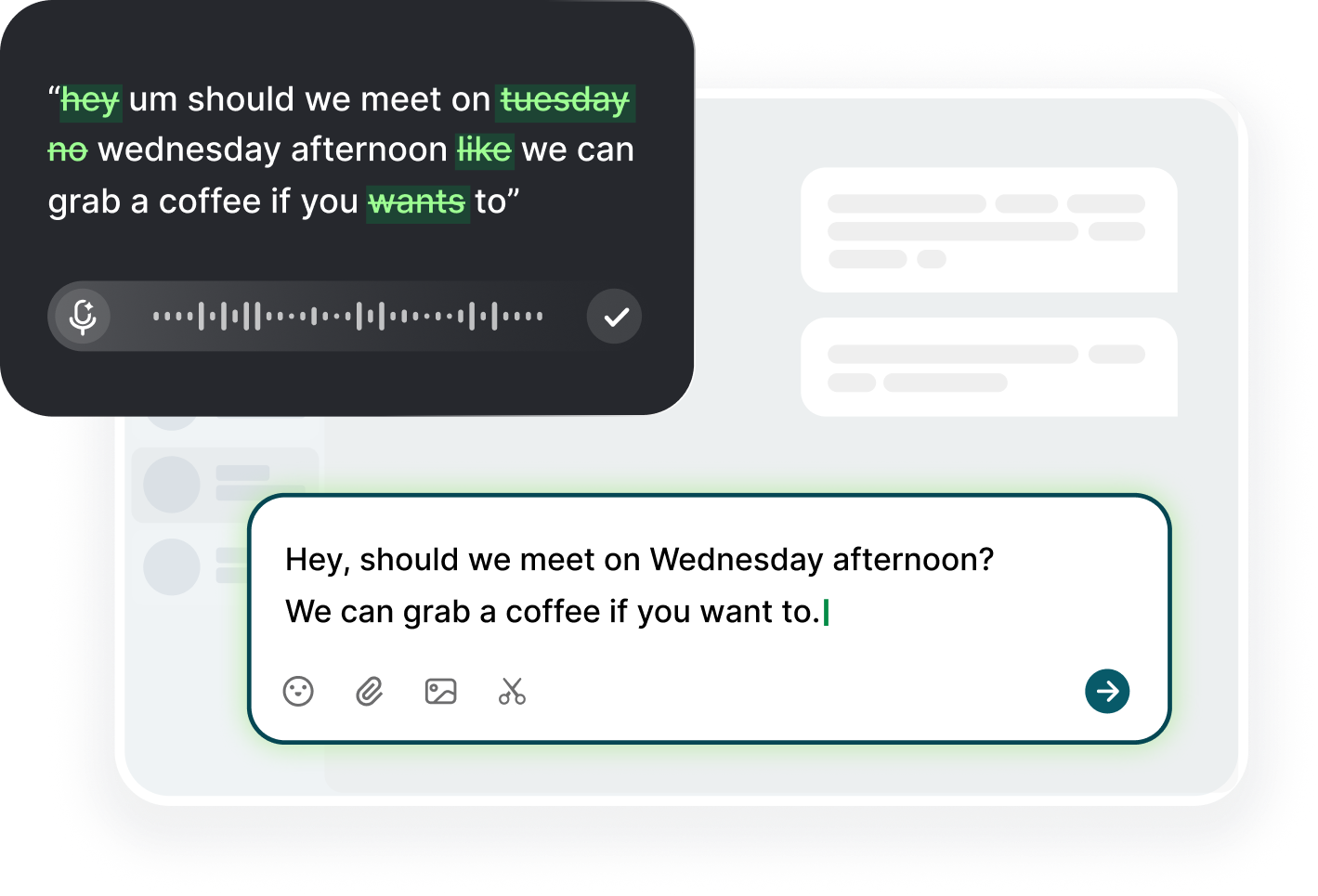
Most work messages do not happen in one place anymore. A single day can move from Slack threads to Microsoft Teams updates, LinkedIn DMs, WhatsApp Web chats, Discord communities, customer support tools, project dashboards, and browser-based message boxes.
Voiskey helps with that exact workflow. Instead of typing every reply by hand, you speak your draft naturally and turn it into clean message text you can review, edit, and send yourself.
Work chat is fast, but writing good messages still takes effort. You may need to answer a teammate clearly, follow up with a lead, explain a decision, reply to a customer, update a project channel, or send a short DM that still sounds thoughtful.
Message dictation helps because many replies begin as spoken thoughts. You can say the point out loud while the context is still fresh, then let Voiskey shape it into text that is easier to read. This is especially useful when you are switching between meetings, tabs, tools, and conversations all day.
Voiskey is designed for the places where you already write on your computer. Use it for Slack messages, Microsoft Teams updates, WhatsApp chats, Discord replies, LinkedIn DMs, browser-based chat tools, customer support platforms, school portals, work dashboards, and other desktop text fields.
This matters because work messages are scattered across tools. Voiskey helps you keep the conversation where it already lives.
Dictate replies, channel updates, thread responses, and quick notes without typing every sentence.
Dictate status updates, project notes, handoffs, and meeting follow-ups in a readable format.
Dictate networking replies, recruiter messages, sales follow-ups, and one-to-one messages faster.
Turn spoken explanations into clearer text for customers, users, clients, or internal notes.
Reply to WhatsApp web chats, community messages, group plans, and more while staying in your workflow.
Voiskey fits into the way people already work on a computer. Open the app or browser tab where the conversation is happening, click into the message field, and use Voiskey to dictate what you want to say.
The workflow is:
Voiskey does not automatically send messages. You stay in control of the final reply.
Voiskey supports 100+ languages, so you can use your voice for message writing across teams, clients, schools, communities, and personal workflows.
Voiskey can also help keep names, terms, and spelling preferences closer to the way you work. That is useful for usernames, company names, product terms, client names, technical vocabulary, team jargon, and phrases you use often.
AI message dictation is useful for people who write a lot of messages on a computer and want to move faster without losing control of what they send.
Voiskey is especially helpful for:
professionals who answer many chats every day

founders and operators dictating quick updates

sales teams writing follow-ups and LinkedIn replies

recruiters responding to candidates

customer support and success teams dictating replies and notes

managers coordinating work across Slack or Teams

developers and product teams dictating blockers, updates, and handoffs

students working across school portals, chats, and group projects

creators and community managers replying to desktop DMs

people who think faster than they type

people who want a more comfortable alternative to long typing sessions
Voiskey is an AI voice typing app that turns natural speech into clean, polished, ready-to-use text.
Open the app, website, or work tool where you want to reply, click into the message field, activate Voiskey, and speak your message naturally. Voiskey turns your voice into ready-to-use text.
Yes. Voiskey can help you dictate messages in Slack, Microsoft Teams, WhatsApp, Discord, LinkedIn, customer support tools, browser-based chat tools, and other places where you type.
Built-in dictation usually focuses on converting speech into a raw transcript. Voiskey is designed for AI voice typing, so it can help clean up natural speech, improve punctuation, reduce filler, and format dictated text for everyday writing scenarios.
Yes. Voiskey can help turn rough speech into clearer message text by improving punctuation, removing filler, and making dictated replies easier to read before you send them.
No. Voiskey helps you create the message text. You stay in control of reviewing, editing, and sending the final message in the app or website you are using.
Yes. Voiskey has mobile apps available on the App Store and Google Play.
Yes. Voiskey supports 100+ languages, so you can dictate messages in the language you use every day.

 Voiskey
Speak naturally, write effortlessly, and move faster. Turn your voice into polished, ready-to-use text wherever you work.
Use it across macOS, Windows, iOS, and Android
